Tasty Planet Forever
अपडेट किया गया
वर्तमान वर्शन
1.2.1
संसाधन

अपने सेलफोन पर Tasty Planet Forever का उपयोग करते समय ओवरचार्ज के बारे में चिंता करना बंद करें, अपने आप को छोटी स्क्रीन से मुक्त करें और बहुत बड़े डिस्प्ले पर ऐप का उपयोग करने का आनंद लें। अब से, कीबोर्ड और माउस के साथ अपने ऐप का पूर्ण-स्क्रीन अनुभव प्राप्त करें। एमईएमयू आपको उन सभी आश्चर्यजनक सुविधाओं की पेशकश करता है जिनकी आपको उम्मीद थी: त्वरित इंस्टॉल और आसान सेटअप, सहज नियंत्रण, बैटरी की कोई सीमा नहीं, मोबाइल डेटा और परेशान कॉल। आपके कंप्यूटर पर Tasty Planet Forever का उपयोग करने का सबसे अच्छा विकल्प नया MEmu 9 है। हमारे अवशोषण के साथ कोडित, बहु-उदाहरण प्रबंधक एक ही समय में 2 या अधिक खाते खोलना संभव बनाता है। और सबसे महत्वपूर्ण, हमारा अनन्य उत्सर्जन इंजन आपके पीसी की पूरी क्षमता को जारी कर सकता है, सब कुछ सुचारू और सुखद बना सकता है।
और दिखाएं
डाउनलोड करें Tasty Planet Forever पीसी पर MEmu एंड्रॉयड एमुलेटर के साथ बड़े पर्दे पर खेलने का आनंद लें। Play as a small cat with an insatiable hunger.
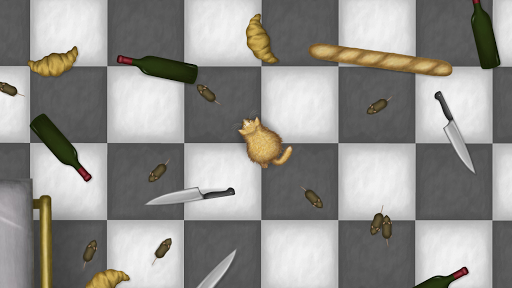
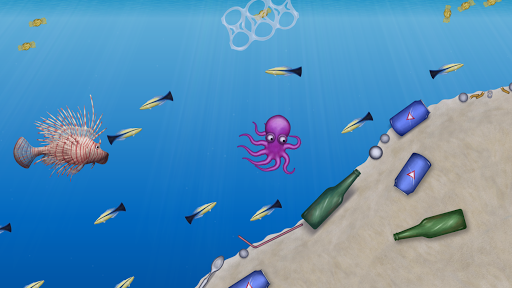
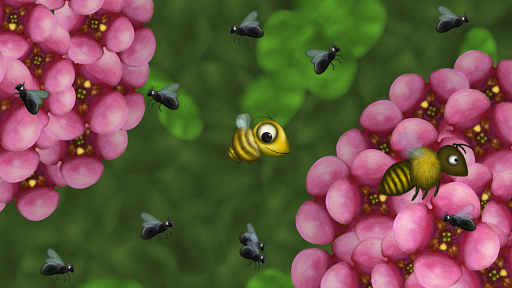
Play as a small cat with an insatiable hunger. Grow bigger and bigger by eating everything in Paris. Eat rats, baguettes, people, cars, trees, buildings, and more!
When you’re finished dining on Paris, there are seven more worlds to eat:
-Consume the Caribbean as an angry octopus
-Save the savanna as a heroic rat
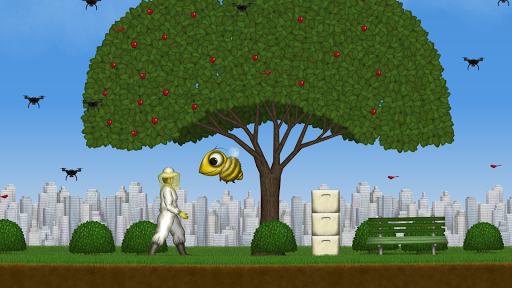
-Devour the city as a big eyed bee
-Reclaim the Pacific Ocean as a basking shark
-Eradicate invasive species as an experimental dingo
-Stop the humans as a peckish penguin
-Munch on Mars as a ball of grey goo
For an extra challenge, play through the worlds again using the eight bonus characters: metal cat, moray eel, elephant, ladybug, killer whale, baby, chicken, and black hole.
This is the biggest Tasty Planet game ever. There are hundreds of different entities to eat and well over 150 levels. The scale of some of the levels is enormous; in one level you'll grow all the way from the size of a subatomic particle to the size of the universe.
Try out split screen cooperative mode on tablets. After unlocking levels in single player you’ll be able to play them with a friend in two player coop mode.
और दिखाएं

1. MEmu इंस्टॉलर को डाउनलोड करें और इंस्टॉलेशन को पूरा करें

2. MEmu शुरू करें फिर होमपेज पर Google Play खोलें

3. Google Play में Tasty Planet Forever खोजें
Install
4. Tasty Planet Forever डाउनलोड कर इंस्टॉल करें
5. इंस्टॉल पूरा होने पर आइकन दबाएं

6. MEmu से पीसी पर Tasty Planet Forever खेलने का आनंद लें
MEmu Play सबसे बेहतरीन मुफ़्त Android एमुलेटर है और 5 करोड़ लोग पहले ही इसके शानदार Android गेमिंग अनुभव का आनंद ले चुके हैं। MEmu 9 वर्चुअलाइज़ेशन तकनीक आपको अपने PC पर हज़ारों Android गेम, यहाँ तक कि सबसे ज़्यादा ग्राफ़िक्स वाले गेम भी, आसानी से खेलने की सुविधा देती है।
असीमित बैटरी या मोबाइल डेटा के साथ बेहतर ग्राफिक्स के साथ बड़ी स्क्रीन; लंबी अवधि।
कीबोर्ड और माउस या गेमपैड के उत्तम नियंत्रण के लिए संपूर्ण कीमैपिंग का समर्थन करता हैं।
एक ही पीसी पर मल्टी-इंस्टेंस मैनेजर के साथ एक समय में कई गेम खाते या कार्य कर सकते हैं।
Play Tasty Planet Forever on PC by following steps: