Tiny Room Stories Eclipse
अपडेट किया गया
वर्तमान वर्शन
संसाधन

अपने सेलफोन पर Tiny Room Stories Eclipse का उपयोग करते समय ओवरचार्ज के बारे में चिंता करना बंद करें, अपने आप को छोटी स्क्रीन से मुक्त करें और बहुत बड़े डिस्प्ले पर ऐप का उपयोग करने का आनंद लें। अब से, कीबोर्ड और माउस के साथ अपने ऐप का पूर्ण-स्क्रीन अनुभव प्राप्त करें। एमईएमयू आपको उन सभी आश्चर्यजनक सुविधाओं की पेशकश करता है जिनकी आपको उम्मीद थी: त्वरित इंस्टॉल और आसान सेटअप, सहज नियंत्रण, बैटरी की कोई सीमा नहीं, मोबाइल डेटा और परेशान कॉल। आपके कंप्यूटर पर Tiny Room Stories Eclipse का उपयोग करने का सबसे अच्छा विकल्प नया MEmu 9 है। हमारे अवशोषण के साथ कोडित, बहु-उदाहरण प्रबंधक एक ही समय में 2 या अधिक खाते खोलना संभव बनाता है। और सबसे महत्वपूर्ण, हमारा अनन्य उत्सर्जन इंजन आपके पीसी की पूरी क्षमता को जारी कर सकता है, सब कुछ सुचारू और सुखद बना सकता है।
और दिखाएं
डाउनलोड करें Tiny Room Stories Eclipse पीसी पर MEmu एंड्रॉयड एमुलेटर के साथ बड़े पर्दे पर खेलने का आनंद लें। Immerse yourself in an atmospheric 3D puzzle adventure filled with mysteries, hidden objects, and escape room mechanics.
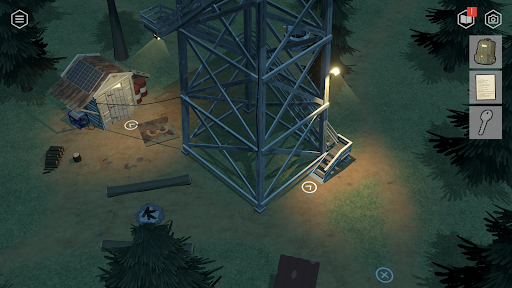
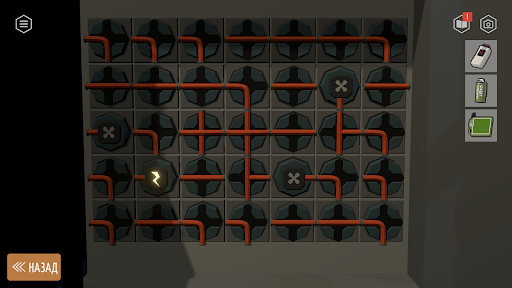
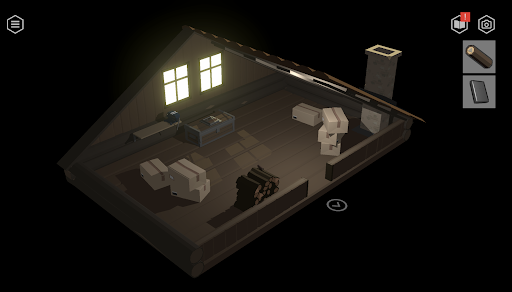
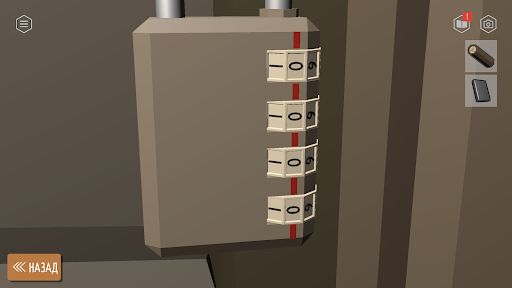
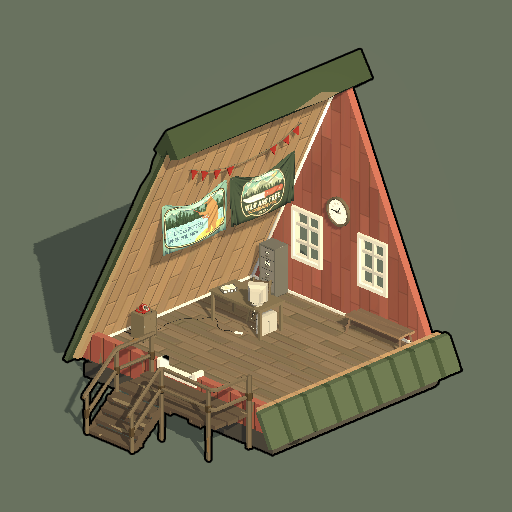
Immerse yourself in an atmospheric 3D puzzle adventure filled with mysteries, hidden objects, and escape room mechanics. Explore detailed rotatable dioramas, search for clues, solve challenging puzzles, and unlock new locations in a classic point-and-click adventure style.
You play as a former soldier who takes a job at a remote fire lookout tower deep in the forest. What begins as a quiet new life soon turns into a dangerous investigation. Missing people, restricted areas, strange facilities hidden in the woods, and secrets someone is desperate to keep buried.
Game Features:
- Atmospheric point-and-click adventure
- Rotatable 3D dioramas
- Escape room puzzles and mechanical riddles
- Hidden objects and interactive environments
- Explore forests, lookout towers, bunkers, and abandoned locations
- Story-driven mystery adventure
- One-handed controls and offline play
If you enjoy detective games, escape room puzzles, mystery adventures, and story-driven point-and-click games this adventure is for you.
और दिखाएं

1. MEmu इंस्टॉलर को डाउनलोड करें और इंस्टॉलेशन को पूरा करें

2. MEmu शुरू करें फिर होमपेज पर Google Play खोलें

3. Google Play में Tiny Room Stories Eclipse खोजें
Install
4. Tiny Room Stories Eclipse डाउनलोड कर इंस्टॉल करें
5. इंस्टॉल पूरा होने पर आइकन दबाएं

6. MEmu से पीसी पर Tiny Room Stories Eclipse खेलने का आनंद लें
MEmu Play सबसे बेहतरीन मुफ़्त Android एमुलेटर है और 5 करोड़ लोग पहले ही इसके शानदार Android गेमिंग अनुभव का आनंद ले चुके हैं। MEmu 9 वर्चुअलाइज़ेशन तकनीक आपको अपने PC पर हज़ारों Android गेम, यहाँ तक कि सबसे ज़्यादा ग्राफ़िक्स वाले गेम भी, आसानी से खेलने की सुविधा देती है।
असीमित बैटरी या मोबाइल डेटा के साथ बेहतर ग्राफिक्स के साथ बड़ी स्क्रीन; लंबी अवधि।
कीबोर्ड और माउस या गेमपैड के उत्तम नियंत्रण के लिए संपूर्ण कीमैपिंग का समर्थन करता हैं।
एक ही पीसी पर मल्टी-इंस्टेंस मैनेजर के साथ एक समय में कई गेम खाते या कार्य कर सकते हैं।
Play Tiny Room Stories Eclipse on PC by following steps: