Where the Seeds Fall
अपडेट किया गया
वर्तमान वर्शन
संसाधन

अपने सेलफोन पर Where the Seeds Fall का उपयोग करते समय ओवरचार्ज के बारे में चिंता करना बंद करें, अपने आप को छोटी स्क्रीन से मुक्त करें और बहुत बड़े डिस्प्ले पर ऐप का उपयोग करने का आनंद लें। अब से, कीबोर्ड और माउस के साथ अपने ऐप का पूर्ण-स्क्रीन अनुभव प्राप्त करें। एमईएमयू आपको उन सभी आश्चर्यजनक सुविधाओं की पेशकश करता है जिनकी आपको उम्मीद थी: त्वरित इंस्टॉल और आसान सेटअप, सहज नियंत्रण, बैटरी की कोई सीमा नहीं, मोबाइल डेटा और परेशान कॉल। आपके कंप्यूटर पर Where the Seeds Fall का उपयोग करने का सबसे अच्छा विकल्प नया MEmu 9 है। हमारे अवशोषण के साथ कोडित, बहु-उदाहरण प्रबंधक एक ही समय में 2 या अधिक खाते खोलना संभव बनाता है। और सबसे महत्वपूर्ण, हमारा अनन्य उत्सर्जन इंजन आपके पीसी की पूरी क्षमता को जारी कर सकता है, सब कुछ सुचारू और सुखद बना सकता है।
और दिखाएं
डाउनलोड करें Where the Seeds Fall पीसी पर MEmu एंड्रॉयड एमुलेटर के साथ बड़े पर्दे पर खेलने का आनंद लें। The earth has been afflicted with Blight, forcing humanity to build new homes upon the branches of the World Tree.
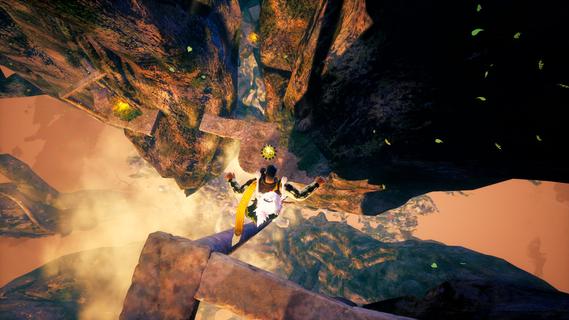
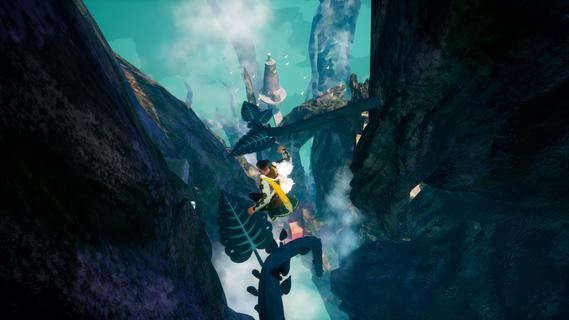
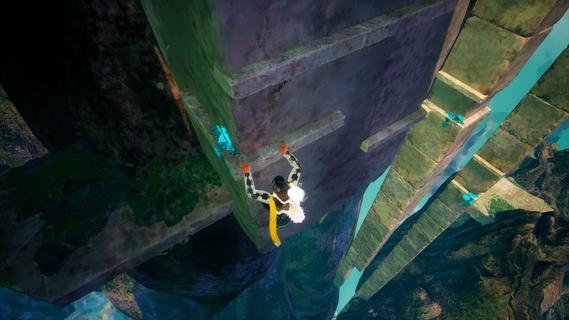
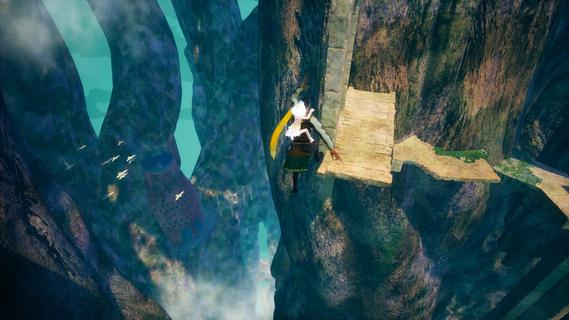
The earth has been afflicted with Blight, forcing humanity to build new homes upon the branches of the World Tree.It is a place fraught with peril, and in their fear, humanity has branded "Fell Children" as omens of disaster. After encountering a Fell Child, however, one soldier goes against orders and resolves to escort them to the surface world.Navigate crumbling platforms, brace against strong winds, and make sure you land on steady ground. On the precarious branches of the World Tree, one misstep could spell your doom.Growing on the World Tree are unique flower buds you can pick up and carry. Throw them where you want to land to create flower blossoms that will absorb the impact of your otherwise deadly fall.As you explore the World Tree, uncover the truth behind the Fell Child to learn whatâand whoâyour journey is truly about.Enjoy a densely-packed narrative experience that can be finished in about 3 hours. After clearing the main story, continue challenging yourself with higher-difficulty maps and a time trial mode.
और दिखाएं

1. MEmu इंस्टॉलर को डाउनलोड करें और इंस्टॉलेशन को पूरा करें

2. MEmu शुरू करें फिर होमपेज पर Google Play खोलें

3. Google Play में Where the Seeds Fall खोजें
Install
4. Where the Seeds Fall डाउनलोड कर इंस्टॉल करें
5. इंस्टॉल पूरा होने पर आइकन दबाएं

6. MEmu से पीसी पर Where the Seeds Fall खेलने का आनंद लें
MEmu Play सबसे बेहतरीन मुफ़्त Android एमुलेटर है और 5 करोड़ लोग पहले ही इसके शानदार Android गेमिंग अनुभव का आनंद ले चुके हैं। MEmu 9 वर्चुअलाइज़ेशन तकनीक आपको अपने PC पर हज़ारों Android गेम, यहाँ तक कि सबसे ज़्यादा ग्राफ़िक्स वाले गेम भी, आसानी से खेलने की सुविधा देती है।
असीमित बैटरी या मोबाइल डेटा के साथ बेहतर ग्राफिक्स के साथ बड़ी स्क्रीन; लंबी अवधि।
कीबोर्ड और माउस या गेमपैड के उत्तम नियंत्रण के लिए संपूर्ण कीमैपिंग का समर्थन करता हैं।
एक ही पीसी पर मल्टी-इंस्टेंस मैनेजर के साथ एक समय में कई गेम खाते या कार्य कर सकते हैं।
Play Where the Seeds Fall on PC by following steps: