WITH Island: Relaxing games
अपडेट किया गया
वर्तमान वर्शन
1.0.16606
संसाधन

अपने सेलफोन पर WITH Island: Relaxing games का उपयोग करते समय ओवरचार्ज के बारे में चिंता करना बंद करें, अपने आप को छोटी स्क्रीन से मुक्त करें और बहुत बड़े डिस्प्ले पर ऐप का उपयोग करने का आनंद लें। अब से, कीबोर्ड और माउस के साथ अपने ऐप का पूर्ण-स्क्रीन अनुभव प्राप्त करें। एमईएमयू आपको उन सभी आश्चर्यजनक सुविधाओं की पेशकश करता है जिनकी आपको उम्मीद थी: त्वरित इंस्टॉल और आसान सेटअप, सहज नियंत्रण, बैटरी की कोई सीमा नहीं, मोबाइल डेटा और परेशान कॉल। आपके कंप्यूटर पर WITH Island: Relaxing games का उपयोग करने का सबसे अच्छा विकल्प नया MEmu 9 है। हमारे अवशोषण के साथ कोडित, बहु-उदाहरण प्रबंधक एक ही समय में 2 या अधिक खाते खोलना संभव बनाता है। और सबसे महत्वपूर्ण, हमारा अनन्य उत्सर्जन इंजन आपके पीसी की पूरी क्षमता को जारी कर सकता है, सब कुछ सुचारू और सुखद बना सकता है।
और दिखाएं
डाउनलोड करें WITH Island: Relaxing games पीसी पर MEmu एंड्रॉयड एमुलेटर के साथ बड़े पर्दे पर खेलने का आनंद लें। Everyday WITH U.

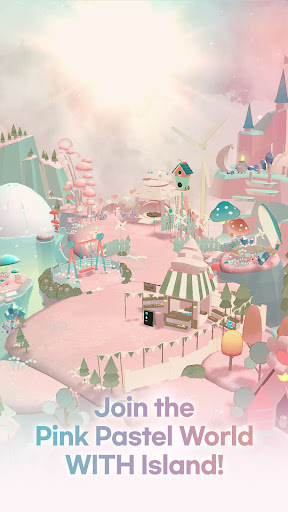

Everyday WITH U
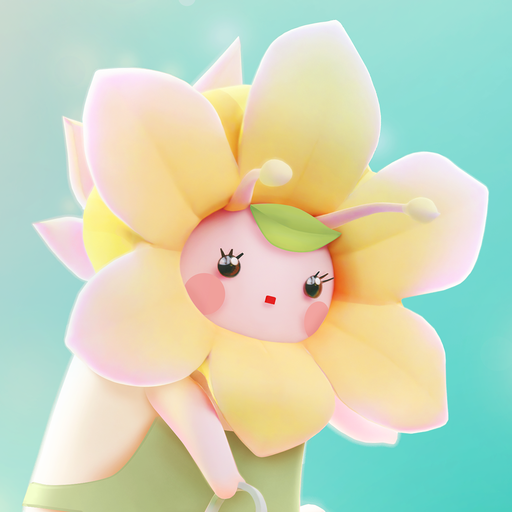
WITH Island is cute relaxing games where you can escape from cyclic life and enter a simulation world❤
Relaxing simulation games and offline games which is available to play whenever you want
While traveling on a dandelion seed,
Wiz, our main character, made an emergency landing on the back of Whale floating in the sky…
By chance, Wiz encounters the Whale
Together they create a relaxing space of their own.
[ Features ]
1. Stress-free idle relaxing games that anyone can enjoy!
No more stress! As time goes by, gold and hearts will be collected automatically. How easy it is❤
No more pressure! Enjoy the slow-paced daily life with soothing BGM, leaving behind your worries.
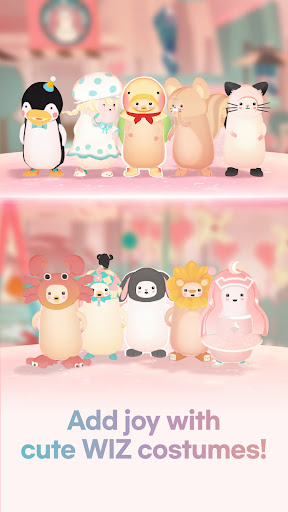
2. Customize the cute character with various costumes and cute items!
Choose from a range of skin colors, costumes, shoes, bags, and more to create your own unique character
You can even give them a name!
Check out character with the rabbit costume for an extra dose of cuteness❤
3. Grow the whale by communicating with it and feeding it
Wiz and the whale have a symbiotic relationship
Try feeding the whale with food made by Wiz!
Every day the whale will give you a word of comfort that will warm your heart❤
The whale's comforting words can be a tremendous relaxing experience, especially when you're tired of your everyday life
और दिखाएं

1. MEmu इंस्टॉलर को डाउनलोड करें और इंस्टॉलेशन को पूरा करें

2. MEmu शुरू करें फिर होमपेज पर Google Play खोलें

3. Google Play में WITH Island: Relaxing games खोजें
Install
4. WITH Island: Relaxing games डाउनलोड कर इंस्टॉल करें
5. इंस्टॉल पूरा होने पर आइकन दबाएं

6. MEmu से पीसी पर WITH Island: Relaxing games खेलने का आनंद लें
MEmu Play सबसे बेहतरीन मुफ़्त Android एमुलेटर है और 5 करोड़ लोग पहले ही इसके शानदार Android गेमिंग अनुभव का आनंद ले चुके हैं। MEmu 9 वर्चुअलाइज़ेशन तकनीक आपको अपने PC पर हज़ारों Android गेम, यहाँ तक कि सबसे ज़्यादा ग्राफ़िक्स वाले गेम भी, आसानी से खेलने की सुविधा देती है।
असीमित बैटरी या मोबाइल डेटा के साथ बेहतर ग्राफिक्स के साथ बड़ी स्क्रीन; लंबी अवधि।
कीबोर्ड और माउस या गेमपैड के उत्तम नियंत्रण के लिए संपूर्ण कीमैपिंग का समर्थन करता हैं।
एक ही पीसी पर मल्टी-इंस्टेंस मैनेजर के साथ एक समय में कई गेम खाते या कार्य कर सकते हैं।
Play WITH Island: Relaxing games on PC by following steps: