AI Video Maker: BlushLens
अपडेट किया गया
वर्तमान वर्शन
1.0.5
संसाधन

AI Video Maker: BlushLens पर अपनी मोबाइल डेटा सीमा पार करने को अलविदा कहें और छोटी स्क्रीन की सीमाओं से मुक्त होकर बड़े डिस्प्ले के लाभों का अनुभव करें। अब, आप अपने कीबोर्ड और माउस का उपयोग करके फुल-स्क्रीन मोड में टॉपर्स क्लैन की शक्ति का अनुभव कर सकते हैं। MEmu Play में वे सभी बेहतरीन सुविधाएँ हैं जिनकी आप अपेक्षा करते हैं: त्वरित इंस्टॉलेशन और आसान सेटअप, सहज नियंत्रण, बैटरी की आवश्यकता नहीं, और कोई डेटा या कॉल समय सीमा नहीं। नया MEmu 9 आपके कंप्यूटर पर AI Video Maker: BlushLens का उपयोग करने के लिए सबसे अच्छा विकल्प है। हमारा मालिकाना मल्टी-इंस्टेंस मैनेजर एक साथ दो या अधिक खातों को चलाने का समर्थन करता है। इससे भी महत्वपूर्ण बात यह है कि हमारा अनूठा इम्यूलेशन इंजन आपके कंप्यूटर के प्रदर्शन का पूरा उपयोग करता है, जिससे एक सहज और निर्बाध अनुभव मिलता है।
और दिखाएं
MEmu Play के साथ PC पर AI Video Maker: BlushLens इस्तेमाल करने के शानदार अनुभव का आनंद लें। यह एक शक्तिशाली मुफ़्त Android एमुलेटर है जो आपको डेस्कटॉप वर्ज़न के लिए हज़ारों Android ऐप्स उपलब्ध कराता है। दोस्तों से जुड़ने और अपने काम को और भी बेहतर बनाने का आनंद लें! AI Video Maker: BlushLens.
AI Video Maker: BlushLens
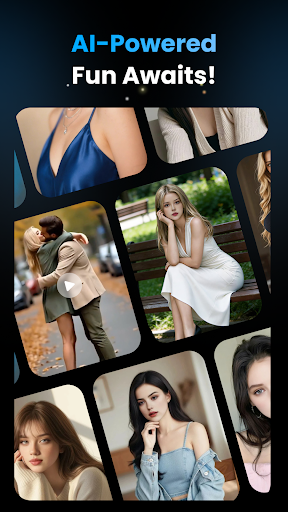
BlushLens invites you into a softer, warmer kind of fantasy—where a single photo can feel closer, more personal, and unexpectedly intimate. With the power of AI, ordinary images turn into moments that linger, hint, and gently stir the imagination.
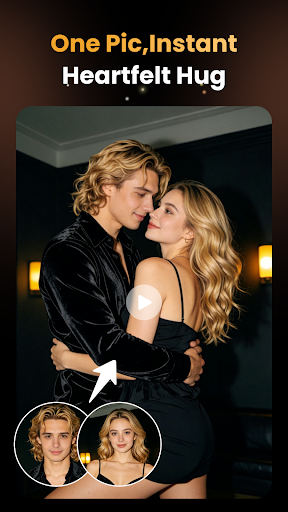
Hug Video Effect
Upload a photo of two people and let AI create a lifelike embrace that feels tender, cinematic, and emotionally charged. Subtle movement and natural motion bring warmth and closeness to life, transforming still images into touching video moments.
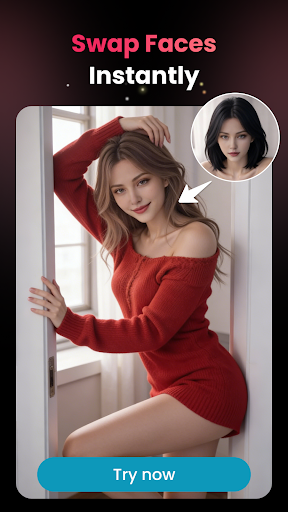
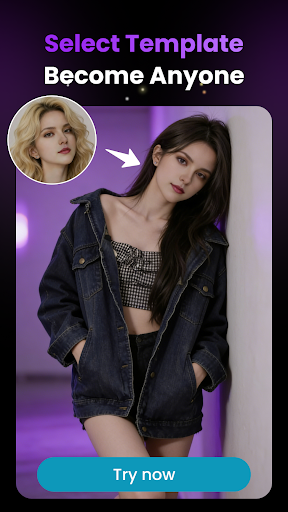
AI Face Swap
Slip into new roles and expressions with smooth, realistic face swaps. Whether playful, romantic, or bold, BlushLens lets you explore different sides of yourself with ease—perfect for creative fun and visual storytelling.
Simple, Fast, Captivating
Just upload a photo, choose an effect, and let AI do the rest. No complex editing skills required—BlushLens makes creating expressive videos and images effortless.
Privacy You Can Trust
Your privacy matters. All photos and videos are processed securely and are never shared with third parties or used beyond generating your content. Your creations remain yours, always.
BlushLens turns photos into feelings—soft, alluring, and unforgettable.
और दिखाएं

1. MEmu इंस्टॉलर को डाउनलोड करें और इंस्टॉलेशन को पूरा करें

2. MEmu शुरू करें फिर होमपेज पर Google Play खोलें

3. Google Play में AI Video Maker: BlushLens खोजें
Install
4. AI Video Maker: BlushLens डाउनलोड कर इंस्टॉल करें
5. इंस्टॉल पूरा होने पर आइकन दबाएं

6. MEmu का उपयोग करके अपने कंप्यूटर पर AI Video Maker: BlushLens का अनुभव करें
MEmu Play सबसे बेहतरीन मुफ़्त Android एमुलेटर है और 5 करोड़ लोग पहले ही इसके शानदार Android ऐप अनुभव का आनंद ले चुके हैं। MEmu 9 वर्चुअलाइज़ेशन तकनीक आपको अपने PC पर हज़ारों Android ऐप्स, यहाँ तक कि सबसे ज़्यादा ग्राफ़िक्स वाले ऐप्स भी, आसानी से चलाने की सुविधा देती है।
असीमित बैटरी या मोबाइल डेटा के साथ बेहतर ग्राफिक्स के साथ बड़ी स्क्रीन; लंबी अवधि।
कीबोर्ड और माउस या गेमपैड के उत्तम नियंत्रण के लिए संपूर्ण कीमैपिंग का समर्थन करता हैं।
एक ही पीसी पर मल्टी-इंस्टेंस मैनेजर के साथ एक समय में कई गेम खाते या कार्य कर सकते हैं।
Use AI Video Maker: BlushLens on PC by following steps: