
ARO Lite - Private Browser
अपडेट किया गया
वर्तमान वर्शन
1.3.6
संसाधन

ARO Lite - Private Browser पर अपनी मोबाइल डेटा सीमा पार करने को अलविदा कहें और छोटी स्क्रीन की सीमाओं से मुक्त होकर बड़े डिस्प्ले के लाभों का अनुभव करें। अब, आप अपने कीबोर्ड और माउस का उपयोग करके फुल-स्क्रीन मोड में टॉपर्स क्लैन की शक्ति का अनुभव कर सकते हैं। MEmu Play में वे सभी बेहतरीन सुविधाएँ हैं जिनकी आप अपेक्षा करते हैं: त्वरित इंस्टॉलेशन और आसान सेटअप, सहज नियंत्रण, बैटरी की आवश्यकता नहीं, और कोई डेटा या कॉल समय सीमा नहीं। नया MEmu 9 आपके कंप्यूटर पर ARO Lite - Private Browser का उपयोग करने के लिए सबसे अच्छा विकल्प है। हमारा मालिकाना मल्टी-इंस्टेंस मैनेजर एक साथ दो या अधिक खातों को चलाने का समर्थन करता है। इससे भी महत्वपूर्ण बात यह है कि हमारा अनूठा इम्यूलेशन इंजन आपके कंप्यूटर के प्रदर्शन का पूरा उपयोग करता है, जिससे एक सहज और निर्बाध अनुभव मिलता है।
और दिखाएं
MEmu Play के साथ PC पर ARO Lite - Private Browser इस्तेमाल करने के शानदार अनुभव का आनंद लें। यह एक शक्तिशाली मुफ़्त Android एमुलेटर है जो आपको डेस्कटॉप वर्ज़न के लिए हज़ारों Android ऐप्स उपलब्ध कराता है। दोस्तों से जुड़ने और अपने काम को और भी बेहतर बनाने का आनंद लें! Experience private, lightning‑fast browsing on the go with ARO Secure Proxy Browser Lite.
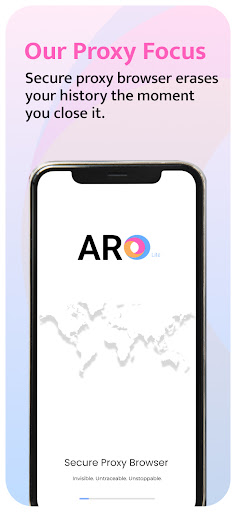
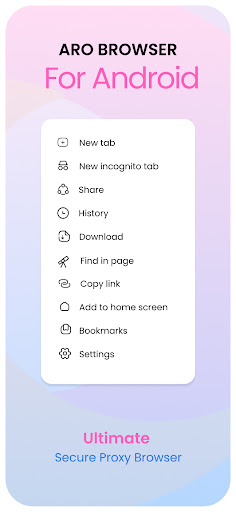
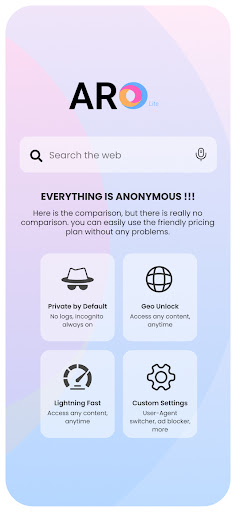
Experience private, lightning‑fast browsing on the go with ARO Secure Proxy Browser Lite. Designed for users who value speed, security, and anonymity, our ultra‑light browser delivers all the essentials without the bulk. Unblock websites, shield your data, and browse privately—all in one compact app.
Key Features
Proxy Servers
One‑tap connection to our global proxy network for anonymous, encrypted browsing.
Protect your identity and data on public Wi‑Fi, cellular networks, and more.
Auto‑reconnect keeps you protected even when network conditions fluctuate.
Privacy‑First Design
Truly no‑logs policy: we never record your browsing history, cookies, or personal data.
Incognito mode erases all local traces—history, cache, and form data—when you close the app.
Blazing Fast Performance
Optimized for speed and stability, even on low‑end or older Android devices.
Ultra‑light installation and minimal RAM usage keep your phone running smoothly.
Hardware‑accelerated page rendering and DNS prefetch for near‑instant page loads.
Advanced Encryption & Protocols
End‑to‑end TLS encryption for all HTTP and HTTPS traffic.
Supports modern protocols and strongest cipher suites.
Perfect Forward Secrecy keeps past sessions safe even if keys are compromised.
Data Saver & Bandwidth Optimizer
Compress images, scripts, and multimedia to reduce data usage by up to 60%.
Ideal for metered, slow, or congested networks.
Toggle compression levels to balance quality and savings.
Lightweight & Battery Friendly
Engineered for low CPU load and efficient background handling.
Extends battery life during long browsing sessions.
Support & Community
24/7 in‑app support chat for troubleshooting and tips.
Detailed FAQs, how‑to guides, and privacy whitepaper on our website.
Join our community for beta invites and direct feedback.
Why Choose ARO Secure Proxy Browser Lite?
Whether you’re unlocking blocked content, safeguarding your data on public hotspots, or simply enjoying cleaner, faster web pages, our lite browser puts you in full control of your digital footprint. Trusted by thousands worldwide, it’s the only privacy browser you need.
Permissions & Safety
Network Access: Required to connect to proxy servers.
Storage (Optional): To save downloads and custom settings.
No access to your contacts, camera, or microphone—your privacy is our priority.
Download Now and reclaim your online freedom with ARO Secure Proxy Browser Lite!
और दिखाएं

1. MEmu इंस्टॉलर को डाउनलोड करें और इंस्टॉलेशन को पूरा करें

2. MEmu शुरू करें फिर होमपेज पर Google Play खोलें

3. Google Play में ARO Lite - Private Browser खोजें
Install
4. ARO Lite - Private Browser डाउनलोड कर इंस्टॉल करें
5. इंस्टॉल पूरा होने पर आइकन दबाएं

6. MEmu का उपयोग करके अपने कंप्यूटर पर ARO Lite - Private Browser का अनुभव करें
MEmu Play सबसे बेहतरीन मुफ़्त Android एमुलेटर है और 5 करोड़ लोग पहले ही इसके शानदार Android ऐप अनुभव का आनंद ले चुके हैं। MEmu 9 वर्चुअलाइज़ेशन तकनीक आपको अपने PC पर हज़ारों Android ऐप्स, यहाँ तक कि सबसे ज़्यादा ग्राफ़िक्स वाले ऐप्स भी, आसानी से चलाने की सुविधा देती है।
असीमित बैटरी या मोबाइल डेटा के साथ बेहतर ग्राफिक्स के साथ बड़ी स्क्रीन; लंबी अवधि।
कीबोर्ड और माउस या गेमपैड के उत्तम नियंत्रण के लिए संपूर्ण कीमैपिंग का समर्थन करता हैं।
एक ही पीसी पर मल्टी-इंस्टेंस मैनेजर के साथ एक समय में कई गेम खाते या कार्य कर सकते हैं।
Use ARO Lite - Private Browser on PC by following steps: