FastCandy - Private & Fast
अपडेट किया गया
वर्तमान वर्शन
1.0.0
संसाधन

FastCandy - Private & Fast पर अपनी मोबाइल डेटा सीमा पार करने को अलविदा कहें और छोटी स्क्रीन की सीमाओं से मुक्त होकर बड़े डिस्प्ले के लाभों का अनुभव करें। अब, आप अपने कीबोर्ड और माउस का उपयोग करके फुल-स्क्रीन मोड में टॉपर्स क्लैन की शक्ति का अनुभव कर सकते हैं। MEmu Play में वे सभी बेहतरीन सुविधाएँ हैं जिनकी आप अपेक्षा करते हैं: त्वरित इंस्टॉलेशन और आसान सेटअप, सहज नियंत्रण, बैटरी की आवश्यकता नहीं, और कोई डेटा या कॉल समय सीमा नहीं। नया MEmu 9 आपके कंप्यूटर पर FastCandy - Private & Fast का उपयोग करने के लिए सबसे अच्छा विकल्प है। हमारा मालिकाना मल्टी-इंस्टेंस मैनेजर एक साथ दो या अधिक खातों को चलाने का समर्थन करता है। इससे भी महत्वपूर्ण बात यह है कि हमारा अनूठा इम्यूलेशन इंजन आपके कंप्यूटर के प्रदर्शन का पूरा उपयोग करता है, जिससे एक सहज और निर्बाध अनुभव मिलता है।
और दिखाएं
डाउनलोड करें FastCandy - Private & Fast पीसी पर MEmu एंड्रॉयड एमुलेटर के साथ बड़े पर्दे पर खेलने का आनंद लें। FastCandy is a lightning-fast app provide free service.

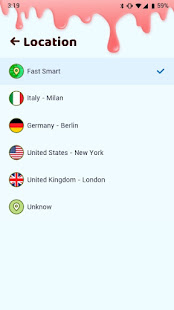

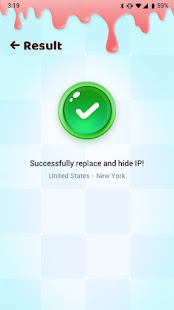
FastCandy is a lightning-fast app provide free service. Not need any configuration, just simply click one button, you can access the Internet securely and anonymously.
FastCandy encrypts your Internet connection so that third parties can’t track your online activity, making it more secure than a typical proxy, make your Internet's safety and security, especially when you using public free Wi-Fi.
We have built a global network included America, Europe and Asia, and expand to more country soon. Most servers are free to use, you can click the flag and change server as any times as you want.
Why choose FastCandy ?
✅ Large number of servers, high-speed bandwidth
✅ Choose apps which using (Android 5.0+ required)
✅ Works with Wi-Fi, 5G, LTE/4G, 3G and all mobile data carriers
✅ Strict no-logging policy
✅ Smart choose server
✅ Well-designed UI, a few ADs
✅ No usage and time limit
✅ No registration or configuration required
✅ No additional permissions required
✅ Tiny size, more safer
और दिखाएं

1. MEmu इंस्टॉलर को डाउनलोड करें और इंस्टॉलेशन को पूरा करें

2. MEmu शुरू करें फिर होमपेज पर Google Play खोलें

3. Google Play में FastCandy - Private & Fast खोजें
Install
4. FastCandy - Private & Fast डाउनलोड कर इंस्टॉल करें
5. इंस्टॉल पूरा होने पर आइकन दबाएं

6. MEmu का उपयोग करके अपने कंप्यूटर पर FastCandy - Private & Fast का अनुभव करें
MEmu Play सबसे बेहतरीन मुफ़्त Android एमुलेटर है और 5 करोड़ लोग पहले ही इसके शानदार Android ऐप अनुभव का आनंद ले चुके हैं। MEmu 9 वर्चुअलाइज़ेशन तकनीक आपको अपने PC पर हज़ारों Android ऐप्स, यहाँ तक कि सबसे ज़्यादा ग्राफ़िक्स वाले ऐप्स भी, आसानी से चलाने की सुविधा देती है।
असीमित बैटरी या मोबाइल डेटा के साथ बेहतर ग्राफिक्स के साथ बड़ी स्क्रीन; लंबी अवधि।
कीबोर्ड और माउस या गेमपैड के उत्तम नियंत्रण के लिए संपूर्ण कीमैपिंग का समर्थन करता हैं।
एक ही पीसी पर मल्टी-इंस्टेंस मैनेजर के साथ एक समय में कई गेम खाते या कार्य कर सकते हैं।
Use FastCandy - Private & Fast on PC by following steps: