
Lovely Call Color Flash Screen
अपडेट किया गया
वर्तमान वर्शन
1.0.7
संसाधन

Lovely Call Color Flash Screen पर अपनी मोबाइल डेटा सीमा पार करने को अलविदा कहें और छोटी स्क्रीन की सीमाओं से मुक्त होकर बड़े डिस्प्ले के लाभों का अनुभव करें। अब, आप अपने कीबोर्ड और माउस का उपयोग करके फुल-स्क्रीन मोड में टॉपर्स क्लैन की शक्ति का अनुभव कर सकते हैं। MEmu Play में वे सभी बेहतरीन सुविधाएँ हैं जिनकी आप अपेक्षा करते हैं: त्वरित इंस्टॉलेशन और आसान सेटअप, सहज नियंत्रण, बैटरी की आवश्यकता नहीं, और कोई डेटा या कॉल समय सीमा नहीं। नया MEmu 9 आपके कंप्यूटर पर Lovely Call Color Flash Screen का उपयोग करने के लिए सबसे अच्छा विकल्प है। हमारा मालिकाना मल्टी-इंस्टेंस मैनेजर एक साथ दो या अधिक खातों को चलाने का समर्थन करता है। इससे भी महत्वपूर्ण बात यह है कि हमारा अनूठा इम्यूलेशन इंजन आपके कंप्यूटर के प्रदर्शन का पूरा उपयोग करता है, जिससे एक सहज और निर्बाध अनुभव मिलता है।
और दिखाएं
डाउनलोड करें Lovely Call Color Flash Screen पीसी पर MEmu एंड्रॉयड एमुलेटर के साथ बड़े पर्दे पर खेलने का आनंद लें। Want to make your caller screen more colorful?
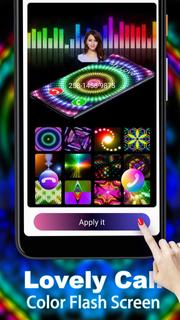
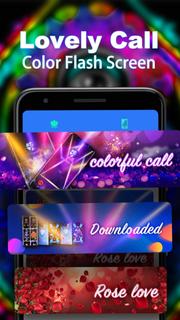
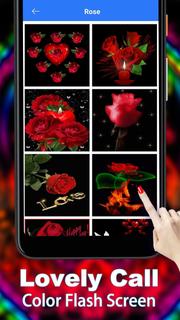
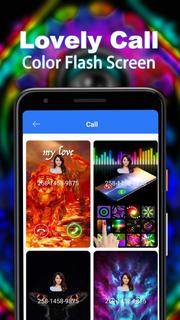
Want to make your caller screen more colorful? Want to impress your friends and want them to see your cool and colorful caller screen? Want to see the color incoming call flash alert and never be afraid to miss any important calls? Lovely Call Color Flash Screen will do all of this for you. Popular features: * Dynamic caller screen themes-provide various beautiful, stylish and colorful caller screen themes * Dynamic call answer button-In each caller theme, there is a cool dynamic effect call answer button, which makes your incoming call screen even more amazing. * Delightful ringtones-This color phone application contains crisp sounding songs. * Caller ID-Caller ID will show the caller name and caller number on the caller screen. * Weekly updates-All call themes are free and updated weekly. It's time to get a striking phone screen!
और दिखाएं

1. MEmu इंस्टॉलर को डाउनलोड करें और इंस्टॉलेशन को पूरा करें

2. MEmu शुरू करें फिर होमपेज पर Google Play खोलें

3. Google Play में Lovely Call Color Flash Screen खोजें
Install
4. Lovely Call Color Flash Screen डाउनलोड कर इंस्टॉल करें
5. इंस्टॉल पूरा होने पर आइकन दबाएं

6. MEmu का उपयोग करके अपने कंप्यूटर पर Lovely Call Color Flash Screen का अनुभव करें
MEmu Play सबसे बेहतरीन मुफ़्त Android एमुलेटर है और 5 करोड़ लोग पहले ही इसके शानदार Android ऐप अनुभव का आनंद ले चुके हैं। MEmu 9 वर्चुअलाइज़ेशन तकनीक आपको अपने PC पर हज़ारों Android ऐप्स, यहाँ तक कि सबसे ज़्यादा ग्राफ़िक्स वाले ऐप्स भी, आसानी से चलाने की सुविधा देती है।
असीमित बैटरी या मोबाइल डेटा के साथ बेहतर ग्राफिक्स के साथ बड़ी स्क्रीन; लंबी अवधि।
कीबोर्ड और माउस या गेमपैड के उत्तम नियंत्रण के लिए संपूर्ण कीमैपिंग का समर्थन करता हैं।
एक ही पीसी पर मल्टी-इंस्टेंस मैनेजर के साथ एक समय में कई गेम खाते या कार्य कर सकते हैं।
Use Lovely Call Color Flash Screen on PC by following steps:









![티비핫 [TVHOT] :: 티비위키 시즌 2 PC](https://dl.memuplay.com/new_market/img/com.tvhot.tvhot.icon.2025-01-16-10-12-57.png)


















