
Tonkeeper — TON Wallet
अपडेट किया गया
वर्तमान वर्शन
4.12.3
संसाधन

Tonkeeper — TON Wallet पर अपनी मोबाइल डेटा सीमा पार करने को अलविदा कहें और छोटी स्क्रीन की सीमाओं से मुक्त होकर बड़े डिस्प्ले के लाभों का अनुभव करें। अब, आप अपने कीबोर्ड और माउस का उपयोग करके फुल-स्क्रीन मोड में टॉपर्स क्लैन की शक्ति का अनुभव कर सकते हैं। MEmu Play में वे सभी बेहतरीन सुविधाएँ हैं जिनकी आप अपेक्षा करते हैं: त्वरित इंस्टॉलेशन और आसान सेटअप, सहज नियंत्रण, बैटरी की आवश्यकता नहीं, और कोई डेटा या कॉल समय सीमा नहीं। नया MEmu 9 आपके कंप्यूटर पर Tonkeeper — TON Wallet का उपयोग करने के लिए सबसे अच्छा विकल्प है। हमारा मालिकाना मल्टी-इंस्टेंस मैनेजर एक साथ दो या अधिक खातों को चलाने का समर्थन करता है। इससे भी महत्वपूर्ण बात यह है कि हमारा अनूठा इम्यूलेशन इंजन आपके कंप्यूटर के प्रदर्शन का पूरा उपयोग करता है, जिससे एक सहज और निर्बाध अनुभव मिलता है।
और दिखाएं
डाउनलोड करें Tonkeeper — TON Wallet पीसी पर MEmu एंड्रॉयड एमुलेटर के साथ बड़े पर्दे पर खेलने का आनंद लें। Tonkeeper is the easiest way to store, send, and receive Toncoin on The Open Network, which is a powerful new blockchain that offers unprecedented transaction speeds and throughput while offering a robust programming environment for smart contract applications.
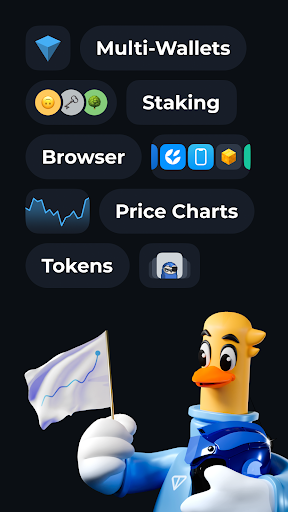
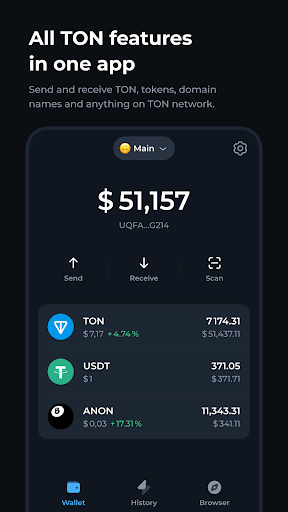
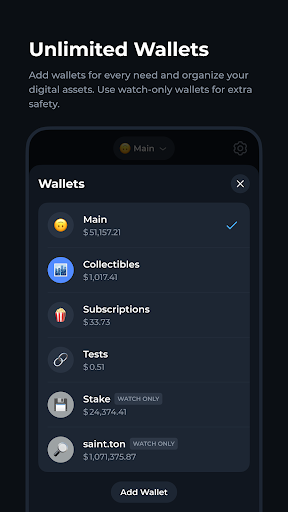
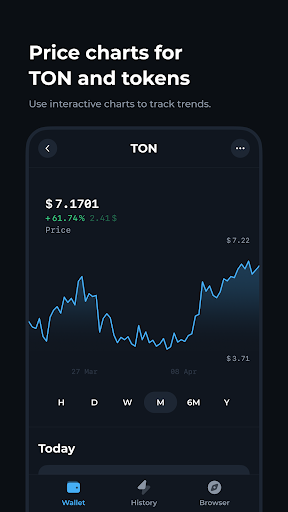
Tonkeeper is the easiest way to store, send, and receive Toncoin on The Open Network, which is a powerful new blockchain that offers unprecedented transaction speeds and throughput while offering a robust programming environment for smart contract applications.
# An easy-to-use non-custodial wallet
No registration or personal details are required to get started. Simply write down the secret recovery phrase that Tonkeeper generates and immediately start trading, sending, and receiving Toncoin.
# World-class speed and extremely low fees
TON is a network designed for speed and throughput. Fees are significantly lower than on other blockchains, and transactions are confirmed in a matter of seconds.
# Peer-to-peer subscriptions
Support your favorite authors with subscriptions paid in Toncoins.
और दिखाएं

1. MEmu इंस्टॉलर को डाउनलोड करें और इंस्टॉलेशन को पूरा करें

2. MEmu शुरू करें फिर होमपेज पर Google Play खोलें

3. Google Play में Tonkeeper — TON Wallet खोजें
Install
4. Tonkeeper — TON Wallet डाउनलोड कर इंस्टॉल करें
5. इंस्टॉल पूरा होने पर आइकन दबाएं

6. MEmu का उपयोग करके अपने कंप्यूटर पर Tonkeeper — TON Wallet का अनुभव करें
MEmu Play सबसे बेहतरीन मुफ़्त Android एमुलेटर है और 5 करोड़ लोग पहले ही इसके शानदार Android ऐप अनुभव का आनंद ले चुके हैं। MEmu 9 वर्चुअलाइज़ेशन तकनीक आपको अपने PC पर हज़ारों Android ऐप्स, यहाँ तक कि सबसे ज़्यादा ग्राफ़िक्स वाले ऐप्स भी, आसानी से चलाने की सुविधा देती है।
असीमित बैटरी या मोबाइल डेटा के साथ बेहतर ग्राफिक्स के साथ बड़ी स्क्रीन; लंबी अवधि।
कीबोर्ड और माउस या गेमपैड के उत्तम नियंत्रण के लिए संपूर्ण कीमैपिंग का समर्थन करता हैं।
एक ही पीसी पर मल्टी-इंस्टेंस मैनेजर के साथ एक समय में कई गेम खाते या कार्य कर सकते हैं।
Use Tonkeeper — TON Wallet on PC by following steps: