
Bliss Live – Live chat, video call & fun
अपडेट किया गया
वर्तमान वर्शन
1.7.0
संसाधन

Bliss Live – Live chat, video call & fun पर अपनी मोबाइल डेटा सीमा पार करने को अलविदा कहें और छोटी स्क्रीन की सीमाओं से मुक्त होकर बड़े डिस्प्ले के लाभों का अनुभव करें। अब, आप अपने कीबोर्ड और माउस का उपयोग करके फुल-स्क्रीन मोड में टॉपर्स क्लैन की शक्ति का अनुभव कर सकते हैं। MEmu Play में वे सभी बेहतरीन सुविधाएँ हैं जिनकी आप अपेक्षा करते हैं: त्वरित इंस्टॉलेशन और आसान सेटअप, सहज नियंत्रण, बैटरी की आवश्यकता नहीं, और कोई डेटा या कॉल समय सीमा नहीं। नया MEmu 9 आपके कंप्यूटर पर Bliss Live – Live chat, video call & fun का उपयोग करने के लिए सबसे अच्छा विकल्प है। हमारा मालिकाना मल्टी-इंस्टेंस मैनेजर एक साथ दो या अधिक खातों को चलाने का समर्थन करता है। इससे भी महत्वपूर्ण बात यह है कि हमारा अनूठा इम्यूलेशन इंजन आपके कंप्यूटर के प्रदर्शन का पूरा उपयोग करता है, जिससे एक सहज और निर्बाध अनुभव मिलता है।
और दिखाएं
डाउनलोड करें Bliss Live – Live chat, video call & fun पीसी पर MEmu एंड्रॉयड एमुलेटर के साथ बड़े पर्दे पर खेलने का आनंद लें। When you are single, Bliss Live will always help you to find someone for talk in free time.

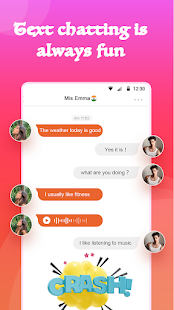

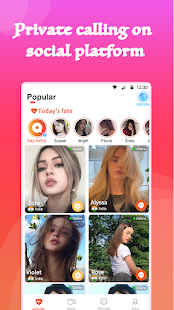
When you are single, Bliss Live will always help you to find someone for talk in free time. Now it is very easy to make online friends. A new way to video calling.
Main function in Bliss Live
{Simple and safe Registration}
Simple and easy login- Easy to sign up, you can choose quick registration, your data is safe here.
{All real profiles}
Real name and real profiles on the app. You will be matched with all the real users, no fake profiles.
{Chatting with random users}
Send greetings to random users, if they reply, you can start chatting. Unlimited chatting is available for VIP users
{Good quality audio video calling}
In the Bliss Live, you can have Real Time calling in good quality with other side users, we provide good quality video calling in slow network also.
{Safe and secure platform}
Private and secure calling application, you all data is safe here, we will not share your data with third party, so feel free to use application.
{Customer service}
Bliss Live have dedicated customer service support, if you face any problem in the app, you can send a feedback, your problem will be resolved as soon as possible.
Contact us:
Any feedback from users will be welcomed and highly appreciated! You can tell us also your problems related to app at app-bliss@outlook.com
और दिखाएं

1. MEmu इंस्टॉलर को डाउनलोड करें और इंस्टॉलेशन को पूरा करें

2. MEmu शुरू करें फिर होमपेज पर Google Play खोलें

3. Google Play में Bliss Live – Live chat, video call & fun खोजें
Install
4. Bliss Live – Live chat, video call & fun डाउनलोड कर इंस्टॉल करें
5. इंस्टॉल पूरा होने पर आइकन दबाएं

6. MEmu का उपयोग करके अपने कंप्यूटर पर Bliss Live – Live chat, video call & fun का अनुभव करें
MEmu Play सबसे बेहतरीन मुफ़्त Android एमुलेटर है और 5 करोड़ लोग पहले ही इसके शानदार Android ऐप अनुभव का आनंद ले चुके हैं। MEmu 9 वर्चुअलाइज़ेशन तकनीक आपको अपने PC पर हज़ारों Android ऐप्स, यहाँ तक कि सबसे ज़्यादा ग्राफ़िक्स वाले ऐप्स भी, आसानी से चलाने की सुविधा देती है।
असीमित बैटरी या मोबाइल डेटा के साथ बेहतर ग्राफिक्स के साथ बड़ी स्क्रीन; लंबी अवधि।
कीबोर्ड और माउस या गेमपैड के उत्तम नियंत्रण के लिए संपूर्ण कीमैपिंग का समर्थन करता हैं।
एक ही पीसी पर मल्टी-इंस्टेंस मैनेजर के साथ एक समय में कई गेम खाते या कार्य कर सकते हैं।
Use Bliss Live – Live chat, video call & fun on PC by following steps: