ZeepLive - Live Video Chat
अपडेट किया गया
वर्तमान वर्शन
11.7
संसाधन

ZeepLive - Live Video Chat पर अपनी मोबाइल डेटा सीमा पार करने को अलविदा कहें और छोटी स्क्रीन की सीमाओं से मुक्त होकर बड़े डिस्प्ले के लाभों का अनुभव करें। अब, आप अपने कीबोर्ड और माउस का उपयोग करके फुल-स्क्रीन मोड में टॉपर्स क्लैन की शक्ति का अनुभव कर सकते हैं। MEmu Play में वे सभी बेहतरीन सुविधाएँ हैं जिनकी आप अपेक्षा करते हैं: त्वरित इंस्टॉलेशन और आसान सेटअप, सहज नियंत्रण, बैटरी की आवश्यकता नहीं, और कोई डेटा या कॉल समय सीमा नहीं। नया MEmu 9 आपके कंप्यूटर पर ZeepLive - Live Video Chat का उपयोग करने के लिए सबसे अच्छा विकल्प है। हमारा मालिकाना मल्टी-इंस्टेंस मैनेजर एक साथ दो या अधिक खातों को चलाने का समर्थन करता है। इससे भी महत्वपूर्ण बात यह है कि हमारा अनूठा इम्यूलेशन इंजन आपके कंप्यूटर के प्रदर्शन का पूरा उपयोग करता है, जिससे एक सहज और निर्बाध अनुभव मिलता है।
और दिखाएं
डाउनलोड करें ZeepLive - Live Video Chat पीसी पर MEmu एंड्रॉयड एमुलेटर के साथ बड़े पर्दे पर खेलने का आनंद लें। Zeeplive offers you a stage for video chat and video calls with new friends, it gets.

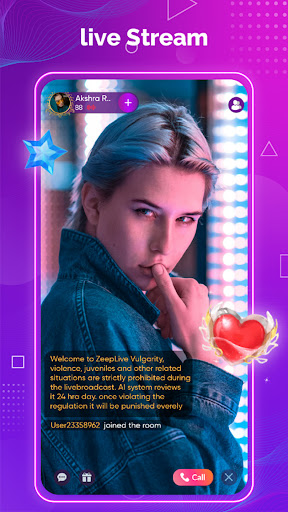
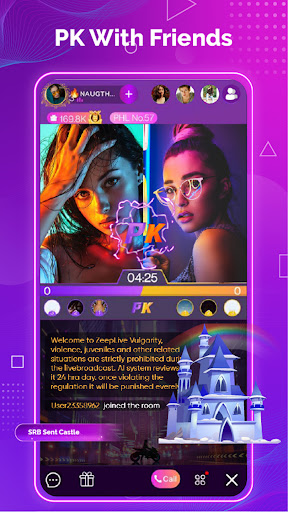
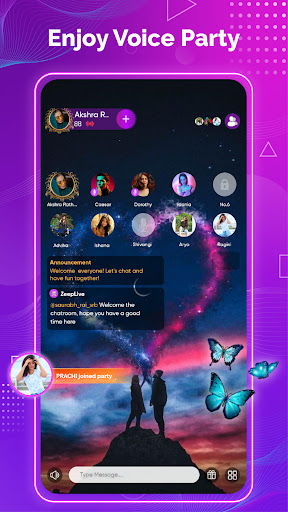
Zeeplive offers you a stage for video chat and video calls with new friends, it gets
simpler to make friends and talk with new people.
Chat with your new friends face-to-face in a live video call or have a chat through
text messages anytime, anywhere! There is consistently somebody for you! Don't
hesitate to find people just feel free to connect with new friends.
Highlight Features:
Quick Login
A single click login! You can make a live video chat or video call on your
telephone anywhere
Safest chat
Tap on the screen to chat with friends. Just share your minutes or moments.
HD video quality
See each other continuously while having a charming video talk with an inviting
outsider.
Quick Messages
We offer you numerous chat alternatives, including sending messages,
photographs, and voice to help you with staying in contact with people.
Protection Policy:
In the ZeepLive video chat application, personal data is safely put away.
Sexual, explicit, or nude behaviors are not permitted and users creating them
will be quickly restricted.
Please take caution while conveying sensitive data, since you are answerable for
the data you give to the next gathering once you interface through ZeepLive.
और दिखाएं

1. MEmu इंस्टॉलर को डाउनलोड करें और इंस्टॉलेशन को पूरा करें

2. MEmu शुरू करें फिर होमपेज पर Google Play खोलें

3. Google Play में ZeepLive - Live Video Chat खोजें
Install
4. ZeepLive - Live Video Chat डाउनलोड कर इंस्टॉल करें
5. इंस्टॉल पूरा होने पर आइकन दबाएं

6. MEmu का उपयोग करके अपने कंप्यूटर पर ZeepLive - Live Video Chat का अनुभव करें
MEmu Play सबसे बेहतरीन मुफ़्त Android एमुलेटर है और 5 करोड़ लोग पहले ही इसके शानदार Android ऐप अनुभव का आनंद ले चुके हैं। MEmu 9 वर्चुअलाइज़ेशन तकनीक आपको अपने PC पर हज़ारों Android ऐप्स, यहाँ तक कि सबसे ज़्यादा ग्राफ़िक्स वाले ऐप्स भी, आसानी से चलाने की सुविधा देती है।
असीमित बैटरी या मोबाइल डेटा के साथ बेहतर ग्राफिक्स के साथ बड़ी स्क्रीन; लंबी अवधि।
कीबोर्ड और माउस या गेमपैड के उत्तम नियंत्रण के लिए संपूर्ण कीमैपिंग का समर्थन करता हैं।
एक ही पीसी पर मल्टी-इंस्टेंस मैनेजर के साथ एक समय में कई गेम खाते या कार्य कर सकते हैं।
Use ZeepLive - Live Video Chat on PC by following steps: