Craft Addons for Minecraft PE
अपडेट किया गया
वर्तमान वर्शन
1.1.47
संसाधन

Craft Addons for Minecraft PE पर अपनी मोबाइल डेटा सीमा पार करने को अलविदा कहें और छोटी स्क्रीन की सीमाओं से मुक्त होकर बड़े डिस्प्ले के लाभों का अनुभव करें। अब, आप अपने कीबोर्ड और माउस का उपयोग करके फुल-स्क्रीन मोड में टॉपर्स क्लैन की शक्ति का अनुभव कर सकते हैं। MEmu Play में वे सभी बेहतरीन सुविधाएँ हैं जिनकी आप अपेक्षा करते हैं: त्वरित इंस्टॉलेशन और आसान सेटअप, सहज नियंत्रण, बैटरी की आवश्यकता नहीं, और कोई डेटा या कॉल समय सीमा नहीं। नया MEmu 9 आपके कंप्यूटर पर Craft Addons for Minecraft PE का उपयोग करने के लिए सबसे अच्छा विकल्प है। हमारा मालिकाना मल्टी-इंस्टेंस मैनेजर एक साथ दो या अधिक खातों को चलाने का समर्थन करता है। इससे भी महत्वपूर्ण बात यह है कि हमारा अनूठा इम्यूलेशन इंजन आपके कंप्यूटर के प्रदर्शन का पूरा उपयोग करता है, जिससे एक सहज और निर्बाध अनुभव मिलता है।
और दिखाएं
डाउनलोड करें Craft Addons for Minecraft PE पीसी पर MEmu एंड्रॉयड एमुलेटर के साथ बड़े पर्दे पर खेलने का आनंद लें। Download the most popular MCPE Addons, Mods, Skins & Maps, or create them with our advanced tools.
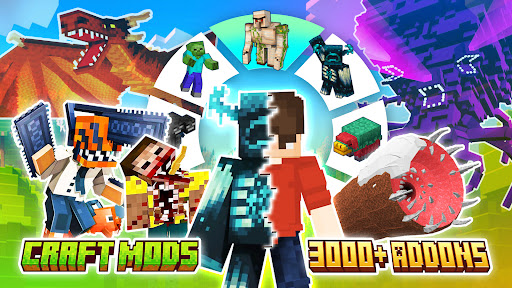
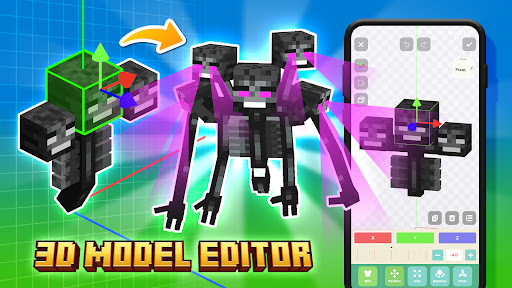
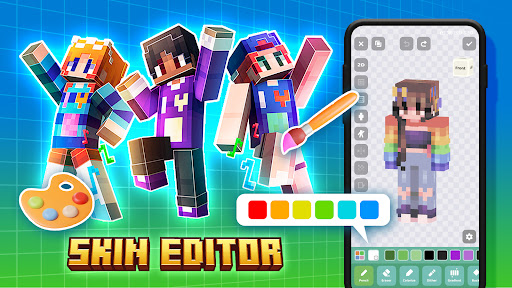
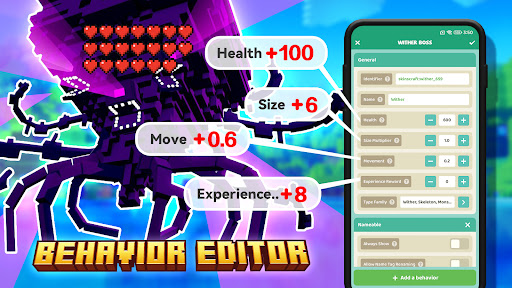
Download the most popular MCPE Addons, Mods, Skins & Maps, or create them with our advanced tools.
POWERFUL BEHAVIOR EDITOR
Let the pig fly!
* Quickly add, delete and modify any component.
* Create or modify mob, item, block, weapon, armor, plant, etc.
POWERFUL SKIN EDITOR
3D skin editor, multiple coloring methods, real-time preview.
* Pencil: Paint brush to draw dots or lines.
* Eraser: Erase pixel color to make it transparent.
* Colorize Pen: Change hue, preserve saturation and lightness.
* Dithering Pen: Randomly change the brightness and saturation of pixels.
* Bucket: Fill color to an area.
* Gradient: Horizontal and radial gradient effects.
* 2D Mode: Draw on 2D UV texture.
* 3D Mode: Draw on 3D model.
* Grid: Show auxiliary lines.
* Layer: Switch between outer and inner layers.
* Mirror: Mirrored left and right, painted on one side, displayed on both sides.
* Alpha Lock: Ignore pixels with zero alpha when colorizing.
Privacy Policy: https://xiaoruo.net/skinsart/privacy
Terms of Service: https://xiaoruo.net/skinsart/terms
DISCLAIMER
This is an unofficial application for Minecraft PE. This application is not affiliated with Mojang AB in any way. All rights reserved. The Minecraft name, Minecraft trademark, and Minecraft assets are the property of Mojang AB or their rightful owners. In accordance with http://account.mojang.com/documents/brand_guidelines
If you believe that we have violated your intellectual property rights or any other agreement, write to us at craftmods@icloud.com, we will take the necessary actions immediately.
और दिखाएं

1. MEmu इंस्टॉलर को डाउनलोड करें और इंस्टॉलेशन को पूरा करें

2. MEmu शुरू करें फिर होमपेज पर Google Play खोलें

3. Google Play में Craft Addons for Minecraft PE खोजें
Install
4. Craft Addons for Minecraft PE डाउनलोड कर इंस्टॉल करें
5. इंस्टॉल पूरा होने पर आइकन दबाएं

6. MEmu का उपयोग करके अपने कंप्यूटर पर Craft Addons for Minecraft PE का अनुभव करें
MEmu Play सबसे बेहतरीन मुफ़्त Android एमुलेटर है और 5 करोड़ लोग पहले ही इसके शानदार Android ऐप अनुभव का आनंद ले चुके हैं। MEmu 9 वर्चुअलाइज़ेशन तकनीक आपको अपने PC पर हज़ारों Android ऐप्स, यहाँ तक कि सबसे ज़्यादा ग्राफ़िक्स वाले ऐप्स भी, आसानी से चलाने की सुविधा देती है।
असीमित बैटरी या मोबाइल डेटा के साथ बेहतर ग्राफिक्स के साथ बड़ी स्क्रीन; लंबी अवधि।
कीबोर्ड और माउस या गेमपैड के उत्तम नियंत्रण के लिए संपूर्ण कीमैपिंग का समर्थन करता हैं।
एक ही पीसी पर मल्टी-इंस्टेंस मैनेजर के साथ एक समय में कई गेम खाते या कार्य कर सकते हैं।
Use Craft Addons for Minecraft PE on PC by following steps: