Duoo - NextGen Live Chat
अपडेट किया गया
वर्तमान वर्शन
5.2.0
संसाधन

Duoo - NextGen Live Chat पर अपनी मोबाइल डेटा सीमा पार करने को अलविदा कहें और छोटी स्क्रीन की सीमाओं से मुक्त होकर बड़े डिस्प्ले के लाभों का अनुभव करें। अब, आप अपने कीबोर्ड और माउस का उपयोग करके फुल-स्क्रीन मोड में टॉपर्स क्लैन की शक्ति का अनुभव कर सकते हैं। MEmu Play में वे सभी बेहतरीन सुविधाएँ हैं जिनकी आप अपेक्षा करते हैं: त्वरित इंस्टॉलेशन और आसान सेटअप, सहज नियंत्रण, बैटरी की आवश्यकता नहीं, और कोई डेटा या कॉल समय सीमा नहीं। नया MEmu 9 आपके कंप्यूटर पर Duoo - NextGen Live Chat का उपयोग करने के लिए सबसे अच्छा विकल्प है। हमारा मालिकाना मल्टी-इंस्टेंस मैनेजर एक साथ दो या अधिक खातों को चलाने का समर्थन करता है। इससे भी महत्वपूर्ण बात यह है कि हमारा अनूठा इम्यूलेशन इंजन आपके कंप्यूटर के प्रदर्शन का पूरा उपयोग करता है, जिससे एक सहज और निर्बाध अनुभव मिलता है।
और दिखाएं
डाउनलोड करें Duoo - NextGen Live Chat पीसी पर MEmu एंड्रॉयड एमुलेटर के साथ बड़े पर्दे पर खेलने का आनंद लें। Do you remember those days of chatting, meeting people online, funny chat, and building relationships online?
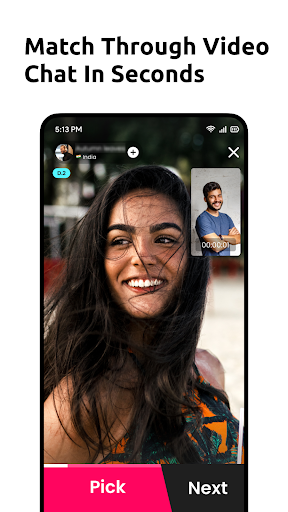
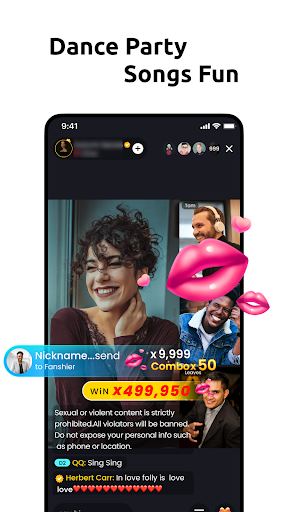
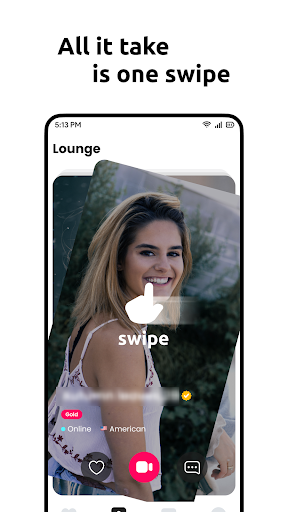

Do you remember those days of chatting, meeting people online, funny chat, and building relationships online? Those days are almost gone because we live in the era of high technologies, and digital transformation has addressed personal life too. Duoo is the new normal connecting millions of hearts around the globe.
In the fast-paced reality having a broad candidate pool and speed on finding your match sounds cool for people who feel more comfortable chatting online. Duoo are now opening up new opportunities, especially in times of social distancing and lockdown.
If you are reading this, you must be looking for a discreet encounter with a stranger who offers not only adventure and excitement, but true companionship. I will not only be a friend, but a gentle friend that will hear your story and chill. I’m often told that upon first meeting Duoo, people feel comfortable and at ease in Duoo UI design. Sure, True satisfaction for people is connecting with friends and discovering each other’s needs, wants, and desires. Don’t be shy and come explore all that my curves have to offer. Duoo will give you an amazing experience you’ll never forget!
और दिखाएं

1. MEmu इंस्टॉलर को डाउनलोड करें और इंस्टॉलेशन को पूरा करें

2. MEmu शुरू करें फिर होमपेज पर Google Play खोलें

3. Google Play में Duoo - NextGen Live Chat खोजें
Install
4. Duoo - NextGen Live Chat डाउनलोड कर इंस्टॉल करें
5. इंस्टॉल पूरा होने पर आइकन दबाएं

6. MEmu का उपयोग करके अपने कंप्यूटर पर Duoo - NextGen Live Chat का अनुभव करें
MEmu Play सबसे बेहतरीन मुफ़्त Android एमुलेटर है और 5 करोड़ लोग पहले ही इसके शानदार Android ऐप अनुभव का आनंद ले चुके हैं। MEmu 9 वर्चुअलाइज़ेशन तकनीक आपको अपने PC पर हज़ारों Android ऐप्स, यहाँ तक कि सबसे ज़्यादा ग्राफ़िक्स वाले ऐप्स भी, आसानी से चलाने की सुविधा देती है।
असीमित बैटरी या मोबाइल डेटा के साथ बेहतर ग्राफिक्स के साथ बड़ी स्क्रीन; लंबी अवधि।
कीबोर्ड और माउस या गेमपैड के उत्तम नियंत्रण के लिए संपूर्ण कीमैपिंग का समर्थन करता हैं।
एक ही पीसी पर मल्टी-इंस्टेंस मैनेजर के साथ एक समय में कई गेम खाते या कार्य कर सकते हैं।
Use Duoo - NextGen Live Chat on PC by following steps: