Facebook Gaming: Watch, Play,
अपडेट किया गया
वर्तमान वर्शन
165.1.0.0.0
संसाधन

Facebook Gaming: Watch, Play, पर अपनी मोबाइल डेटा सीमा पार करने को अलविदा कहें और छोटी स्क्रीन की सीमाओं से मुक्त होकर बड़े डिस्प्ले के लाभों का अनुभव करें। अब, आप अपने कीबोर्ड और माउस का उपयोग करके फुल-स्क्रीन मोड में टॉपर्स क्लैन की शक्ति का अनुभव कर सकते हैं। MEmu Play में वे सभी बेहतरीन सुविधाएँ हैं जिनकी आप अपेक्षा करते हैं: त्वरित इंस्टॉलेशन और आसान सेटअप, सहज नियंत्रण, बैटरी की आवश्यकता नहीं, और कोई डेटा या कॉल समय सीमा नहीं। नया MEmu 9 आपके कंप्यूटर पर Facebook Gaming: Watch, Play, का उपयोग करने के लिए सबसे अच्छा विकल्प है। हमारा मालिकाना मल्टी-इंस्टेंस मैनेजर एक साथ दो या अधिक खातों को चलाने का समर्थन करता है। इससे भी महत्वपूर्ण बात यह है कि हमारा अनूठा इम्यूलेशन इंजन आपके कंप्यूटर के प्रदर्शन का पूरा उपयोग करता है, जिससे एक सहज और निर्बाध अनुभव मिलता है।
और दिखाएं
डाउनलोड करें Facebook Gaming: Watch, Play, पीसी पर MEmu एंड्रॉयड एमुलेटर के साथ बड़े पर्दे पर खेलने का आनंद लें। Facebook Gaming welcomes you to a new world of play.
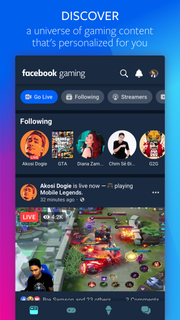
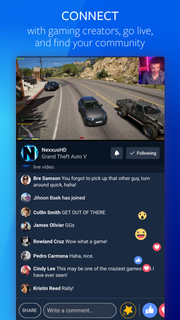
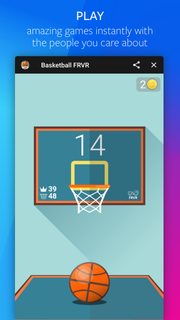
Facebook Gaming welcomes you to a new world of play. Share in the joy and fun of rooting for top streamers as they play the world’s biggest games.Here, you can play games instantly, and join groups centered around everything you are interested The ways to have fun are countless. Find yours.Be among the first to try the Facebook Gaming app, the place for all your gaming interests, where you can:*Watch*This is where streamers call home. Plus, discover new videos from the biggest esports and gaming’s top publishers. On Facebook Gaming, there’s a whole world of gaming waiting for you to tune in.*Play*Play instant games anytime, anywhere, without having to download. Because when you want to play, nothing should stop you.*Connect*We have gaming groups for everyone, and new ones are starting up every day. *This app is compatible with Facebook data plans. Privacy Policy: https://www.facebook.com/about/privacy/Terms of Service: https://www.facebook.com/terms.php
और दिखाएं

1. MEmu इंस्टॉलर को डाउनलोड करें और इंस्टॉलेशन को पूरा करें

2. MEmu शुरू करें फिर होमपेज पर Google Play खोलें

3. Google Play में Facebook Gaming: Watch, Play, खोजें
Install
4. Facebook Gaming: Watch, Play, डाउनलोड कर इंस्टॉल करें
5. इंस्टॉल पूरा होने पर आइकन दबाएं

6. MEmu का उपयोग करके अपने कंप्यूटर पर Facebook Gaming: Watch, Play, का अनुभव करें
MEmu Play सबसे बेहतरीन मुफ़्त Android एमुलेटर है और 5 करोड़ लोग पहले ही इसके शानदार Android ऐप अनुभव का आनंद ले चुके हैं। MEmu 9 वर्चुअलाइज़ेशन तकनीक आपको अपने PC पर हज़ारों Android ऐप्स, यहाँ तक कि सबसे ज़्यादा ग्राफ़िक्स वाले ऐप्स भी, आसानी से चलाने की सुविधा देती है।
असीमित बैटरी या मोबाइल डेटा के साथ बेहतर ग्राफिक्स के साथ बड़ी स्क्रीन; लंबी अवधि।
कीबोर्ड और माउस या गेमपैड के उत्तम नियंत्रण के लिए संपूर्ण कीमैपिंग का समर्थन करता हैं।
एक ही पीसी पर मल्टी-इंस्टेंस मैनेजर के साथ एक समय में कई गेम खाते या कार्य कर सकते हैं।
Use Facebook Gaming: Watch, Play, on PC by following steps: