FPS Meter Monitor
अपडेट किया गया
वर्तमान वर्शन
1.0
संसाधन

FPS Meter Monitor पर अपनी मोबाइल डेटा सीमा पार करने को अलविदा कहें और छोटी स्क्रीन की सीमाओं से मुक्त होकर बड़े डिस्प्ले के लाभों का अनुभव करें। अब, आप अपने कीबोर्ड और माउस का उपयोग करके फुल-स्क्रीन मोड में टॉपर्स क्लैन की शक्ति का अनुभव कर सकते हैं। MEmu Play में वे सभी बेहतरीन सुविधाएँ हैं जिनकी आप अपेक्षा करते हैं: त्वरित इंस्टॉलेशन और आसान सेटअप, सहज नियंत्रण, बैटरी की आवश्यकता नहीं, और कोई डेटा या कॉल समय सीमा नहीं। नया MEmu 9 आपके कंप्यूटर पर FPS Meter Monitor का उपयोग करने के लिए सबसे अच्छा विकल्प है। हमारा मालिकाना मल्टी-इंस्टेंस मैनेजर एक साथ दो या अधिक खातों को चलाने का समर्थन करता है। इससे भी महत्वपूर्ण बात यह है कि हमारा अनूठा इम्यूलेशन इंजन आपके कंप्यूटर के प्रदर्शन का पूरा उपयोग करता है, जिससे एक सहज और निर्बाध अनुभव मिलता है।
और दिखाएं
MEmu Play के साथ PC पर FPS Meter Monitor इस्तेमाल करने के शानदार अनुभव का आनंद लें। यह एक शक्तिशाली मुफ़्त Android एमुलेटर है जो आपको डेस्कटॉप वर्ज़न के लिए हज़ारों Android ऐप्स उपलब्ध कराता है। दोस्तों से जुड़ने और अपने काम को और भी बेहतर बनाने का आनंद लें! FPS Meter Monitor is a powerful performance monitoring application designed to help users track device performance, frame rates, and hardware information in real time.
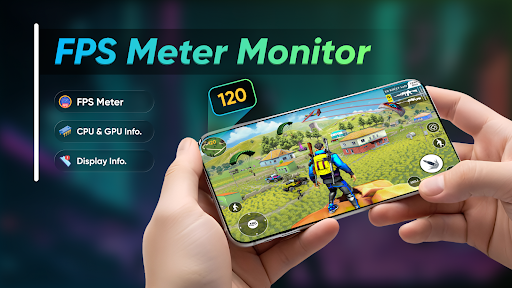
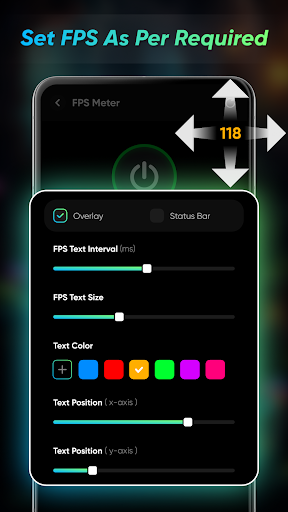
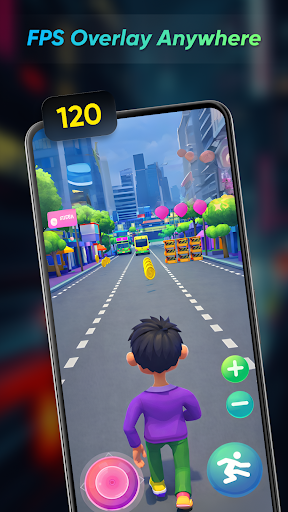
FPS Meter Monitor is a powerful performance monitoring application designed to help users track device performance, frame rates, and hardware information in real time. The app provides detailed insights into your device’s CPU, GPU, and overall system performance, making it useful for gaming, performance testing, and device monitoring.
With FPS Meter Monitor, you can view real-time FPS data to understand how smoothly your games and applications are running. The app also displays detailed CPU and GPU information, including usage, temperature, frequency, hardware details, and graphics capabilities. This helps users analyze device performance and optimize their gaming or multitasking experience.
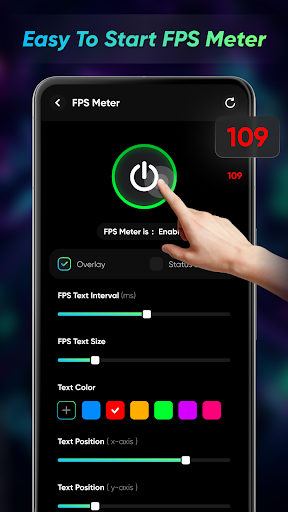
The app features an easy-to-read interface with organized monitoring tools and live performance data. You can quickly check system usage, monitor hardware activity, and track performance changes while using games or demanding applications.
FPS Meter Monitor is designed for gamers, developers, and advanced users who want better control and understanding of their device performance. The app focuses on accuracy, smooth performance tracking, and a user-friendly experience without unnecessary complexity.
Whether you want to monitor FPS during gameplay, check CPU and GPU details, or analyze system performance, FPS Meter Monitor provides reliable tools to help you stay informed about your device performance.
Features:
- Real-time FPS monitoring and tracking
- Detailed CPU and GPU information
- Monitor device temperature and hardware usage
- View processor frequency and graphics details
- Smooth and accurate performance tracking
- Clean and user-friendly interface
- Useful for gaming and performance analysis
और दिखाएं

1. MEmu इंस्टॉलर को डाउनलोड करें और इंस्टॉलेशन को पूरा करें

2. MEmu शुरू करें फिर होमपेज पर Google Play खोलें

3. Google Play में FPS Meter Monitor खोजें
Install
4. FPS Meter Monitor डाउनलोड कर इंस्टॉल करें
5. इंस्टॉल पूरा होने पर आइकन दबाएं

6. MEmu का उपयोग करके अपने कंप्यूटर पर FPS Meter Monitor का अनुभव करें
MEmu Play सबसे बेहतरीन मुफ़्त Android एमुलेटर है और 5 करोड़ लोग पहले ही इसके शानदार Android ऐप अनुभव का आनंद ले चुके हैं। MEmu 9 वर्चुअलाइज़ेशन तकनीक आपको अपने PC पर हज़ारों Android ऐप्स, यहाँ तक कि सबसे ज़्यादा ग्राफ़िक्स वाले ऐप्स भी, आसानी से चलाने की सुविधा देती है।
असीमित बैटरी या मोबाइल डेटा के साथ बेहतर ग्राफिक्स के साथ बड़ी स्क्रीन; लंबी अवधि।
कीबोर्ड और माउस या गेमपैड के उत्तम नियंत्रण के लिए संपूर्ण कीमैपिंग का समर्थन करता हैं।
एक ही पीसी पर मल्टी-इंस्टेंस मैनेजर के साथ एक समय में कई गेम खाते या कार्य कर सकते हैं।
Use FPS Meter Monitor on PC by following steps: