Gamepad Remote For TV Games
अपडेट किया गया
वर्तमान वर्शन
1.0.4
संसाधन

Gamepad Remote For TV Games पर अपनी मोबाइल डेटा सीमा पार करने को अलविदा कहें और छोटी स्क्रीन की सीमाओं से मुक्त होकर बड़े डिस्प्ले के लाभों का अनुभव करें। अब, आप अपने कीबोर्ड और माउस का उपयोग करके फुल-स्क्रीन मोड में टॉपर्स क्लैन की शक्ति का अनुभव कर सकते हैं। MEmu Play में वे सभी बेहतरीन सुविधाएँ हैं जिनकी आप अपेक्षा करते हैं: त्वरित इंस्टॉलेशन और आसान सेटअप, सहज नियंत्रण, बैटरी की आवश्यकता नहीं, और कोई डेटा या कॉल समय सीमा नहीं। नया MEmu 9 आपके कंप्यूटर पर Gamepad Remote For TV Games का उपयोग करने के लिए सबसे अच्छा विकल्प है। हमारा मालिकाना मल्टी-इंस्टेंस मैनेजर एक साथ दो या अधिक खातों को चलाने का समर्थन करता है। इससे भी महत्वपूर्ण बात यह है कि हमारा अनूठा इम्यूलेशन इंजन आपके कंप्यूटर के प्रदर्शन का पूरा उपयोग करता है, जिससे एक सहज और निर्बाध अनुभव मिलता है।
और दिखाएं
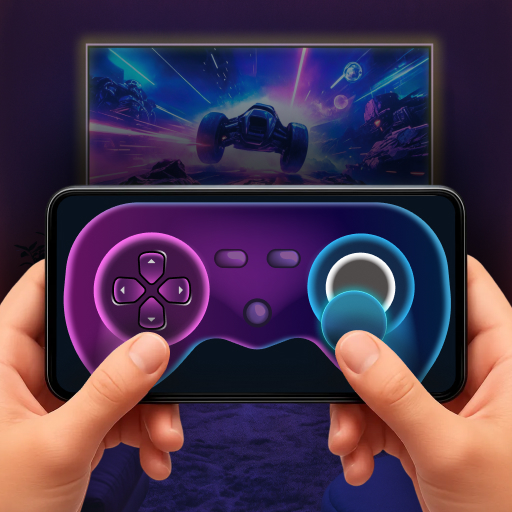
MEmu Play के साथ PC पर Gamepad Remote For TV Games इस्तेमाल करने के शानदार अनुभव का आनंद लें। यह एक शक्तिशाली मुफ़्त Android एमुलेटर है जो आपको डेस्कटॉप वर्ज़न के लिए हज़ारों Android ऐप्स उपलब्ध कराता है। दोस्तों से जुड़ने और अपने काम को और भी बेहतर बनाने का आनंद लें! This app lets you use your smartphone as a game controller for Android TV.
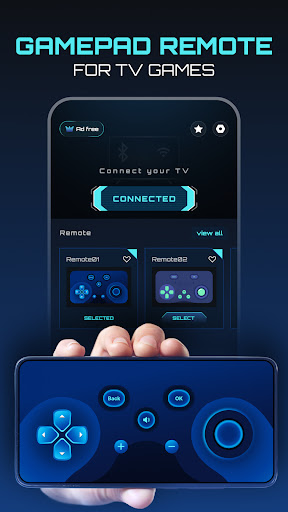
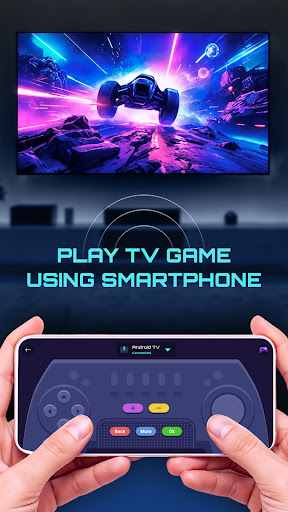
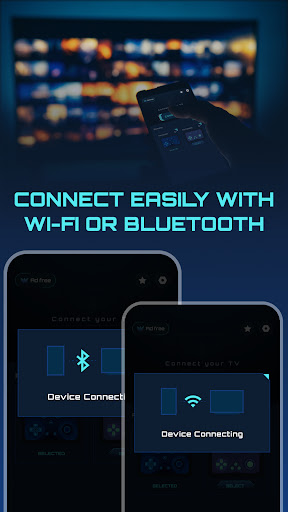
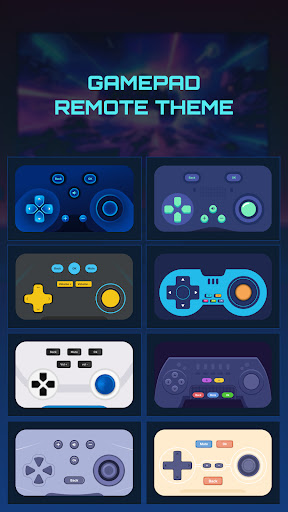
This app lets you use your smartphone as a game controller for Android TV.
Connect your phone to your TV using WiFi or Bluetooth and control games directly from your screen.
It’s helpful when you don’t have a physical Remote or want an easy way to play TV games.
Features
• Play Android TV games using your phone as a remote gamepad.
• Connect to Android TV using WiFi or Bluetooth.
• On-screen gamepad with joystick and navigation controls.
• Perform actions like up, down, left, right, OK, back, volume, and mute.
• Scan and connect to nearby Android TV devices.
• Switch between connected Android TV devices anytime.
• Choose and set your favorite remote game-pad theme.
• Disconnect from TV easily.
Use Cases
• Play Android TV games without buying a physical Remote.
• Use your phone when the TV remote or gamepad is not available.
• Control game navigation easily from your mobile screen.
• Multiple Remote with themes based on your comfort.
Why This App Helps
• Turns your phone into a usable game controller for TV games.
• Easy connection using WiFi or Bluetooth.
• Simple layout that works for everyday gaming needs.
• Useful for casual gaming, navigation, and basic controls.
• No complex setup required.
Permission:
• Bluetooth(Nearby Device) Permission : This permissions are required to scan for and connect to Android TV devices using Bluetooth on Android 12 and above.
• Location Permission : This permissions are required to scan for nearby Bluetooth devices and connect TV using Bluetooth on Android 11 and below.
This app is designed to help you play Android TV games more easily by using your phone as a simple and convenient gamepad remote.
और दिखाएं

1. MEmu इंस्टॉलर को डाउनलोड करें और इंस्टॉलेशन को पूरा करें

2. MEmu शुरू करें फिर होमपेज पर Google Play खोलें

3. Google Play में Gamepad Remote For TV Games खोजें
Install
4. Gamepad Remote For TV Games डाउनलोड कर इंस्टॉल करें
5. इंस्टॉल पूरा होने पर आइकन दबाएं

6. MEmu का उपयोग करके अपने कंप्यूटर पर Gamepad Remote For TV Games का अनुभव करें
MEmu Play सबसे बेहतरीन मुफ़्त Android एमुलेटर है और 5 करोड़ लोग पहले ही इसके शानदार Android ऐप अनुभव का आनंद ले चुके हैं। MEmu 9 वर्चुअलाइज़ेशन तकनीक आपको अपने PC पर हज़ारों Android ऐप्स, यहाँ तक कि सबसे ज़्यादा ग्राफ़िक्स वाले ऐप्स भी, आसानी से चलाने की सुविधा देती है।
असीमित बैटरी या मोबाइल डेटा के साथ बेहतर ग्राफिक्स के साथ बड़ी स्क्रीन; लंबी अवधि।
कीबोर्ड और माउस या गेमपैड के उत्तम नियंत्रण के लिए संपूर्ण कीमैपिंग का समर्थन करता हैं।
एक ही पीसी पर मल्टी-इंस्टेंस मैनेजर के साथ एक समय में कई गेम खाते या कार्य कर सकते हैं।
Use Gamepad Remote For TV Games on PC by following steps: