Whatscropping - Set the full size dp without crop
अपडेट किया गया
वर्तमान वर्शन
1.0
संसाधन

Whatscropping - Set the full size dp without crop पर अपनी मोबाइल डेटा सीमा पार करने को अलविदा कहें और छोटी स्क्रीन की सीमाओं से मुक्त होकर बड़े डिस्प्ले के लाभों का अनुभव करें। अब, आप अपने कीबोर्ड और माउस का उपयोग करके फुल-स्क्रीन मोड में टॉपर्स क्लैन की शक्ति का अनुभव कर सकते हैं। MEmu Play में वे सभी बेहतरीन सुविधाएँ हैं जिनकी आप अपेक्षा करते हैं: त्वरित इंस्टॉलेशन और आसान सेटअप, सहज नियंत्रण, बैटरी की आवश्यकता नहीं, और कोई डेटा या कॉल समय सीमा नहीं। नया MEmu 9 आपके कंप्यूटर पर Whatscropping - Set the full size dp without crop का उपयोग करने के लिए सबसे अच्छा विकल्प है। हमारा मालिकाना मल्टी-इंस्टेंस मैनेजर एक साथ दो या अधिक खातों को चलाने का समर्थन करता है। इससे भी महत्वपूर्ण बात यह है कि हमारा अनूठा इम्यूलेशन इंजन आपके कंप्यूटर के प्रदर्शन का पूरा उपयोग करता है, जिससे एक सहज और निर्बाध अनुभव मिलता है।
और दिखाएं
डाउनलोड करें Whatscropping - Set the full size dp without crop पीसी पर MEmu एंड्रॉयड एमुलेटर के साथ बड़े पर्दे पर खेलने का आनंद लें। You must be changing your profile picture and you have to crop your picture.
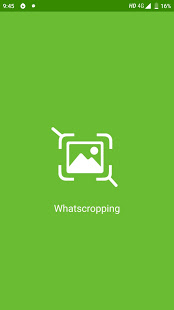
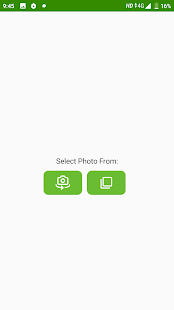
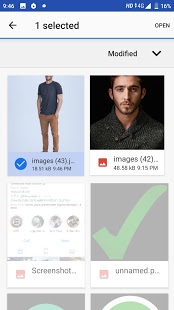
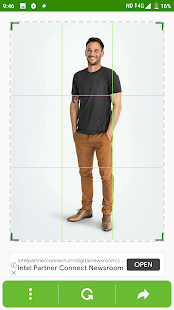
You must be changing your profile picture and you have to crop your picture. You lose some best part of the picture. This app allows you to set a profile picture without cropping any part of your picture.
Adjust your picture size for your profile picture without losing any part from your picture. Use this app to
change your profile picture and never lose part of your picture.
You can easily choose any picture from your phone gallery or take a picture with your phone camera.
Features WhatsCropping DP.
- Change profile picture without cropping.
- Adjust your picture size.
- Rotate your picture and adjust it.
- Select a picture from the phone Gallery.
- Take a picture from Device Camera.
- Choose and put any picture in your profile picture circle.
- Take a picture and directly send it to the profile picture.
What is it Cropping DP
☞ Small APK Size.
☞ Free App without In any issue
☞ No Extra Permission required
☞ Smooth & Clean UI
If you have any kind bugs/problems/feature requests which you want this app, You can share your feedback on gogonefeedback@gmail.com
और दिखाएं

1. MEmu इंस्टॉलर को डाउनलोड करें और इंस्टॉलेशन को पूरा करें

2. MEmu शुरू करें फिर होमपेज पर Google Play खोलें

3. Google Play में Whatscropping - Set the full size dp without crop खोजें
Install
4. Whatscropping - Set the full size dp without crop डाउनलोड कर इंस्टॉल करें
5. इंस्टॉल पूरा होने पर आइकन दबाएं

6. MEmu का उपयोग करके अपने कंप्यूटर पर Whatscropping - Set the full size dp without crop का अनुभव करें
MEmu Play सबसे बेहतरीन मुफ़्त Android एमुलेटर है और 5 करोड़ लोग पहले ही इसके शानदार Android ऐप अनुभव का आनंद ले चुके हैं। MEmu 9 वर्चुअलाइज़ेशन तकनीक आपको अपने PC पर हज़ारों Android ऐप्स, यहाँ तक कि सबसे ज़्यादा ग्राफ़िक्स वाले ऐप्स भी, आसानी से चलाने की सुविधा देती है।
असीमित बैटरी या मोबाइल डेटा के साथ बेहतर ग्राफिक्स के साथ बड़ी स्क्रीन; लंबी अवधि।
कीबोर्ड और माउस या गेमपैड के उत्तम नियंत्रण के लिए संपूर्ण कीमैपिंग का समर्थन करता हैं।
एक ही पीसी पर मल्टी-इंस्टेंस मैनेजर के साथ एक समय में कई गेम खाते या कार्य कर सकते हैं।
Use Whatscropping - Set the full size dp without crop on PC by following steps: