IKARUS TestVirus
अपडेट किया गया
वर्तमान वर्शन
1.0.5
संसाधन

IKARUS TestVirus पर अपनी मोबाइल डेटा सीमा पार करने को अलविदा कहें और छोटी स्क्रीन की सीमाओं से मुक्त होकर बड़े डिस्प्ले के लाभों का अनुभव करें। अब, आप अपने कीबोर्ड और माउस का उपयोग करके फुल-स्क्रीन मोड में टॉपर्स क्लैन की शक्ति का अनुभव कर सकते हैं। MEmu Play में वे सभी बेहतरीन सुविधाएँ हैं जिनकी आप अपेक्षा करते हैं: त्वरित इंस्टॉलेशन और आसान सेटअप, सहज नियंत्रण, बैटरी की आवश्यकता नहीं, और कोई डेटा या कॉल समय सीमा नहीं। नया MEmu 9 आपके कंप्यूटर पर IKARUS TestVirus का उपयोग करने के लिए सबसे अच्छा विकल्प है। हमारा मालिकाना मल्टी-इंस्टेंस मैनेजर एक साथ दो या अधिक खातों को चलाने का समर्थन करता है। इससे भी महत्वपूर्ण बात यह है कि हमारा अनूठा इम्यूलेशन इंजन आपके कंप्यूटर के प्रदर्शन का पूरा उपयोग करता है, जिससे एक सहज और निर्बाध अनुभव मिलता है।
और दिखाएं
डाउनलोड करें IKARUS TestVirus पीसी पर MEmu एंड्रॉयड एमुलेटर के साथ बड़े पर्दे पर खेलने का आनंद लें। Hinweis: Diese App ist KEIN echter Virus, sondern nur ein harmloses Testfile, mit dem Sie die Funktionalität Ihre Android Security-Lösung überprüfen und ausprobieren können.
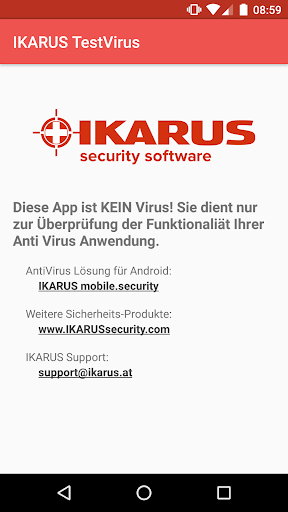
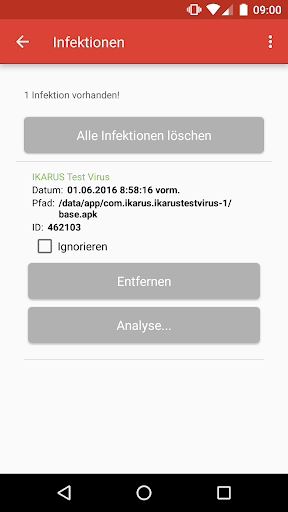
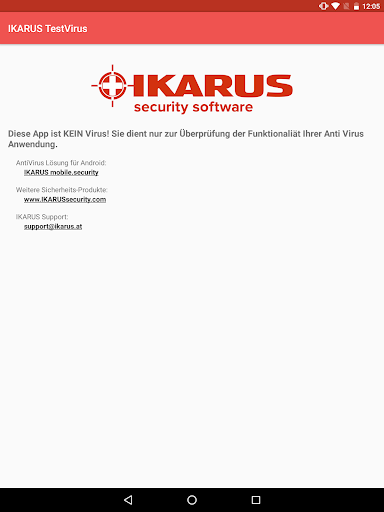
Hinweis: Diese App ist KEIN echter Virus, sondern nur ein harmloses Testfile, mit dem Sie die Funktionalität Ihre Android Security-Lösung überprüfen und ausprobieren können.
„IKARUS TestVirus“ enthält das "EICAR Standard Anti-Virus Test File"*, das von allen professionellen AntiViren-Programmen erkannt und in Folge wie ein echter Virus behandelt werden sollte.
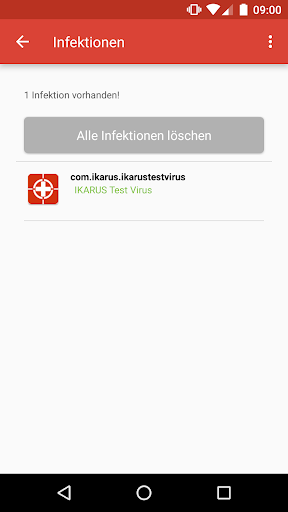
Diese App kann genutzt werden, um die Funktionalität von Security-Apps zu testen und das Verhalten der App im Fall einer Bedrohung beobachten zu können: Der IKARUS TestVirus sollte wie ein „echter“ Schädling behandelt und unschädlich gemacht werden, indem der User vor der Infektion gewarnt und die Datei gelöscht wird.
Die Android-Sicherheits-App IKARUS mobile.security zeigt beim Erkennen des Files den Hinweis „IKARUS TestVirus“ an, andere AntiViren-Programme werden das File anders benennen und einfach als Virus oder Malware klassifizieren.
Download IKARUS mobile.security: https://play.google.com/store/apps/details?id=com.ikarus.mobile.security
*) http://www.eicar.org
Über IKARUS Security Software
IKARUS Security Software ist ein österreichischer Pionier der Softwareindustrie mit Schwerpunkten auf AntiVirus & Malware-Protection, Security as a Service, Industrial Application Control und Advanced Persistent Threat Protection für Endpoints. Seit der Gründung im Jahr 1986 entwickelt das Unternehmen Security-Lösungen und war damit einer der ersten AntiViren-Hersteller weltweit.
Die Produktpalette von IKARUS Security Software bietet vom Privatanwender über Businesskunden bis hin zum OEM-Partner effiziente und effektive Sicherheitslösungen. Die selbst entwickelten Kerntechnologien rund um die IKARUS scan.engine positionieren das Unternehmen außerdem erfolgreich als Technologie Service Provider.
और दिखाएं

1. MEmu इंस्टॉलर को डाउनलोड करें और इंस्टॉलेशन को पूरा करें

2. MEmu शुरू करें फिर होमपेज पर Google Play खोलें

3. Google Play में IKARUS TestVirus खोजें
Install
4. IKARUS TestVirus डाउनलोड कर इंस्टॉल करें
5. इंस्टॉल पूरा होने पर आइकन दबाएं

6. MEmu का उपयोग करके अपने कंप्यूटर पर IKARUS TestVirus का अनुभव करें
MEmu Play सबसे बेहतरीन मुफ़्त Android एमुलेटर है और 5 करोड़ लोग पहले ही इसके शानदार Android ऐप अनुभव का आनंद ले चुके हैं। MEmu 9 वर्चुअलाइज़ेशन तकनीक आपको अपने PC पर हज़ारों Android ऐप्स, यहाँ तक कि सबसे ज़्यादा ग्राफ़िक्स वाले ऐप्स भी, आसानी से चलाने की सुविधा देती है।
असीमित बैटरी या मोबाइल डेटा के साथ बेहतर ग्राफिक्स के साथ बड़ी स्क्रीन; लंबी अवधि।
कीबोर्ड और माउस या गेमपैड के उत्तम नियंत्रण के लिए संपूर्ण कीमैपिंग का समर्थन करता हैं।
एक ही पीसी पर मल्टी-इंस्टेंस मैनेजर के साथ एक समय में कई गेम खाते या कार्य कर सकते हैं।
Use IKARUS TestVirus on PC by following steps: