
Instant Guard
अपडेट किया गया
वर्तमान वर्शन
1.0.0.1.22
संसाधन

Instant Guard पर अपनी मोबाइल डेटा सीमा पार करने को अलविदा कहें और छोटी स्क्रीन की सीमाओं से मुक्त होकर बड़े डिस्प्ले के लाभों का अनुभव करें। अब, आप अपने कीबोर्ड और माउस का उपयोग करके फुल-स्क्रीन मोड में टॉपर्स क्लैन की शक्ति का अनुभव कर सकते हैं। MEmu Play में वे सभी बेहतरीन सुविधाएँ हैं जिनकी आप अपेक्षा करते हैं: त्वरित इंस्टॉलेशन और आसान सेटअप, सहज नियंत्रण, बैटरी की आवश्यकता नहीं, और कोई डेटा या कॉल समय सीमा नहीं। नया MEmu 9 आपके कंप्यूटर पर Instant Guard का उपयोग करने के लिए सबसे अच्छा विकल्प है। हमारा मालिकाना मल्टी-इंस्टेंस मैनेजर एक साथ दो या अधिक खातों को चलाने का समर्थन करता है। इससे भी महत्वपूर्ण बात यह है कि हमारा अनूठा इम्यूलेशन इंजन आपके कंप्यूटर के प्रदर्शन का पूरा उपयोग करता है, जिससे एक सहज और निर्बाध अनुभव मिलता है।
और दिखाएं
डाउनलोड करें Instant Guard पीसी पर MEmu एंड्रॉयड एमुलेटर के साथ बड़े पर्दे पर खेलने का आनंद लें। Instant Guard is a feature based on VPN feature of ASUS Router and only available for network manager(s) now.

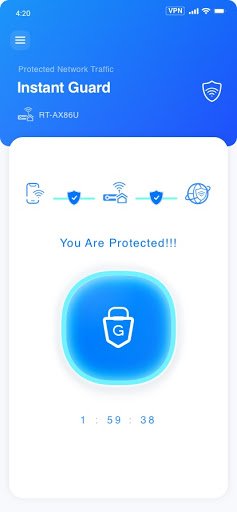

Instant Guard is a feature based on VPN feature of ASUS Router and only available for network manager(s) now.
Use the Instant Guard app when you're connecting to a public Wi-Fi. Tap to shield as safe as you are using your network at home - ensuring your privacy and financial credentials protected. With Instant Guard, you can easily access to your ASUS router at home while you are away and keep 100% anonymous while you are browsing the web or chating with Virtual Private Network (VPN) connection. In the future, this feature will allow network managers to share VPN connection permissions to friends or family members.
Key Feature :
1.One-Tap Operation
2.Ensure a secured and encrypted connection
3.Surf the Internet Anonymously
4.Change your IP Address and Location
Instant Guard app supports the following ASUS routers:
-GT-AXE11000
-GT-AX11000
-GT-AC5300
-GT-AC2900
-ZenWiFi_XD4
-TUF-AX3000
-RT-AX92U
-RT-AX88U
-RT-AX86U
-RT-AX82U
-RT-AX68U
-RT-AX58U
-RT-AX55
-RT-AC88U
-RT-AC86U
-RT-AC3100
और दिखाएं

1. MEmu इंस्टॉलर को डाउनलोड करें और इंस्टॉलेशन को पूरा करें

2. MEmu शुरू करें फिर होमपेज पर Google Play खोलें

3. Google Play में Instant Guard खोजें
Install
4. Instant Guard डाउनलोड कर इंस्टॉल करें
5. इंस्टॉल पूरा होने पर आइकन दबाएं

6. MEmu का उपयोग करके अपने कंप्यूटर पर Instant Guard का अनुभव करें
MEmu Play सबसे बेहतरीन मुफ़्त Android एमुलेटर है और 5 करोड़ लोग पहले ही इसके शानदार Android ऐप अनुभव का आनंद ले चुके हैं। MEmu 9 वर्चुअलाइज़ेशन तकनीक आपको अपने PC पर हज़ारों Android ऐप्स, यहाँ तक कि सबसे ज़्यादा ग्राफ़िक्स वाले ऐप्स भी, आसानी से चलाने की सुविधा देती है।
असीमित बैटरी या मोबाइल डेटा के साथ बेहतर ग्राफिक्स के साथ बड़ी स्क्रीन; लंबी अवधि।
कीबोर्ड और माउस या गेमपैड के उत्तम नियंत्रण के लिए संपूर्ण कीमैपिंग का समर्थन करता हैं।
एक ही पीसी पर मल्टी-इंस्टेंस मैनेजर के साथ एक समय में कई गेम खाते या कार्य कर सकते हैं।
Use Instant Guard on PC by following steps: