IPTV Pro Stream Player
अपडेट किया गया
वर्तमान वर्शन
2.7.24
संसाधन

IPTV Pro Stream Player पर अपनी मोबाइल डेटा सीमा पार करने को अलविदा कहें और छोटी स्क्रीन की सीमाओं से मुक्त होकर बड़े डिस्प्ले के लाभों का अनुभव करें। अब, आप अपने कीबोर्ड और माउस का उपयोग करके फुल-स्क्रीन मोड में टॉपर्स क्लैन की शक्ति का अनुभव कर सकते हैं। MEmu Play में वे सभी बेहतरीन सुविधाएँ हैं जिनकी आप अपेक्षा करते हैं: त्वरित इंस्टॉलेशन और आसान सेटअप, सहज नियंत्रण, बैटरी की आवश्यकता नहीं, और कोई डेटा या कॉल समय सीमा नहीं। नया MEmu 9 आपके कंप्यूटर पर IPTV Pro Stream Player का उपयोग करने के लिए सबसे अच्छा विकल्प है। हमारा मालिकाना मल्टी-इंस्टेंस मैनेजर एक साथ दो या अधिक खातों को चलाने का समर्थन करता है। इससे भी महत्वपूर्ण बात यह है कि हमारा अनूठा इम्यूलेशन इंजन आपके कंप्यूटर के प्रदर्शन का पूरा उपयोग करता है, जिससे एक सहज और निर्बाध अनुभव मिलता है।
और दिखाएं
MEmu Play के साथ PC पर IPTV Pro Stream Player इस्तेमाल करने के शानदार अनुभव का आनंद लें। यह एक शक्तिशाली मुफ़्त Android एमुलेटर है जो आपको डेस्कटॉप वर्ज़न के लिए हज़ारों Android ऐप्स उपलब्ध कराता है। दोस्तों से जुड़ने और अपने काम को और भी बेहतर बनाने का आनंद लें! Découvrez l'expérience IPTV ultime avec notre lecteur léger et intuitif !
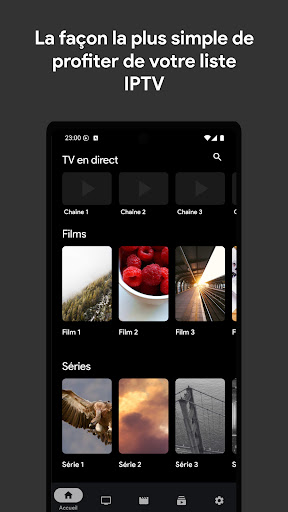
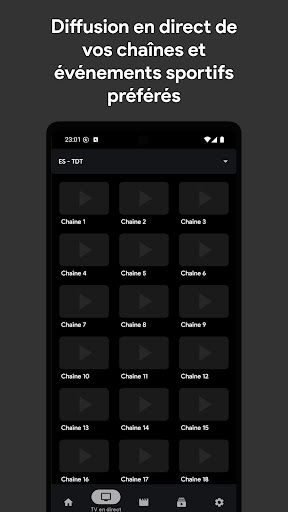
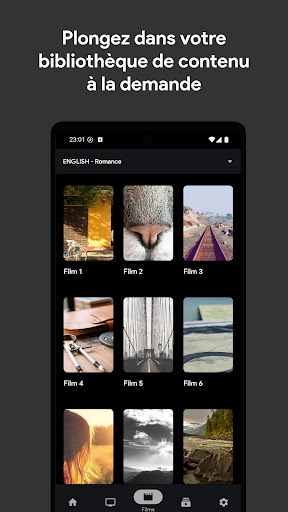
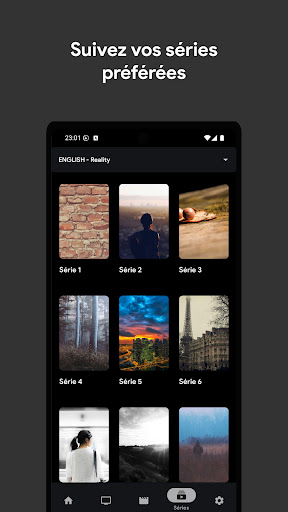
Découvrez l'expérience IPTV ultime avec notre lecteur léger et intuitif !
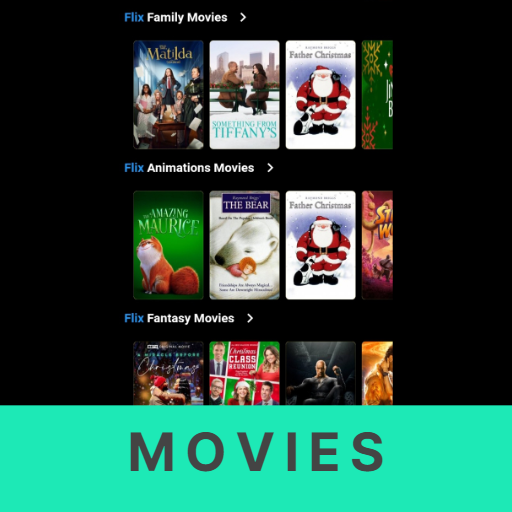
· Regardez la télévision en direct, des films et des séries en toute fluidité
Vous cherchez une façon simple et agréable de profiter de vos listes de lecture IPTV ? Notre application est la solution idéale. Son interface épurée et intuitive est conçue pour répondre à tous vos besoins de divertissement. Voici pourquoi notre lecteur se distingue :
· Simple et facile à utiliser
Grâce à son design clair et intuitif, notre application vous permet de naviguer facilement et de regarder vos contenus préférés immédiatement. Aucune configuration compliquée : téléchargez l'application, importez votre liste de lecture et appuyez sur lecture. C'est aussi simple que ça !
· Regardez des flux en direct en temps réel
Profitez d'une diffusion en direct impeccable de vos chaînes, événements sportifs et émissions préférés. Pas de mise en mémoire tampon, pas d'interruptions : des diffusions en direct fluides et de haute qualité, où et quand vous le souhaitez.
· Films et séries à la demande
Plongez dans votre bibliothèque de contenus à la demande. Que ce soit les dernières séries ou des films classiques, regardez tout à votre guise, directement depuis l'application.
• Enregistrez vos playlists localement
Gérez votre divertissement en enregistrant vos playlists IPTV directement sur votre appareil. Accédez-y et gérez-les facilement hors ligne pour une flexibilité optimale.
• Votre contenu, toujours à portée de main
Que vous préfériez les chaînes en direct ou les marathons de films et de séries, notre application vous garantit des playlists toujours prêtes à l'emploi. Regardez votre contenu comme vous le souhaitez, sans aucun souci.
• Restez à l'écoute pour des mises à jour régulières
Nous améliorons constamment notre application ! De nouvelles fonctionnalités et améliorations sont prévues pour vous offrir la meilleure expérience IPTV possible.
Téléchargez l'application dès maintenant et plongez dans un monde de divertissement, où que vous soyez !
IMPORTANT / MENTIONS LÉGALES : IPTV Pro Stream Player ne fournit aucun contenu. Les utilisateurs doivent fournir leur propre contenu IPTV provenant de sources externes légitimes. L'application ne tolère aucune utilisation de sources illégales. Nous ne sommes pas responsables du lecteur de contenu. Nous ne fournissons aucune liste IPTV.
Conditions d'utilisation : https://iptvprostreamplayer.com/terms-of-service.html
और दिखाएं

1. MEmu इंस्टॉलर को डाउनलोड करें और इंस्टॉलेशन को पूरा करें

2. MEmu शुरू करें फिर होमपेज पर Google Play खोलें

3. Google Play में IPTV Pro Stream Player खोजें
Install
4. IPTV Pro Stream Player डाउनलोड कर इंस्टॉल करें
5. इंस्टॉल पूरा होने पर आइकन दबाएं

6. MEmu का उपयोग करके अपने कंप्यूटर पर IPTV Pro Stream Player का अनुभव करें
MEmu Play सबसे बेहतरीन मुफ़्त Android एमुलेटर है और 5 करोड़ लोग पहले ही इसके शानदार Android ऐप अनुभव का आनंद ले चुके हैं। MEmu 9 वर्चुअलाइज़ेशन तकनीक आपको अपने PC पर हज़ारों Android ऐप्स, यहाँ तक कि सबसे ज़्यादा ग्राफ़िक्स वाले ऐप्स भी, आसानी से चलाने की सुविधा देती है।
असीमित बैटरी या मोबाइल डेटा के साथ बेहतर ग्राफिक्स के साथ बड़ी स्क्रीन; लंबी अवधि।
कीबोर्ड और माउस या गेमपैड के उत्तम नियंत्रण के लिए संपूर्ण कीमैपिंग का समर्थन करता हैं।
एक ही पीसी पर मल्टी-इंस्टेंस मैनेजर के साथ एक समय में कई गेम खाते या कार्य कर सकते हैं।
Use IPTV Pro Stream Player on PC by following steps: