IPTV Pro Stream Player
Updated
Current Version
2.7.24
Offered By

Stop worrying about high battery drain when using IPTV Pro Stream Player on your phone. Free yourself from the tiny screen and enjoy the app on a much larger display. From now on, get a full-screen experience of your app with the convenience of a keyboard and mouse. MEmu offers you all the surprising features you’d expect: quick installation and easy setup, intuitive controls, and no more worries about battery life, mobile data, or unexpected calls. The all-new MEmu 9 is the choice for using IPTV Pro Stream Player on your computer. With the MEmu multi-instance manager, you can run two or more accounts at the same time. Most importantly, our exclusive emulation engine unlocks your PC’s full potential, delivering smooth and enjoyable performance.
Show more
Enjoy superb experience of using IPTV Pro Stream Player on PC with MEMU App Player. It's a powerful free Android emulator which provides you with thousands of android apps for their desktop version. Enjoy connecting with friends and polishing your work with higher efficiency! Découvrez l'expérience IPTV ultime avec notre lecteur léger et intuitif !
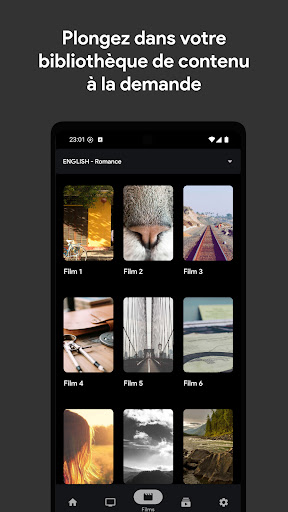
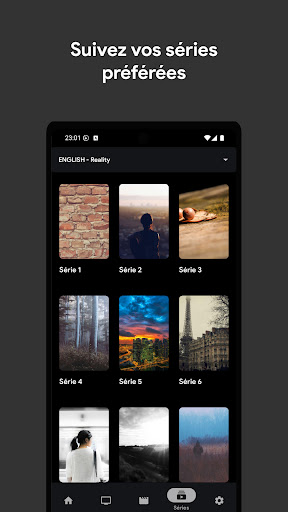
Découvrez l'expérience IPTV ultime avec notre lecteur léger et intuitif !
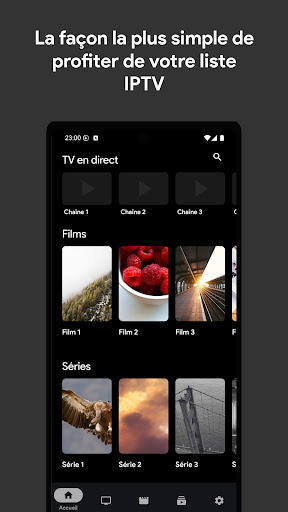
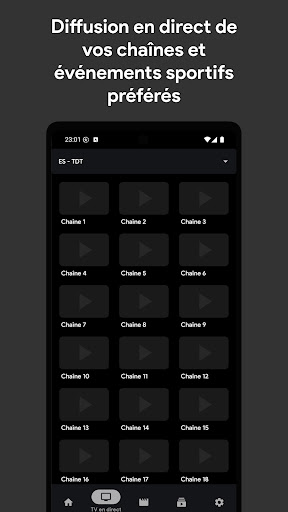
· Regardez la télévision en direct, des films et des séries en toute fluidité
Vous cherchez une façon simple et agréable de profiter de vos listes de lecture IPTV ? Notre application est la solution idéale. Son interface épurée et intuitive est conçue pour répondre à tous vos besoins de divertissement. Voici pourquoi notre lecteur se distingue :
· Simple et facile à utiliser
Grâce à son design clair et intuitif, notre application vous permet de naviguer facilement et de regarder vos contenus préférés immédiatement. Aucune configuration compliquée : téléchargez l'application, importez votre liste de lecture et appuyez sur lecture. C'est aussi simple que ça !
· Regardez des flux en direct en temps réel
Profitez d'une diffusion en direct impeccable de vos chaînes, événements sportifs et émissions préférés. Pas de mise en mémoire tampon, pas d'interruptions : des diffusions en direct fluides et de haute qualité, où et quand vous le souhaitez.
· Films et séries à la demande
Plongez dans votre bibliothèque de contenus à la demande. Que ce soit les dernières séries ou des films classiques, regardez tout à votre guise, directement depuis l'application.
• Enregistrez vos playlists localement
Gérez votre divertissement en enregistrant vos playlists IPTV directement sur votre appareil. Accédez-y et gérez-les facilement hors ligne pour une flexibilité optimale.
• Votre contenu, toujours à portée de main
Que vous préfériez les chaînes en direct ou les marathons de films et de séries, notre application vous garantit des playlists toujours prêtes à l'emploi. Regardez votre contenu comme vous le souhaitez, sans aucun souci.
• Restez à l'écoute pour des mises à jour régulières
Nous améliorons constamment notre application ! De nouvelles fonctionnalités et améliorations sont prévues pour vous offrir la meilleure expérience IPTV possible.
Téléchargez l'application dès maintenant et plongez dans un monde de divertissement, où que vous soyez !
IMPORTANT / MENTIONS LÉGALES : IPTV Pro Stream Player ne fournit aucun contenu. Les utilisateurs doivent fournir leur propre contenu IPTV provenant de sources externes légitimes. L'application ne tolère aucune utilisation de sources illégales. Nous ne sommes pas responsables du lecteur de contenu. Nous ne fournissons aucune liste IPTV.
Conditions d'utilisation : https://iptvprostreamplayer.com/terms-of-service.html
Show more

1. Download MEmu installer and finish the setup

2. Start MEmu then open Google Play on the desktop

3. Search IPTV Pro Stream Player in Google Play
Install
4. Download and Install IPTV Pro Stream Player
5. On install completion click the icon to start

6. Enjoy using IPTV Pro Stream Player on PC with MEmu
MEmu Play is the best Android emulator, and 100 million users already enjoy its superb Android app experience. Powered by advanced virtualization technology, it lets you enjoy thousands of Android apps smoothly on your PC—including the most graphics-intensive ones.
Bigger screen with better graphics; Long duration, without limitation of battery or mobile data.
Full Keymapping support for precise control of keyboard and mouse or gamepad.
Multiple game accounts or tasks on single PC at one time with Multi-Instance manager.
Use IPTV Pro Stream Player on PC by following steps: