Lefun Health
अपडेट किया गया
वर्तमान वर्शन
2.7.5
संसाधन

Lefun Health पर अपनी मोबाइल डेटा सीमा पार करने को अलविदा कहें और छोटी स्क्रीन की सीमाओं से मुक्त होकर बड़े डिस्प्ले के लाभों का अनुभव करें। अब, आप अपने कीबोर्ड और माउस का उपयोग करके फुल-स्क्रीन मोड में टॉपर्स क्लैन की शक्ति का अनुभव कर सकते हैं। MEmu Play में वे सभी बेहतरीन सुविधाएँ हैं जिनकी आप अपेक्षा करते हैं: त्वरित इंस्टॉलेशन और आसान सेटअप, सहज नियंत्रण, बैटरी की आवश्यकता नहीं, और कोई डेटा या कॉल समय सीमा नहीं। नया MEmu 9 आपके कंप्यूटर पर Lefun Health का उपयोग करने के लिए सबसे अच्छा विकल्प है। हमारा मालिकाना मल्टी-इंस्टेंस मैनेजर एक साथ दो या अधिक खातों को चलाने का समर्थन करता है। इससे भी महत्वपूर्ण बात यह है कि हमारा अनूठा इम्यूलेशन इंजन आपके कंप्यूटर के प्रदर्शन का पूरा उपयोग करता है, जिससे एक सहज और निर्बाध अनुभव मिलता है।
और दिखाएं
डाउनलोड करें Lefun Health पीसी पर MEmu एंड्रॉयड एमुलेटर के साथ बड़े पर्दे पर खेलने का आनंद लें। Lefun Health is your health and sports management center.
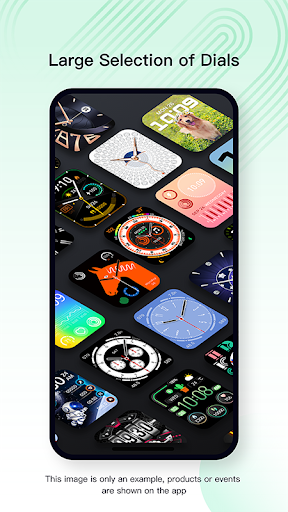
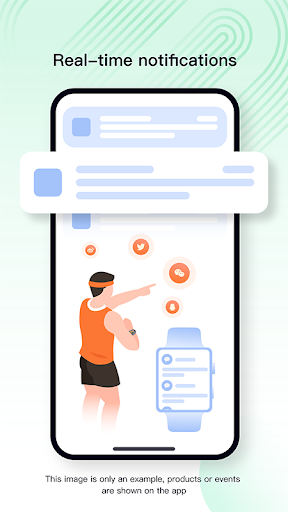
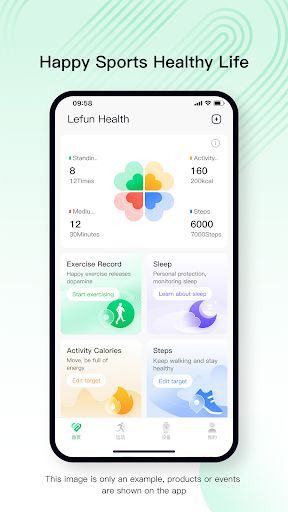
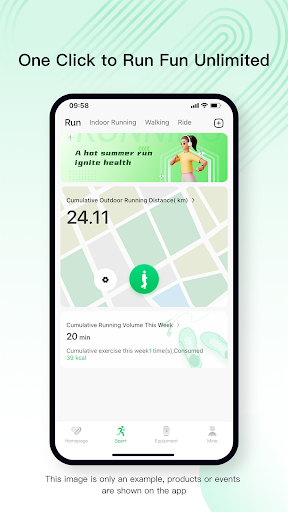
Lefun Health is your health and sports management center. when connected with the bracelet DSW001,TS12,It automatically records everything about your health, allowing you to easily track steps, sleep, exercise, drinking water, breathing training, etc., so as to help complete a healthy life and enjoy the whole body The joy of the heart grows.
---
► Abundant footprint
Mainstream, mainstream style complements your watch perfectly.
► Synchronous exercise recording and sharing
Monitor your exercise intensity while exercising.
► "Happy Exercise, Healthy Life"
The perfect combination of exercise and health. One-key connection between the mobile phone and the watch, synchronous health data, and simultaneous use of multiple platforms. Real-time tracking data to record precise sports conditions. Analyze the physical condition and give scientific health guidance. The watch enters the exercise mode with one key, and records the exercise in real time, making your exercise easy and enjoyable!
With a new revision and upgrade, our App will bring you a brand new experience and better help you achieve your fitness goals!
Fully upgraded, with more functions, more content, better use, and better help you manage your health and fitness!
और दिखाएं

1. MEmu इंस्टॉलर को डाउनलोड करें और इंस्टॉलेशन को पूरा करें

2. MEmu शुरू करें फिर होमपेज पर Google Play खोलें

3. Google Play में Lefun Health खोजें
Install
4. Lefun Health डाउनलोड कर इंस्टॉल करें
5. इंस्टॉल पूरा होने पर आइकन दबाएं

6. MEmu का उपयोग करके अपने कंप्यूटर पर Lefun Health का अनुभव करें
MEmu Play सबसे बेहतरीन मुफ़्त Android एमुलेटर है और 5 करोड़ लोग पहले ही इसके शानदार Android ऐप अनुभव का आनंद ले चुके हैं। MEmu 9 वर्चुअलाइज़ेशन तकनीक आपको अपने PC पर हज़ारों Android ऐप्स, यहाँ तक कि सबसे ज़्यादा ग्राफ़िक्स वाले ऐप्स भी, आसानी से चलाने की सुविधा देती है।
असीमित बैटरी या मोबाइल डेटा के साथ बेहतर ग्राफिक्स के साथ बड़ी स्क्रीन; लंबी अवधि।
कीबोर्ड और माउस या गेमपैड के उत्तम नियंत्रण के लिए संपूर्ण कीमैपिंग का समर्थन करता हैं।
एक ही पीसी पर मल्टी-इंस्टेंस मैनेजर के साथ एक समय में कई गेम खाते या कार्य कर सकते हैं।
Use Lefun Health on PC by following steps: