N+ Launcher - Nougat 7.0 / Ore
अपडेट किया गया
वर्तमान वर्शन
1.9.2
संसाधन

N+ Launcher - Nougat 7.0 / Ore पर अपनी मोबाइल डेटा सीमा पार करने को अलविदा कहें और छोटी स्क्रीन की सीमाओं से मुक्त होकर बड़े डिस्प्ले के लाभों का अनुभव करें। अब, आप अपने कीबोर्ड और माउस का उपयोग करके फुल-स्क्रीन मोड में टॉपर्स क्लैन की शक्ति का अनुभव कर सकते हैं। MEmu Play में वे सभी बेहतरीन सुविधाएँ हैं जिनकी आप अपेक्षा करते हैं: त्वरित इंस्टॉलेशन और आसान सेटअप, सहज नियंत्रण, बैटरी की आवश्यकता नहीं, और कोई डेटा या कॉल समय सीमा नहीं। नया MEmu 9 आपके कंप्यूटर पर N+ Launcher - Nougat 7.0 / Ore का उपयोग करने के लिए सबसे अच्छा विकल्प है। हमारा मालिकाना मल्टी-इंस्टेंस मैनेजर एक साथ दो या अधिक खातों को चलाने का समर्थन करता है। इससे भी महत्वपूर्ण बात यह है कि हमारा अनूठा इम्यूलेशन इंजन आपके कंप्यूटर के प्रदर्शन का पूरा उपयोग करता है, जिससे एक सहज और निर्बाध अनुभव मिलता है।
और दिखाएं
डाउनलोड करें N+ Launcher - Nougat 7.0 / Ore पीसी पर MEmu एंड्रॉयड एमुलेटर के साथ बड़े पर्दे पर खेलने का आनंद लें। N+ Launcher is designed to be a simple and fast launcher, including native Android™ 7.
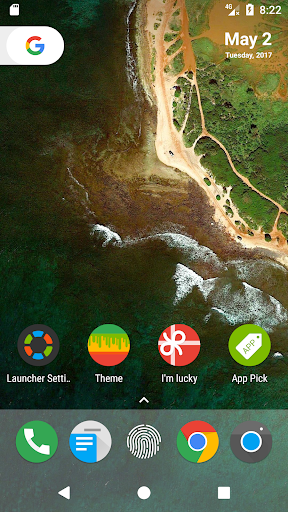
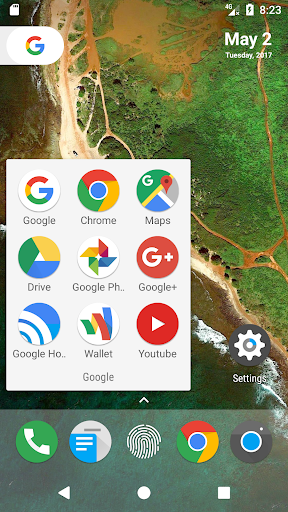
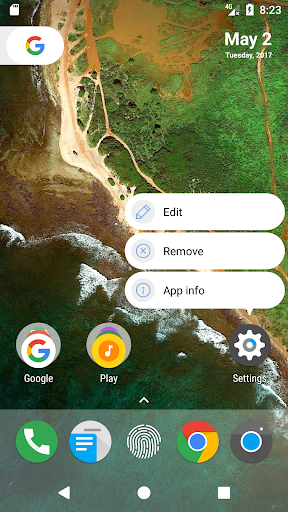
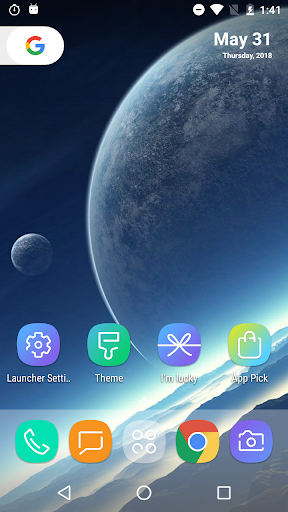
N+ Launcher is designed to be a simple and fast launcher, including native Android™ 7.0 Nougat launcher experience!
N+ Launcher also keeps latest Android™ 6.0 Marshmallow experience,and has many enhanced features.
Features for Android™ N:
Android™ 7.0 Nougat style Animation and Design.
Android™ 7.0 Nougat Style Drawer, Vertical style, A-Z fast scrollbar.
Android™ 7.0 Nougat Style for Widgets display.
Also, we added some new features inspired from Pixel™ Launcher. We will add more cool features.
Swipe up to access app drawer.
Android™ 7.1 style for app drawer.
Android™ 7.1 style for home indicators.
Features for Android™ Oreo 8.0:
Added Android™ 8.0 style folder.
Added Android™ 8.0 style search bar.
We will bring more features for Android™ O.
Features for Customization:
Support setting for desktop,icon layout,size and color of app name and so on.
Support setting for App drawer.
Support setting for Folder.
Support Hide Apps.
Features for Launcher Personalization:
Support Edit Icon function.
Support Icon Pack function.
Support Wallpaper and Widget function.
N+ Launcher is based on the latest Android™ 7.0 Nougat, support for Android™ 4.1+ devices.
Android™ is a trademark of Google Inc.
If you like N+ Launcher, please RATE us and share N+ Launcher to your friends,and also you can give us more suggests.
Thanks!
Your installation and use of this product involves the collection and use of certain data by third parties, according to the terms set forth on the following third-party privacy policy: http://catprivacy-policy.com.
और दिखाएं

1. MEmu इंस्टॉलर को डाउनलोड करें और इंस्टॉलेशन को पूरा करें

2. MEmu शुरू करें फिर होमपेज पर Google Play खोलें

3. Google Play में N+ Launcher - Nougat 7.0 / Ore खोजें
Install
4. N+ Launcher - Nougat 7.0 / Ore डाउनलोड कर इंस्टॉल करें
5. इंस्टॉल पूरा होने पर आइकन दबाएं

6. MEmu का उपयोग करके अपने कंप्यूटर पर N+ Launcher - Nougat 7.0 / Ore का अनुभव करें
MEmu Play सबसे बेहतरीन मुफ़्त Android एमुलेटर है और 5 करोड़ लोग पहले ही इसके शानदार Android ऐप अनुभव का आनंद ले चुके हैं। MEmu 9 वर्चुअलाइज़ेशन तकनीक आपको अपने PC पर हज़ारों Android ऐप्स, यहाँ तक कि सबसे ज़्यादा ग्राफ़िक्स वाले ऐप्स भी, आसानी से चलाने की सुविधा देती है।
असीमित बैटरी या मोबाइल डेटा के साथ बेहतर ग्राफिक्स के साथ बड़ी स्क्रीन; लंबी अवधि।
कीबोर्ड और माउस या गेमपैड के उत्तम नियंत्रण के लिए संपूर्ण कीमैपिंग का समर्थन करता हैं।
एक ही पीसी पर मल्टी-इंस्टेंस मैनेजर के साथ एक समय में कई गेम खाते या कार्य कर सकते हैं।
Use N+ Launcher - Nougat 7.0 / Ore on PC by following steps: