
Microeconomics - MasterNow
अपडेट किया गया
वर्तमान वर्शन
1.1.2
संसाधन

Microeconomics - MasterNow पर अपनी मोबाइल डेटा सीमा पार करने को अलविदा कहें और छोटी स्क्रीन की सीमाओं से मुक्त होकर बड़े डिस्प्ले के लाभों का अनुभव करें। अब, आप अपने कीबोर्ड और माउस का उपयोग करके फुल-स्क्रीन मोड में टॉपर्स क्लैन की शक्ति का अनुभव कर सकते हैं। MEmu Play में वे सभी बेहतरीन सुविधाएँ हैं जिनकी आप अपेक्षा करते हैं: त्वरित इंस्टॉलेशन और आसान सेटअप, सहज नियंत्रण, बैटरी की आवश्यकता नहीं, और कोई डेटा या कॉल समय सीमा नहीं। नया MEmu 9 आपके कंप्यूटर पर Microeconomics - MasterNow का उपयोग करने के लिए सबसे अच्छा विकल्प है। हमारा मालिकाना मल्टी-इंस्टेंस मैनेजर एक साथ दो या अधिक खातों को चलाने का समर्थन करता है। इससे भी महत्वपूर्ण बात यह है कि हमारा अनूठा इम्यूलेशन इंजन आपके कंप्यूटर के प्रदर्शन का पूरा उपयोग करता है, जिससे एक सहज और निर्बाध अनुभव मिलता है।
और दिखाएं
MEmu Play के साथ PC पर Microeconomics - MasterNow इस्तेमाल करने के शानदार अनुभव का आनंद लें। यह एक शक्तिशाली मुफ़्त Android एमुलेटर है जो आपको डेस्कटॉप वर्ज़न के लिए हज़ारों Android ऐप्स उपलब्ध कराता है। दोस्तों से जुड़ने और अपने काम को और भी बेहतर बनाने का आनंद लें! Dive deep into the intricacies of individual and business decision-making with Microeconomics, an essential learning app designed for students, business professionals, and anyone curious about the economic behaviors that affect markets on a smaller scale.
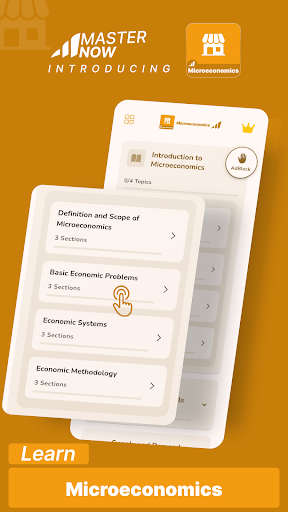
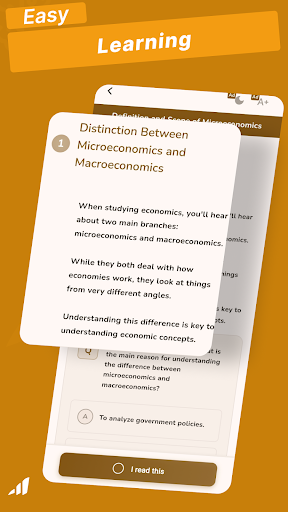
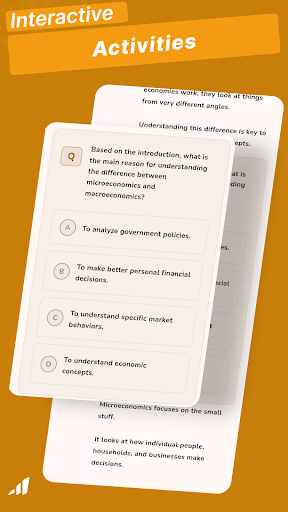
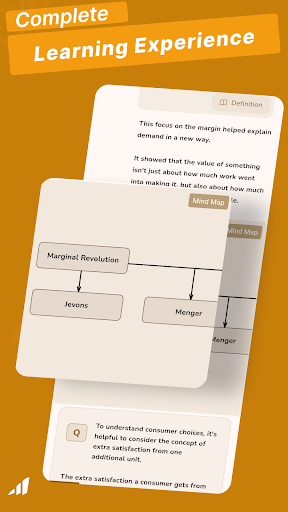
Dive deep into the intricacies of individual and business decision-making with Microeconomics, an essential learning app designed for students, business professionals, and anyone curious about the economic behaviors that affect markets on a smaller scale.
This app provides thorough insights into consumer behavior, market structures, production and cost theories, and much more.
Features and Benefits:
Comprehensive Learning Modules: Explore detailed topics such as demand and supply analysis, elasticity, market equilibrium, types of market competition, and factor markets. Each module is designed to build a solid foundational understanding as well as offer advanced insights into microeconomic principles.
Dynamic Quizzes: Test your understanding and reinforce learning with quizzes that adjust to your knowledge level. These quizzes provide feedback and are essential for tracking your progress and preparing for exams.
Offline: Microeconomics app is also like an offline interactive book which will help in your learning journey.
Why Choose Microeconomics?
Selecting Microeconomics means you are choosing an educational tool that will:
Enhance your understanding of how individual choices impact economic outcomes and market structures.
Equip you with the analytical tools to assess market efficiency, predict changes, and make informed economic decisions.
Offer a flexible learning experience that allows you to study at your pace and access content anywhere, anytime.
Embark on your journey to mastering the principles of microeconomics with Microeconomics. Download now and start exploring the economic forces that shape our daily lives!
और दिखाएं

1. MEmu इंस्टॉलर को डाउनलोड करें और इंस्टॉलेशन को पूरा करें

2. MEmu शुरू करें फिर होमपेज पर Google Play खोलें

3. Google Play में Microeconomics - MasterNow खोजें
Install
4. Microeconomics - MasterNow डाउनलोड कर इंस्टॉल करें
5. इंस्टॉल पूरा होने पर आइकन दबाएं

6. MEmu का उपयोग करके अपने कंप्यूटर पर Microeconomics - MasterNow का अनुभव करें
MEmu Play सबसे बेहतरीन मुफ़्त Android एमुलेटर है और 5 करोड़ लोग पहले ही इसके शानदार Android ऐप अनुभव का आनंद ले चुके हैं। MEmu 9 वर्चुअलाइज़ेशन तकनीक आपको अपने PC पर हज़ारों Android ऐप्स, यहाँ तक कि सबसे ज़्यादा ग्राफ़िक्स वाले ऐप्स भी, आसानी से चलाने की सुविधा देती है।
असीमित बैटरी या मोबाइल डेटा के साथ बेहतर ग्राफिक्स के साथ बड़ी स्क्रीन; लंबी अवधि।
कीबोर्ड और माउस या गेमपैड के उत्तम नियंत्रण के लिए संपूर्ण कीमैपिंग का समर्थन करता हैं।
एक ही पीसी पर मल्टी-इंस्टेंस मैनेजर के साथ एक समय में कई गेम खाते या कार्य कर सकते हैं।
Use Microeconomics - MasterNow on PC by following steps: