NOC Academy
अपडेट किया गया
वर्तमान वर्शन
2.45.7
संसाधन

NOC Academy पर अपनी मोबाइल डेटा सीमा पार करने को अलविदा कहें और छोटी स्क्रीन की सीमाओं से मुक्त होकर बड़े डिस्प्ले के लाभों का अनुभव करें। अब, आप अपने कीबोर्ड और माउस का उपयोग करके फुल-स्क्रीन मोड में टॉपर्स क्लैन की शक्ति का अनुभव कर सकते हैं। MEmu Play में वे सभी बेहतरीन सुविधाएँ हैं जिनकी आप अपेक्षा करते हैं: त्वरित इंस्टॉलेशन और आसान सेटअप, सहज नियंत्रण, बैटरी की आवश्यकता नहीं, और कोई डेटा या कॉल समय सीमा नहीं। नया MEmu 9 आपके कंप्यूटर पर NOC Academy का उपयोग करने के लिए सबसे अच्छा विकल्प है। हमारा मालिकाना मल्टी-इंस्टेंस मैनेजर एक साथ दो या अधिक खातों को चलाने का समर्थन करता है। इससे भी महत्वपूर्ण बात यह है कि हमारा अनूठा इम्यूलेशन इंजन आपके कंप्यूटर के प्रदर्शन का पूरा उपयोग करता है, जिससे एक सहज और निर्बाध अनुभव मिलता है।
और दिखाएं
MEmu Play के साथ PC पर NOC Academy इस्तेमाल करने के शानदार अनुभव का आनंद लें। यह एक शक्तिशाली मुफ़्त Android एमुलेटर है जो आपको डेस्कटॉप वर्ज़न के लिए हज़ारों Android ऐप्स उपलब्ध कराता है। दोस्तों से जुड़ने और अपने काम को और भी बेहतर बनाने का आनंद लें! The learning content available on this digital platform ranges from essential skills such as Communication skills, Time Management and Conflict Resolution, to leadership and management skills, to more specialized skills, such as Sales Leadership and Management.
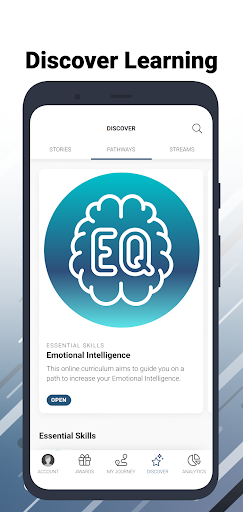
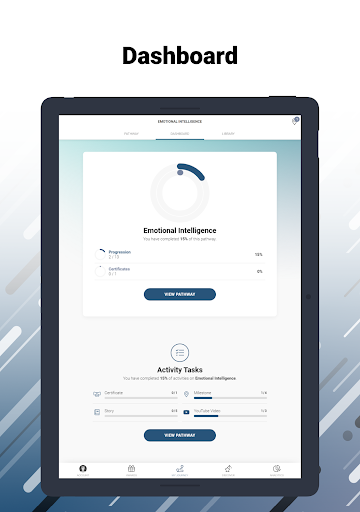
The learning content available on this digital platform ranges from essential skills such as Communication skills, Time Management and Conflict Resolution, to leadership and management skills, to more specialized skills, such as Sales Leadership and Management.
No Ordinary Corporation is a 51% black female-owned consulting firm made up of diverse, knowledgeable, and passionate professionals. In line with our mission of empowering people and businesses to deliver exceptional results, we provide an array of custom-designed learning programs in both classroom and digital formats. In order to continue to deliver valuable learning to our clients, we recognized the need to provide a digital platform that can be easily accessible, relevant and cost-effective to individuals as well as organisations.
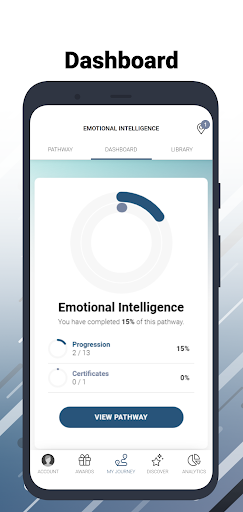
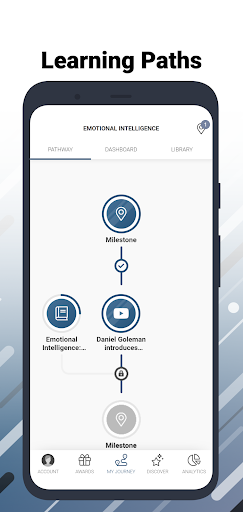
The learning content available on the NOC Academy app ranges from essential skills such as Communication Skills, Time Management, Conflict Resolution, and many more, to leadership and management skills, to more specialized skills, such as Sales Leadership and Management.
All content on this platform is developed, approved, and owned by No Ordinary Corporation. We are also able to assist clients with tailor-made learning solutions where required.
और दिखाएं

1. MEmu इंस्टॉलर को डाउनलोड करें और इंस्टॉलेशन को पूरा करें

2. MEmu शुरू करें फिर होमपेज पर Google Play खोलें

3. Google Play में NOC Academy खोजें
Install
4. NOC Academy डाउनलोड कर इंस्टॉल करें
5. इंस्टॉल पूरा होने पर आइकन दबाएं

6. MEmu का उपयोग करके अपने कंप्यूटर पर NOC Academy का अनुभव करें
MEmu Play सबसे बेहतरीन मुफ़्त Android एमुलेटर है और 5 करोड़ लोग पहले ही इसके शानदार Android ऐप अनुभव का आनंद ले चुके हैं। MEmu 9 वर्चुअलाइज़ेशन तकनीक आपको अपने PC पर हज़ारों Android ऐप्स, यहाँ तक कि सबसे ज़्यादा ग्राफ़िक्स वाले ऐप्स भी, आसानी से चलाने की सुविधा देती है।
असीमित बैटरी या मोबाइल डेटा के साथ बेहतर ग्राफिक्स के साथ बड़ी स्क्रीन; लंबी अवधि।
कीबोर्ड और माउस या गेमपैड के उत्तम नियंत्रण के लिए संपूर्ण कीमैपिंग का समर्थन करता हैं।
एक ही पीसी पर मल्टी-इंस्टेंस मैनेजर के साथ एक समय में कई गेम खाते या कार्य कर सकते हैं।
Use NOC Academy on PC by following steps: