
PairEver - Chat & Make Friends
अपडेट किया गया
वर्तमान वर्शन
1.0.58
संसाधन

PairEver - Chat & Make Friends पर अपनी मोबाइल डेटा सीमा पार करने को अलविदा कहें और छोटी स्क्रीन की सीमाओं से मुक्त होकर बड़े डिस्प्ले के लाभों का अनुभव करें। अब, आप अपने कीबोर्ड और माउस का उपयोग करके फुल-स्क्रीन मोड में टॉपर्स क्लैन की शक्ति का अनुभव कर सकते हैं। MEmu Play में वे सभी बेहतरीन सुविधाएँ हैं जिनकी आप अपेक्षा करते हैं: त्वरित इंस्टॉलेशन और आसान सेटअप, सहज नियंत्रण, बैटरी की आवश्यकता नहीं, और कोई डेटा या कॉल समय सीमा नहीं। नया MEmu 9 आपके कंप्यूटर पर PairEver - Chat & Make Friends का उपयोग करने के लिए सबसे अच्छा विकल्प है। हमारा मालिकाना मल्टी-इंस्टेंस मैनेजर एक साथ दो या अधिक खातों को चलाने का समर्थन करता है। इससे भी महत्वपूर्ण बात यह है कि हमारा अनूठा इम्यूलेशन इंजन आपके कंप्यूटर के प्रदर्शन का पूरा उपयोग करता है, जिससे एक सहज और निर्बाध अनुभव मिलता है।
और दिखाएं
MEmu Play के साथ PC पर PairEver - Chat & Make Friends इस्तेमाल करने के शानदार अनुभव का आनंद लें। यह एक शक्तिशाली मुफ़्त Android एमुलेटर है जो आपको डेस्कटॉप वर्ज़न के लिए हज़ारों Android ऐप्स उपलब्ध कराता है। दोस्तों से जुड़ने और अपने काम को और भी बेहतर बनाने का आनंद लें! PairEver – Chat, Connect & Make New Friends.



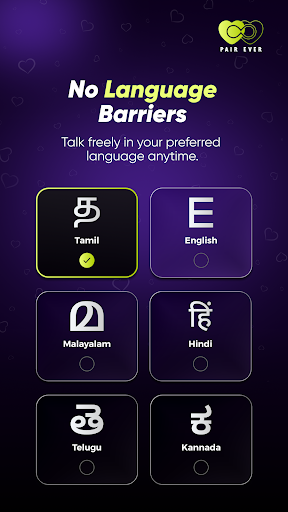
PairEver – Chat, Connect & Make New Friends
Looking to connect with new people in a simple and secure way? PairEver helps you start conversations, build real connections, and grow your social circle, anytime, anywhere.
Whether you want casual chats or meaningful interactions, PairEver gives you a smooth and user-friendly experience designed for real conversations.
Discover New People
Find and connect with like-minded people. Explore profiles and start conversations instantly without complexity.
Easy & Engaging Chat
Send messages, share thoughts, and stay connected with a seamless chat experience designed for comfort and simplicity.
HD Audio & Video Calls
Enjoy crystal clear audio and smooth video calls. Your first audio call is completely free, so you can connect naturally from the start.
Privacy-Focused Experience
Your chats, calls, and personal information are handled with care. PairEver is designed to give you a safe and respectful space to connect confidently.
Refer & Earn Rewards
Invite your friends to join PairEver and unlock exciting rewards. The more you share, the more you earn.
Simple & User-Friendly
Get started quickly with an intuitive interface built for effortless navigation and smooth performance.
Why Choose PairEver?
1. Connect with new people anytime
2. Smooth chat and calling experience
3. Privacy-focused platform
4. Earn rewards through referrals
5. Clean and easy-to-use design
PairEver is built for people who want real conversations without complications. Start chatting, connecting, and expanding your circle today.
Important Note
PairEver promotes respectful interactions. Please use the app responsibly and follow community guidelines to ensure a positive experience for everyone.
और दिखाएं

1. MEmu इंस्टॉलर को डाउनलोड करें और इंस्टॉलेशन को पूरा करें

2. MEmu शुरू करें फिर होमपेज पर Google Play खोलें

3. Google Play में PairEver - Chat & Make Friends खोजें
Install
4. PairEver - Chat & Make Friends डाउनलोड कर इंस्टॉल करें
5. इंस्टॉल पूरा होने पर आइकन दबाएं

6. MEmu का उपयोग करके अपने कंप्यूटर पर PairEver - Chat & Make Friends का अनुभव करें
MEmu Play सबसे बेहतरीन मुफ़्त Android एमुलेटर है और 5 करोड़ लोग पहले ही इसके शानदार Android ऐप अनुभव का आनंद ले चुके हैं। MEmu 9 वर्चुअलाइज़ेशन तकनीक आपको अपने PC पर हज़ारों Android ऐप्स, यहाँ तक कि सबसे ज़्यादा ग्राफ़िक्स वाले ऐप्स भी, आसानी से चलाने की सुविधा देती है।
असीमित बैटरी या मोबाइल डेटा के साथ बेहतर ग्राफिक्स के साथ बड़ी स्क्रीन; लंबी अवधि।
कीबोर्ड और माउस या गेमपैड के उत्तम नियंत्रण के लिए संपूर्ण कीमैपिंग का समर्थन करता हैं।
एक ही पीसी पर मल्टी-इंस्टेंस मैनेजर के साथ एक समय में कई गेम खाते या कार्य कर सकते हैं।
Use PairEver - Chat & Make Friends on PC by following steps: