Prompt explorer
अपडेट किया गया
वर्तमान वर्शन
2.5.24
संसाधन

Prompt explorer पर अपनी मोबाइल डेटा सीमा पार करने को अलविदा कहें और छोटी स्क्रीन की सीमाओं से मुक्त होकर बड़े डिस्प्ले के लाभों का अनुभव करें। अब, आप अपने कीबोर्ड और माउस का उपयोग करके फुल-स्क्रीन मोड में टॉपर्स क्लैन की शक्ति का अनुभव कर सकते हैं। MEmu Play में वे सभी बेहतरीन सुविधाएँ हैं जिनकी आप अपेक्षा करते हैं: त्वरित इंस्टॉलेशन और आसान सेटअप, सहज नियंत्रण, बैटरी की आवश्यकता नहीं, और कोई डेटा या कॉल समय सीमा नहीं। नया MEmu 9 आपके कंप्यूटर पर Prompt explorer का उपयोग करने के लिए सबसे अच्छा विकल्प है। हमारा मालिकाना मल्टी-इंस्टेंस मैनेजर एक साथ दो या अधिक खातों को चलाने का समर्थन करता है। इससे भी महत्वपूर्ण बात यह है कि हमारा अनूठा इम्यूलेशन इंजन आपके कंप्यूटर के प्रदर्शन का पूरा उपयोग करता है, जिससे एक सहज और निर्बाध अनुभव मिलता है।
और दिखाएं
MEmu Play के साथ PC पर Prompt explorer इस्तेमाल करने के शानदार अनुभव का आनंद लें। यह एक शक्तिशाली मुफ़्त Android एमुलेटर है जो आपको डेस्कटॉप वर्ज़न के लिए हज़ारों Android ऐप्स उपलब्ध कराता है। दोस्तों से जुड़ने और अपने काम को और भी बेहतर बनाने का आनंद लें! Prompt Explorer makes AI image generation easy for everyone.
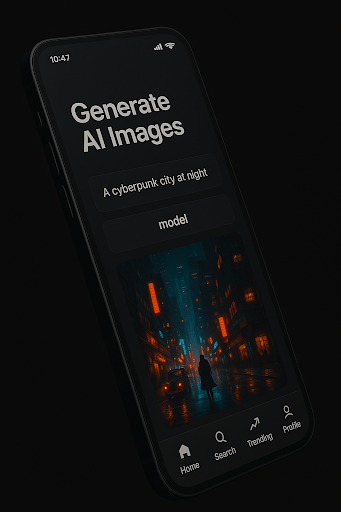
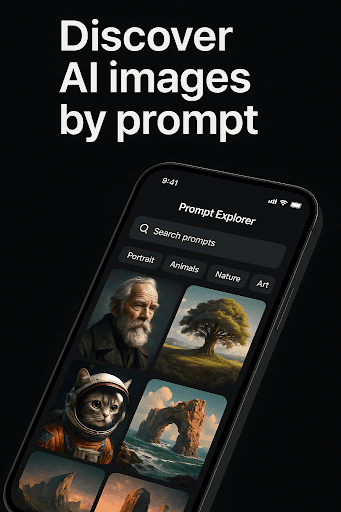
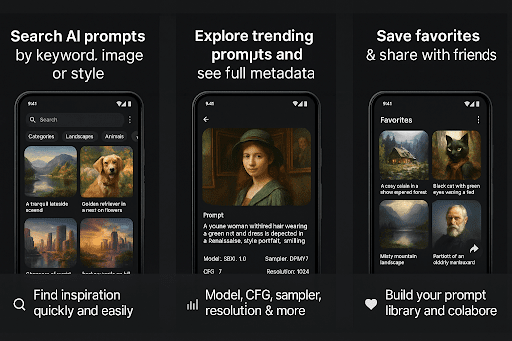
Prompt Explorer makes AI image generation easy for everyone. Learn from thousands of real prompts, understand what works, and create stunning images with powerful AI models — no experience needed!
Easy AI Image Generation
Top-tier AI models ready to use:
Zimage, Klein flux 2, Flux, Dirtberry, Gptimage, Dirtberry-pro, Imagen-4,p-image, Grok-imagine, Flux-2-dev, See dream, Seedream-pro, Kontext, Nanobanana etc.
One-tap generation from any discovered prompt
Create your own prompts with built-in guidance
Instant results — generate images in seconds
3 free generations daily — perfect for learning and experimenting
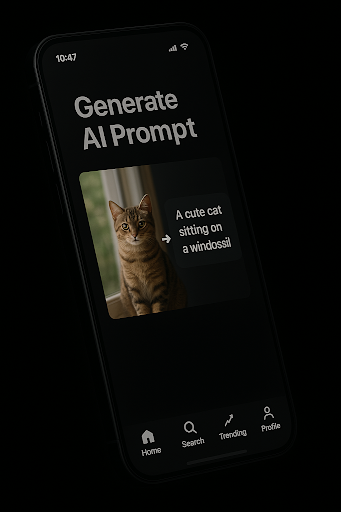
Revolutionary Image-to-Prompt Feature
Upload any image and generate its prompt automatically
Reverse-engineer successful AI art techniques
Learn from existing images — understand what prompts created them
Perfect for analyzing and recreating styles you love
Transform inspiration into actionable prompts
NEW: Multilingual Image Analysis & Prompt Generation
Choose the output language for image-to-prompt analysis
Generate prompts in your preferred language (English, French, Chinese and more)
Get clearer, more usable prompts adapted to your workflow
Ideal for creators worldwide and non-native English users
Learn by Example
Thousands of real prompts with working examples
See exactly what works — prompts + results + settings
Step-by-step learning from beginner to advanced
Copy successful techniques from top creators
Understand prompt structure through real examples
Your Creative Journey
Favorites — see all your saved prompts in one place
Generation history — track all your creations
Learn and improve — follow your progress over time
Mix and match — combine techniques from different prompts
Experiment freely — try new styles risk-free
Why Choose Prompt Explorer?
Completely free — no hidden costs or subscriptions
3 daily generations — generous limit for learning and creating
No login required — start creating immediately
Beginner-friendly — learn as you create
Professional results with top-tier AI models
Complete learning system — from discovery to mastery
Unique image-to-prompt technology
Multilingual prompt generation for global creators
Perfect for:
Complete beginners wanting to try AI art
Students learning prompt engineering
Creators seeking inspiration and efficiency
Artists wanting to reverse-engineer techniques
Anyone who wants to create AI art without complexity
Start creating beautiful AI art today — 3 free generations daily, powerful image-to-prompt analysis, and multilingual prompt generation, no strings attached!
और दिखाएं

1. MEmu इंस्टॉलर को डाउनलोड करें और इंस्टॉलेशन को पूरा करें

2. MEmu शुरू करें फिर होमपेज पर Google Play खोलें

3. Google Play में Prompt explorer खोजें
Install
4. Prompt explorer डाउनलोड कर इंस्टॉल करें
5. इंस्टॉल पूरा होने पर आइकन दबाएं

6. MEmu का उपयोग करके अपने कंप्यूटर पर Prompt explorer का अनुभव करें
MEmu Play सबसे बेहतरीन मुफ़्त Android एमुलेटर है और 5 करोड़ लोग पहले ही इसके शानदार Android ऐप अनुभव का आनंद ले चुके हैं। MEmu 9 वर्चुअलाइज़ेशन तकनीक आपको अपने PC पर हज़ारों Android ऐप्स, यहाँ तक कि सबसे ज़्यादा ग्राफ़िक्स वाले ऐप्स भी, आसानी से चलाने की सुविधा देती है।
असीमित बैटरी या मोबाइल डेटा के साथ बेहतर ग्राफिक्स के साथ बड़ी स्क्रीन; लंबी अवधि।
कीबोर्ड और माउस या गेमपैड के उत्तम नियंत्रण के लिए संपूर्ण कीमैपिंग का समर्थन करता हैं।
एक ही पीसी पर मल्टी-इंस्टेंस मैनेजर के साथ एक समय में कई गेम खाते या कार्य कर सकते हैं।
Use Prompt explorer on PC by following steps: