
realme Fit
अपडेट किया गया
वर्तमान वर्शन
1.2.9
संसाधन

realme Fit पर अपनी मोबाइल डेटा सीमा पार करने को अलविदा कहें और छोटी स्क्रीन की सीमाओं से मुक्त होकर बड़े डिस्प्ले के लाभों का अनुभव करें। अब, आप अपने कीबोर्ड और माउस का उपयोग करके फुल-स्क्रीन मोड में टॉपर्स क्लैन की शक्ति का अनुभव कर सकते हैं। MEmu Play में वे सभी बेहतरीन सुविधाएँ हैं जिनकी आप अपेक्षा करते हैं: त्वरित इंस्टॉलेशन और आसान सेटअप, सहज नियंत्रण, बैटरी की आवश्यकता नहीं, और कोई डेटा या कॉल समय सीमा नहीं। नया MEmu 9 आपके कंप्यूटर पर realme Fit का उपयोग करने के लिए सबसे अच्छा विकल्प है। हमारा मालिकाना मल्टी-इंस्टेंस मैनेजर एक साथ दो या अधिक खातों को चलाने का समर्थन करता है। इससे भी महत्वपूर्ण बात यह है कि हमारा अनूठा इम्यूलेशन इंजन आपके कंप्यूटर के प्रदर्शन का पूरा उपयोग करता है, जिससे एक सहज और निर्बाध अनुभव मिलता है।
और दिखाएं
डाउनलोड करें realme Fit पीसी पर MEmu एंड्रॉयड एमुलेटर के साथ बड़े पर्दे पर खेलने का आनंद लें। realme Fit is a companion app for the smart Watch realme TechLife Watch S100.
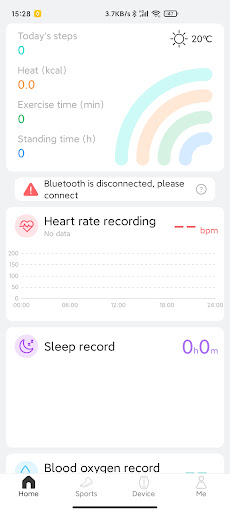
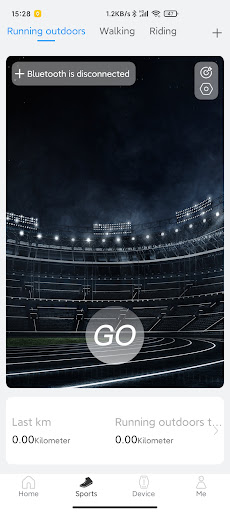
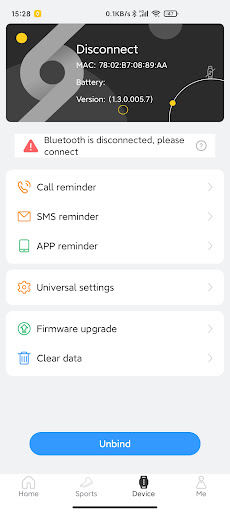
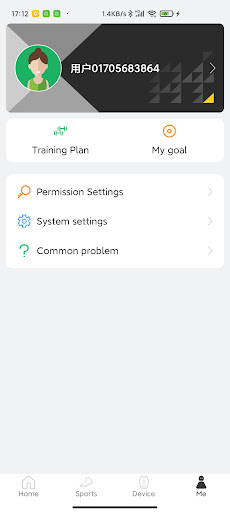
realme Fit is a companion app for the smart Watch realme TechLife Watch S100. It provides you with detailed and accurate exercise records and sleep and exercise analysis. Enjoy a healthy lifestyle, more exciting waiting for you to experience.
App will obtain message push content through the Accessibility API, so as to implement the message push function and push the message content to the smart Watch realme TechLife Watch S100
Step counting:
Record the number of exercise steps per day, calculate the daily calories burned, exercise distance and time.
Sleep:
Record your daily sleep and inform you of your daily deep sleep, light sleep and wakefulness data.
Track:
GPS map positioning, record your exercise route, and keep track of your own movement at any time.
realme Fit provides you with detailed and accurate exercise records and sleep and exercise analysis. Enjoy a healthy lifestyle, more exciting waiting for you to experience.
Target:
You can set multiple goals and encourage yourself to complete daily exercise targets.
remind:
The smart alarm clock vibrates to remind you.
A variety of information push reminders.
Support SMS reminder, call reminder, APP reminder.
और दिखाएं

1. MEmu इंस्टॉलर को डाउनलोड करें और इंस्टॉलेशन को पूरा करें

2. MEmu शुरू करें फिर होमपेज पर Google Play खोलें

3. Google Play में realme Fit खोजें
Install
4. realme Fit डाउनलोड कर इंस्टॉल करें
5. इंस्टॉल पूरा होने पर आइकन दबाएं

6. MEmu का उपयोग करके अपने कंप्यूटर पर realme Fit का अनुभव करें
MEmu Play सबसे बेहतरीन मुफ़्त Android एमुलेटर है और 5 करोड़ लोग पहले ही इसके शानदार Android ऐप अनुभव का आनंद ले चुके हैं। MEmu 9 वर्चुअलाइज़ेशन तकनीक आपको अपने PC पर हज़ारों Android ऐप्स, यहाँ तक कि सबसे ज़्यादा ग्राफ़िक्स वाले ऐप्स भी, आसानी से चलाने की सुविधा देती है।
असीमित बैटरी या मोबाइल डेटा के साथ बेहतर ग्राफिक्स के साथ बड़ी स्क्रीन; लंबी अवधि।
कीबोर्ड और माउस या गेमपैड के उत्तम नियंत्रण के लिए संपूर्ण कीमैपिंग का समर्थन करता हैं।
एक ही पीसी पर मल्टी-इंस्टेंस मैनेजर के साथ एक समय में कई गेम खाते या कार्य कर सकते हैं।
Use realme Fit on PC by following steps: