Remote Control For DVB
अपडेट किया गया
वर्तमान वर्शन
5.0.0
संसाधन

Remote Control For DVB पर अपनी मोबाइल डेटा सीमा पार करने को अलविदा कहें और छोटी स्क्रीन की सीमाओं से मुक्त होकर बड़े डिस्प्ले के लाभों का अनुभव करें। अब, आप अपने कीबोर्ड और माउस का उपयोग करके फुल-स्क्रीन मोड में टॉपर्स क्लैन की शक्ति का अनुभव कर सकते हैं। MEmu Play में वे सभी बेहतरीन सुविधाएँ हैं जिनकी आप अपेक्षा करते हैं: त्वरित इंस्टॉलेशन और आसान सेटअप, सहज नियंत्रण, बैटरी की आवश्यकता नहीं, और कोई डेटा या कॉल समय सीमा नहीं। नया MEmu 9 आपके कंप्यूटर पर Remote Control For DVB का उपयोग करने के लिए सबसे अच्छा विकल्प है। हमारा मालिकाना मल्टी-इंस्टेंस मैनेजर एक साथ दो या अधिक खातों को चलाने का समर्थन करता है। इससे भी महत्वपूर्ण बात यह है कि हमारा अनूठा इम्यूलेशन इंजन आपके कंप्यूटर के प्रदर्शन का पूरा उपयोग करता है, जिससे एक सहज और निर्बाध अनुभव मिलता है।
और दिखाएं
MEmu Play के साथ PC पर Remote Control For DVB इस्तेमाल करने के शानदार अनुभव का आनंद लें। यह एक शक्तिशाली मुफ़्त Android एमुलेटर है जो आपको डेस्कटॉप वर्ज़न के लिए हज़ारों Android ऐप्स उपलब्ध कराता है। दोस्तों से जुड़ने और अपने काम को और भी बेहतर बनाने का आनंद लें! Remote Control For DVB converts easily your Android phone into a universal Remote Control For DVB.
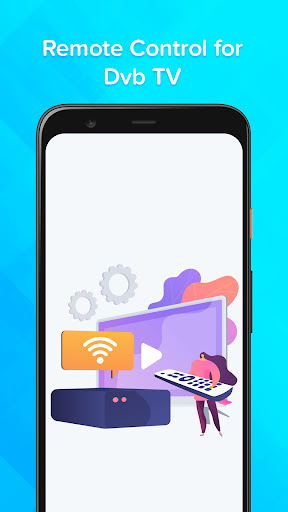
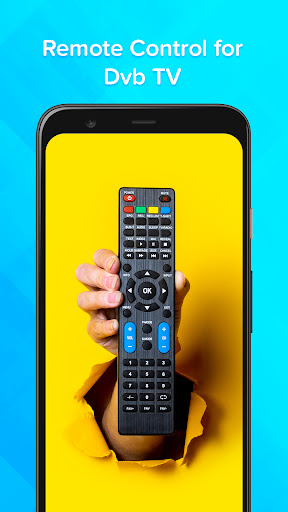
Remote Control For DVB converts easily your Android phone into a universal Remote Control For DVB. It's simple and easy to configure, the mode of use is the same as Remote Control TV. App with keep always mini pocket remote control with you to use it in case of an urgent situation for free.
Lost your DVB remote..?, & have no time to going far on shop to purchase DVB Remote..?
Use this Remote Control For DVB app with which you can easily change your smart device into a remote. It has a simple and clear User Interface to use or understand the app without any problems. App with easy to handle your TV with mobile.
It is always a good and easy way to change your mobile in Remote Gadget to control dish tv. The mobile phone has become a major gadget that people always keep with them and use it anytime anywhere, so installed Remote Control For DVB app and instantly convert your smartphone into remote mobile that works as a TV remote control will make your life easier. This Powerful remote control app is easy and free to use by anyone.
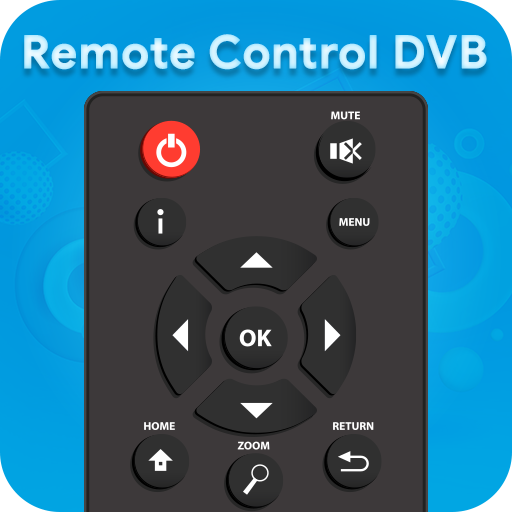
DVB Remote App has a look like the real remote, it helps you so that you can quickly locate the button to monitor the without having to check for keys. It currently has 1 remote built-in, only download and install this software Search for Remote Control For DVB app. If your DVB TV controller is missing or broken, use this software as a full-fledged remote.
- You Can Share this Remote Control For DVB App With Others Without Any Charges!!!
▶ How To Use?
˃ Go To The Play Store
˃ Then Install Remote Control For DVB App
˃ After Open In Your Device
˃ Then Click On the "Start" Button And Open it
˃ You Can Remote Control For DVB
˃ And Easily Use For Your TV Controller...
▶ FEATURES
▸ Power on, off, mute Control.
▸ Channel Digits buttons.
▸ Menu button with up, down, left, and right controls.
▸ Offline universal remote for tv no need for the internet connection.
▸ Remote control tv on a mobile app for Android.
▸ Use this app in emergencies
▸ Awesome Features of Remote Control For DVB
▸ TV remote all keys
▸ Simple and easy way to convert a mobile into remote
▸ Nice design with Simple Interface
▸ Easy For Use
▸ Share With Others!!!
▸ FREE!!!
Thank You...
और दिखाएं

1. MEmu इंस्टॉलर को डाउनलोड करें और इंस्टॉलेशन को पूरा करें

2. MEmu शुरू करें फिर होमपेज पर Google Play खोलें

3. Google Play में Remote Control For DVB खोजें
Install
4. Remote Control For DVB डाउनलोड कर इंस्टॉल करें
5. इंस्टॉल पूरा होने पर आइकन दबाएं

6. MEmu का उपयोग करके अपने कंप्यूटर पर Remote Control For DVB का अनुभव करें
MEmu Play सबसे बेहतरीन मुफ़्त Android एमुलेटर है और 5 करोड़ लोग पहले ही इसके शानदार Android ऐप अनुभव का आनंद ले चुके हैं। MEmu 9 वर्चुअलाइज़ेशन तकनीक आपको अपने PC पर हज़ारों Android ऐप्स, यहाँ तक कि सबसे ज़्यादा ग्राफ़िक्स वाले ऐप्स भी, आसानी से चलाने की सुविधा देती है।
असीमित बैटरी या मोबाइल डेटा के साथ बेहतर ग्राफिक्स के साथ बड़ी स्क्रीन; लंबी अवधि।
कीबोर्ड और माउस या गेमपैड के उत्तम नियंत्रण के लिए संपूर्ण कीमैपिंग का समर्थन करता हैं।
एक ही पीसी पर मल्टी-इंस्टेंस मैनेजर के साथ एक समय में कई गेम खाते या कार्य कर सकते हैं।
Use Remote Control For DVB on PC by following steps: