Saga Animated Stories
अपडेट किया गया
वर्तमान वर्शन
2.9
संसाधन

Saga Animated Stories पर अपनी मोबाइल डेटा सीमा पार करने को अलविदा कहें और छोटी स्क्रीन की सीमाओं से मुक्त होकर बड़े डिस्प्ले के लाभों का अनुभव करें। अब, आप अपने कीबोर्ड और माउस का उपयोग करके फुल-स्क्रीन मोड में टॉपर्स क्लैन की शक्ति का अनुभव कर सकते हैं। MEmu Play में वे सभी बेहतरीन सुविधाएँ हैं जिनकी आप अपेक्षा करते हैं: त्वरित इंस्टॉलेशन और आसान सेटअप, सहज नियंत्रण, बैटरी की आवश्यकता नहीं, और कोई डेटा या कॉल समय सीमा नहीं। नया MEmu 9 आपके कंप्यूटर पर Saga Animated Stories का उपयोग करने के लिए सबसे अच्छा विकल्प है। हमारा मालिकाना मल्टी-इंस्टेंस मैनेजर एक साथ दो या अधिक खातों को चलाने का समर्थन करता है। इससे भी महत्वपूर्ण बात यह है कि हमारा अनूठा इम्यूलेशन इंजन आपके कंप्यूटर के प्रदर्शन का पूरा उपयोग करता है, जिससे एक सहज और निर्बाध अनुभव मिलता है।
और दिखाएं
MEmu Play के साथ PC पर Saga Animated Stories इस्तेमाल करने के शानदार अनुभव का आनंद लें। यह एक शक्तिशाली मुफ़्त Android एमुलेटर है जो आपको डेस्कटॉप वर्ज़न के लिए हज़ारों Android ऐप्स उपलब्ध कराता है। दोस्तों से जुड़ने और अपने काम को और भी बेहतर बनाने का आनंद लें! Are you fond of creating Short videos from images, Video Stories or video status maker, then this is your one stop application.
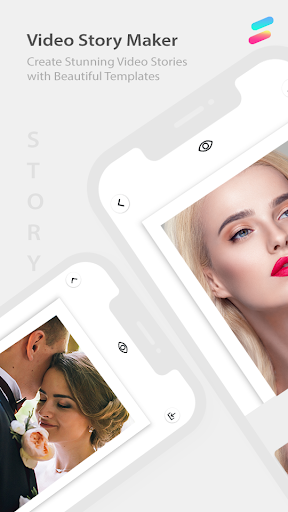
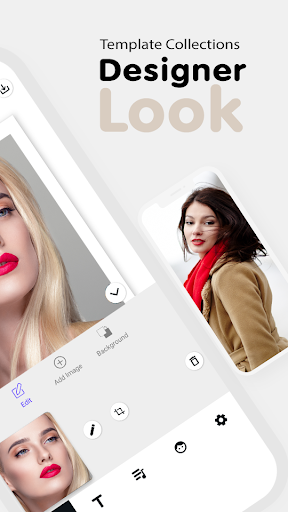
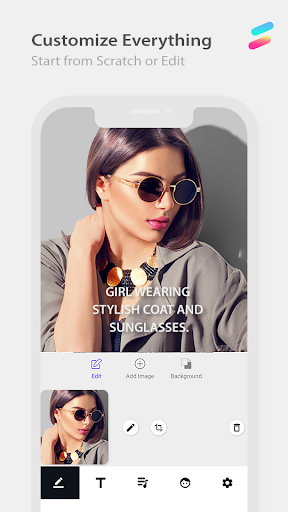
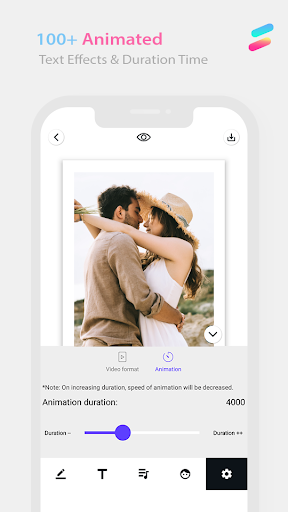
Are you fond of creating Short videos from images, Video Stories or video status maker, then this is your one stop application. Unique story style is very important to make your social media brand recognizable.
3 Step App:
a) Choose our professionally created animated template
b) Do as much as editing, add music, add text or as per your taste
c) Share on any platform.
•Text Styles
Beautifully animated text styles that adapt to your story.
Full customization of fonts, color, alignments and more.
•Templates:
Animated templates available with different patterns, and are frequently added as well.
•No design skills required
You can easily create your content in 5 minutes.
•No account required
Everything is that easy, download the app and tell your visual story.
•No complex software needed-
You only need your smartphone, nothing else.
•Just need to follow these -
Get our amazing professionally crated templates, storyart created based on user’s moodboard.
•Fall in love with-
Our story editor gives you best time experience to make stories dazzle,nichi and get featured
•Easy editing allows you to get featured –
To get featured on Instagram stories ,editing , cut, uncut videos for Instagram stories now ever easier as comparatively mojito or Whatsapp Video status as per your own interest for making beautiful stories
•Share your memories
All your stories are already pre-set in the right size to be posted to Instagram, Facebook, or Snapchat.
और दिखाएं

1. MEmu इंस्टॉलर को डाउनलोड करें और इंस्टॉलेशन को पूरा करें

2. MEmu शुरू करें फिर होमपेज पर Google Play खोलें

3. Google Play में Saga Animated Stories खोजें
Install
4. Saga Animated Stories डाउनलोड कर इंस्टॉल करें
5. इंस्टॉल पूरा होने पर आइकन दबाएं

6. MEmu का उपयोग करके अपने कंप्यूटर पर Saga Animated Stories का अनुभव करें
MEmu Play सबसे बेहतरीन मुफ़्त Android एमुलेटर है और 5 करोड़ लोग पहले ही इसके शानदार Android ऐप अनुभव का आनंद ले चुके हैं। MEmu 9 वर्चुअलाइज़ेशन तकनीक आपको अपने PC पर हज़ारों Android ऐप्स, यहाँ तक कि सबसे ज़्यादा ग्राफ़िक्स वाले ऐप्स भी, आसानी से चलाने की सुविधा देती है।
असीमित बैटरी या मोबाइल डेटा के साथ बेहतर ग्राफिक्स के साथ बड़ी स्क्रीन; लंबी अवधि।
कीबोर्ड और माउस या गेमपैड के उत्तम नियंत्रण के लिए संपूर्ण कीमैपिंग का समर्थन करता हैं।
एक ही पीसी पर मल्टी-इंस्टेंस मैनेजर के साथ एक समय में कई गेम खाते या कार्य कर सकते हैं।
Use Saga Animated Stories on PC by following steps: