Sanskrit & Hindi Poster Maker
अपडेट किया गया
वर्तमान वर्शन
संसाधन

Sanskrit & Hindi Poster Maker पर अपनी मोबाइल डेटा सीमा पार करने को अलविदा कहें और छोटी स्क्रीन की सीमाओं से मुक्त होकर बड़े डिस्प्ले के लाभों का अनुभव करें। अब, आप अपने कीबोर्ड और माउस का उपयोग करके फुल-स्क्रीन मोड में टॉपर्स क्लैन की शक्ति का अनुभव कर सकते हैं। MEmu Play में वे सभी बेहतरीन सुविधाएँ हैं जिनकी आप अपेक्षा करते हैं: त्वरित इंस्टॉलेशन और आसान सेटअप, सहज नियंत्रण, बैटरी की आवश्यकता नहीं, और कोई डेटा या कॉल समय सीमा नहीं। नया MEmu 9 आपके कंप्यूटर पर Sanskrit & Hindi Poster Maker का उपयोग करने के लिए सबसे अच्छा विकल्प है। हमारा मालिकाना मल्टी-इंस्टेंस मैनेजर एक साथ दो या अधिक खातों को चलाने का समर्थन करता है। इससे भी महत्वपूर्ण बात यह है कि हमारा अनूठा इम्यूलेशन इंजन आपके कंप्यूटर के प्रदर्शन का पूरा उपयोग करता है, जिससे एक सहज और निर्बाध अनुभव मिलता है।
और दिखाएं
MEmu Play के साथ PC पर Sanskrit & Hindi Poster Maker इस्तेमाल करने के शानदार अनुभव का आनंद लें। यह एक शक्तिशाली मुफ़्त Android एमुलेटर है जो आपको डेस्कटॉप वर्ज़न के लिए हज़ारों Android ऐप्स उपलब्ध कराता है। दोस्तों से जुड़ने और अपने काम को और भी बेहतर बनाने का आनंद लें! This app specially designed for Devanagari lovers to create own Posters and Greetings easily.

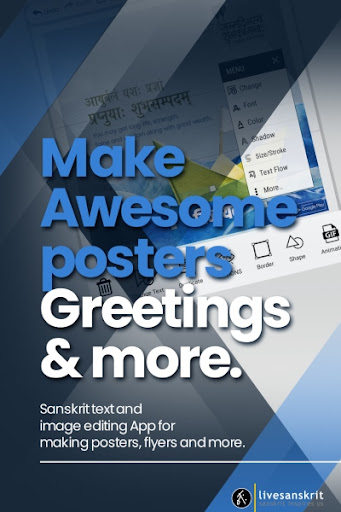
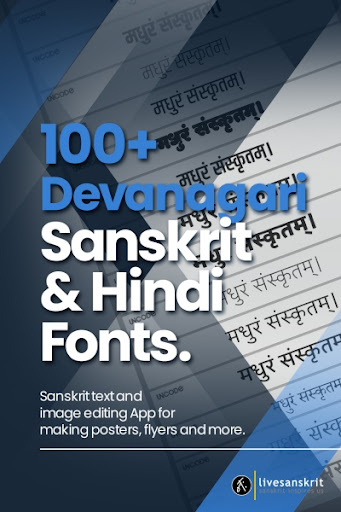
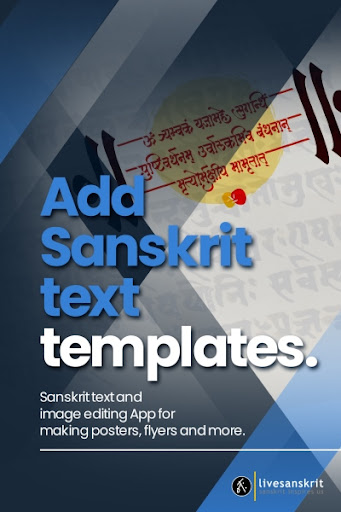
This app specially designed for Devanagari lovers to create own Posters and Greetings easily.
Sanskrit poster/ Greetings / photo editor is a complete image editor application.
Using this app which you can create your own Posters and Greetings and share them with all your friends.
You can made posters and greetings in Sanskrit/Hindi/Marathi.
- Community Templates & Profiles
- Share your creations with other users of this app
- Layer management
- Manage your Images into categories
- Simple & Advanced Crop options
- Added Shape, Image Effects & Filters
- Save Editor As Template Option For creating your own templates (like save as psd)
* Pick Images from your Album to Generate Posters and Greetings.
* Sanskrit Greetings text Templates
* Add Texts with Devanagari and English Fonts
* 100+ Downloadable Devanagari And English Fonts
* A huge selection of Stickers, Clip arts, Frames and backgrounds
* Can draw your own pencil sketch
* Easy share in WhatsApp, Facebook, email, Instagram and any other installed apps
* Share your posters and greetings as public
* Mark your favorite posters and greetings
* Water mark option
* Adjust text color, size, shadow, stroke and alignment
* Easily create complex posters and Greetings easily
* Move Images, captions anywhere you want and add your own
* Easy and advanced Image Cropping
* Choose background as Patterns
* Add and adjust color of borders for texts
* New Images and templates will added regularly!
* Easy to Use
Sanskrit lovers have always taken the language to new horizons. Sanskrit Editor App is the latest in this series.
Sanskrit Editor App is designed to help scholars and students with curricular and extra-curricular activities. This app allows you to Create and Edit designs. Sanskrit text can be placed and pictures can be edited to suit our need. Also you can edit any Devanagari language like Hindi or Marathi.
The 'Livesanskrit' is executing various projects and programmes for introducing the heritage and competence of the language to the new generation. We replicate the 'Devabhasha' to the new generation in digital platforms as well as traditional formats. We have set the platform, irrespective of your knowledge in Sanskrit, for all to nurture the language.
और दिखाएं

1. MEmu इंस्टॉलर को डाउनलोड करें और इंस्टॉलेशन को पूरा करें

2. MEmu शुरू करें फिर होमपेज पर Google Play खोलें

3. Google Play में Sanskrit & Hindi Poster Maker खोजें
Install
4. Sanskrit & Hindi Poster Maker डाउनलोड कर इंस्टॉल करें
5. इंस्टॉल पूरा होने पर आइकन दबाएं

6. MEmu का उपयोग करके अपने कंप्यूटर पर Sanskrit & Hindi Poster Maker का अनुभव करें
MEmu Play सबसे बेहतरीन मुफ़्त Android एमुलेटर है और 5 करोड़ लोग पहले ही इसके शानदार Android ऐप अनुभव का आनंद ले चुके हैं। MEmu 9 वर्चुअलाइज़ेशन तकनीक आपको अपने PC पर हज़ारों Android ऐप्स, यहाँ तक कि सबसे ज़्यादा ग्राफ़िक्स वाले ऐप्स भी, आसानी से चलाने की सुविधा देती है।
असीमित बैटरी या मोबाइल डेटा के साथ बेहतर ग्राफिक्स के साथ बड़ी स्क्रीन; लंबी अवधि।
कीबोर्ड और माउस या गेमपैड के उत्तम नियंत्रण के लिए संपूर्ण कीमैपिंग का समर्थन करता हैं।
एक ही पीसी पर मल्टी-इंस्टेंस मैनेजर के साथ एक समय में कई गेम खाते या कार्य कर सकते हैं।
Use Sanskrit & Hindi Poster Maker on PC by following steps: