
Silver Dialer
अपडेट किया गया
वर्तमान वर्शन
1.6.4
संसाधन

Silver Dialer पर अपनी मोबाइल डेटा सीमा पार करने को अलविदा कहें और छोटी स्क्रीन की सीमाओं से मुक्त होकर बड़े डिस्प्ले के लाभों का अनुभव करें। अब, आप अपने कीबोर्ड और माउस का उपयोग करके फुल-स्क्रीन मोड में टॉपर्स क्लैन की शक्ति का अनुभव कर सकते हैं। MEmu Play में वे सभी बेहतरीन सुविधाएँ हैं जिनकी आप अपेक्षा करते हैं: त्वरित इंस्टॉलेशन और आसान सेटअप, सहज नियंत्रण, बैटरी की आवश्यकता नहीं, और कोई डेटा या कॉल समय सीमा नहीं। नया MEmu 9 आपके कंप्यूटर पर Silver Dialer का उपयोग करने के लिए सबसे अच्छा विकल्प है। हमारा मालिकाना मल्टी-इंस्टेंस मैनेजर एक साथ दो या अधिक खातों को चलाने का समर्थन करता है। इससे भी महत्वपूर्ण बात यह है कि हमारा अनूठा इम्यूलेशन इंजन आपके कंप्यूटर के प्रदर्शन का पूरा उपयोग करता है, जिससे एक सहज और निर्बाध अनुभव मिलता है।
और दिखाएं
डाउनलोड करें Silver Dialer पीसी पर MEmu एंड्रॉयड एमुलेटर के साथ बड़े पर्दे पर खेलने का आनंद लें। Silver Dialer is a mobile app for Android and other smartphones, offering a range of functionalities like VoIP Calls from data enabled mobile phones (3G/4G or WiFi).

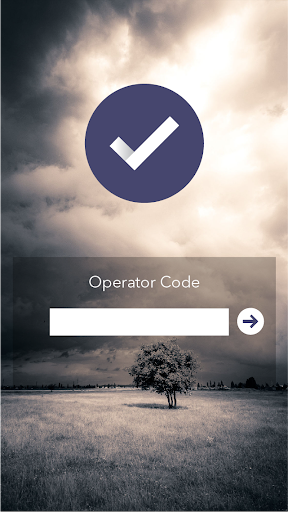
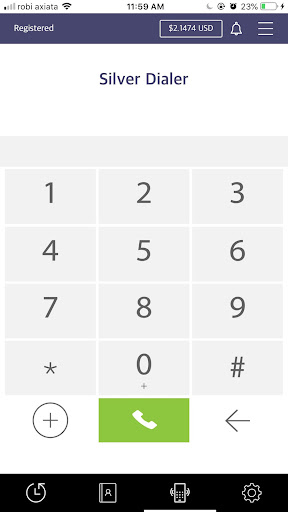
Silver Dialer is a mobile app for Android and other smartphones, offering a range of functionalities like VoIP Calls from data enabled mobile phones (3G/4G or WiFi).
For using this app, end users will need an Operator Code, which they can obtain from a VoIP Service Provider. While Service Providers can use this White Label Platform to offer Mobile VoIP services in their own brand.
Features:
VoIP Calls via Wifi, 3G / 4G, edge
For Service Providers
Silver Dialer is available in all major OS Platforms and you can fully customize & brand it as per your requirements. For a free trial:
1. Visit www.revesoft.com
2. Register for a free Demo, with details of your softswitch(IP, Port) & we will send you a Demo Operator Code for testing the app on your own softswitch.
For End Users
You will be prompted for the following while starting the app:
1. Operator Code – Collect Operator Code from your VoIP service provider. If the Service Provider is using REVE platform, he will be able to provide a valid Operator Code.
और दिखाएं

1. MEmu इंस्टॉलर को डाउनलोड करें और इंस्टॉलेशन को पूरा करें

2. MEmu शुरू करें फिर होमपेज पर Google Play खोलें

3. Google Play में Silver Dialer खोजें
Install
4. Silver Dialer डाउनलोड कर इंस्टॉल करें
5. इंस्टॉल पूरा होने पर आइकन दबाएं

6. MEmu का उपयोग करके अपने कंप्यूटर पर Silver Dialer का अनुभव करें
MEmu Play सबसे बेहतरीन मुफ़्त Android एमुलेटर है और 5 करोड़ लोग पहले ही इसके शानदार Android ऐप अनुभव का आनंद ले चुके हैं। MEmu 9 वर्चुअलाइज़ेशन तकनीक आपको अपने PC पर हज़ारों Android ऐप्स, यहाँ तक कि सबसे ज़्यादा ग्राफ़िक्स वाले ऐप्स भी, आसानी से चलाने की सुविधा देती है।
असीमित बैटरी या मोबाइल डेटा के साथ बेहतर ग्राफिक्स के साथ बड़ी स्क्रीन; लंबी अवधि।
कीबोर्ड और माउस या गेमपैड के उत्तम नियंत्रण के लिए संपूर्ण कीमैपिंग का समर्थन करता हैं।
एक ही पीसी पर मल्टी-इंस्टेंस मैनेजर के साथ एक समय में कई गेम खाते या कार्य कर सकते हैं।
Use Silver Dialer on PC by following steps: