SK Receipt Photobooth
अपडेट किया गया
वर्तमान वर्शन
28.0
संसाधन

SK Receipt Photobooth पर अपनी मोबाइल डेटा सीमा पार करने को अलविदा कहें और छोटी स्क्रीन की सीमाओं से मुक्त होकर बड़े डिस्प्ले के लाभों का अनुभव करें। अब, आप अपने कीबोर्ड और माउस का उपयोग करके फुल-स्क्रीन मोड में टॉपर्स क्लैन की शक्ति का अनुभव कर सकते हैं। MEmu Play में वे सभी बेहतरीन सुविधाएँ हैं जिनकी आप अपेक्षा करते हैं: त्वरित इंस्टॉलेशन और आसान सेटअप, सहज नियंत्रण, बैटरी की आवश्यकता नहीं, और कोई डेटा या कॉल समय सीमा नहीं। नया MEmu 9 आपके कंप्यूटर पर SK Receipt Photobooth का उपयोग करने के लिए सबसे अच्छा विकल्प है। हमारा मालिकाना मल्टी-इंस्टेंस मैनेजर एक साथ दो या अधिक खातों को चलाने का समर्थन करता है। इससे भी महत्वपूर्ण बात यह है कि हमारा अनूठा इम्यूलेशन इंजन आपके कंप्यूटर के प्रदर्शन का पूरा उपयोग करता है, जिससे एक सहज और निर्बाध अनुभव मिलता है।
और दिखाएं
MEmu Play के साथ PC पर SK Receipt Photobooth इस्तेमाल करने के शानदार अनुभव का आनंद लें। यह एक शक्तिशाली मुफ़्त Android एमुलेटर है जो आपको डेस्कटॉप वर्ज़न के लिए हज़ारों Android ऐप्स उपलब्ध कराता है। दोस्तों से जुड़ने और अपने काम को और भी बेहतर बनाने का आनंद लें! Thermal Receipt Photobooth.

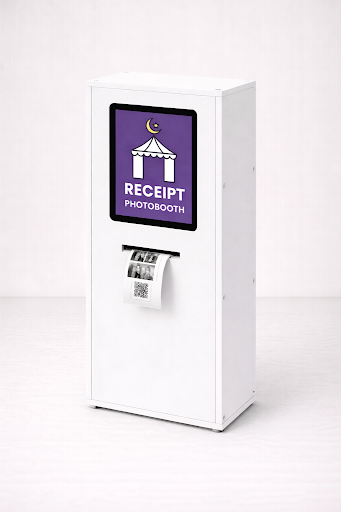
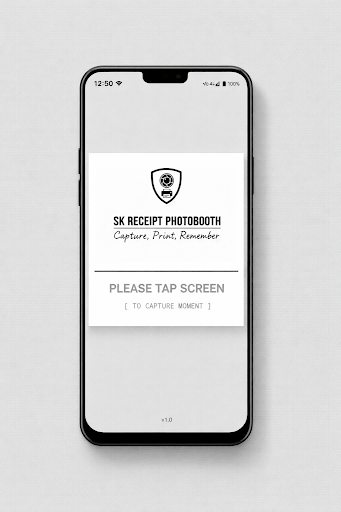
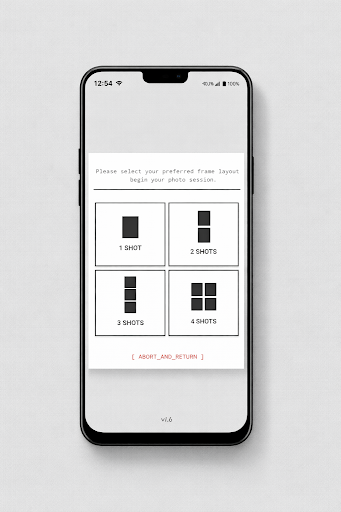
Thermal Receipt Photobooth
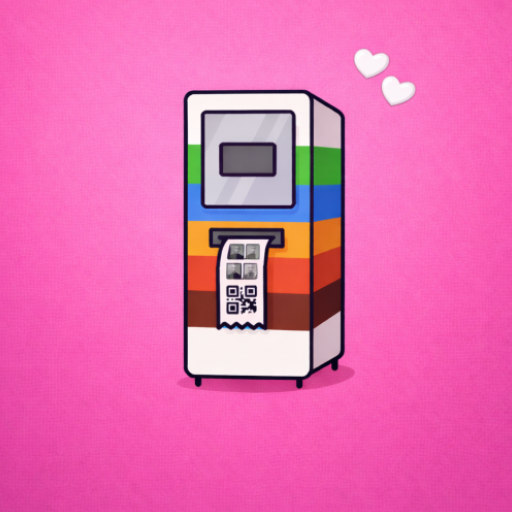
Turn your Android tablet into a minimalist, receipt-style photobooth.
This app transforms ordinary photos into beautifully printed black and white thermal receipts. Designed specifically for 58mm and 80mm thermal printers, it creates a distinctive monochrome look inspired by analog prints, newspapers, and classic instant photography.
Clean. Simple. Memorable.
A Different Kind of Photobooth
Most photo apps aim for high resolution and vibrant color.
This app embraces contrast, texture, and character.
Each photo is processed using optimized dithering techniques to produce sharp, expressive black and white prints on thermal paper. The result is raw, minimal, and timeless — perfect for weddings, cafés, pop-up events, creative spaces, and DIY photobooth setups.
No expensive photo printer required.
Just a tablet and a thermal receipt printer.
Designed for Thermal Printing
Thermal paper behaves differently from standard photo paper. This app is built around that reality.
Optimized for 80mm thermal printers
High-contrast monochrome output
Advanced dithering (Floyd–Steinberg style processing)
Clean margins for a premium receipt look
Proper scaling for crisp facial details
Every image is carefully processed to ensure it prints clearly and consistently on receipt paper.
Capture, Print, Share
The experience is simple:
Capture a photo using your tablet
Preview in clean black and white
Print instantly
Share digitally if desired
The tablet preview remains smooth and modern.
The print delivers the signature thermal aesthetic.
You can also share the captured photo via email or messaging apps directly after printing — blending physical and digital seamlessly.
Built for Creators and Event Hosts
This app is ideal for:
Event organizers
Wedding planners
Café owners
DIY photobooth makers
Creative studios
Content creators
Whether you’re building a custom PVC enclosure, repurposing a kiosk, or creating a portable photobooth installation, this app becomes the core engine behind your setup.
Minimal Interface, Maximum Focus
The interface is intentionally clean and distraction-free.
No clutter. No unnecessary effects.
Just:
Capture
Print
Repeat
The design keeps attention where it belongs — on the moment and the printed memory.
Free & Pro Options
The free version includes core features with ads.
Upgrade to unlock:
Ad-free experience
Advanced layouts
Custom footer text
Branding options
Extended print controls
Flexible subscription plans are available to suit personal projects and commercial use.
Hardware Compatibility
Android tablets supported
Works with most ESC/POS compatible thermal printers
58mm and 80mm receipt printers
USB OTG or Bluetooth connection
For best results, use high-quality thermal paper and ensure printer density settings are properly configured.
Print the Moment
In a world of endless digital photos, thermal prints feel different.
They are tangible.
Imperfect in the right way.
Instant and honest.
Turn your tablet into a refined receipt photobooth.
Create prints that feel intentional, not filtered.
और दिखाएं

1. MEmu इंस्टॉलर को डाउनलोड करें और इंस्टॉलेशन को पूरा करें

2. MEmu शुरू करें फिर होमपेज पर Google Play खोलें

3. Google Play में SK Receipt Photobooth खोजें
Install
4. SK Receipt Photobooth डाउनलोड कर इंस्टॉल करें
5. इंस्टॉल पूरा होने पर आइकन दबाएं

6. MEmu का उपयोग करके अपने कंप्यूटर पर SK Receipt Photobooth का अनुभव करें
MEmu Play सबसे बेहतरीन मुफ़्त Android एमुलेटर है और 5 करोड़ लोग पहले ही इसके शानदार Android ऐप अनुभव का आनंद ले चुके हैं। MEmu 9 वर्चुअलाइज़ेशन तकनीक आपको अपने PC पर हज़ारों Android ऐप्स, यहाँ तक कि सबसे ज़्यादा ग्राफ़िक्स वाले ऐप्स भी, आसानी से चलाने की सुविधा देती है।
असीमित बैटरी या मोबाइल डेटा के साथ बेहतर ग्राफिक्स के साथ बड़ी स्क्रीन; लंबी अवधि।
कीबोर्ड और माउस या गेमपैड के उत्तम नियंत्रण के लिए संपूर्ण कीमैपिंग का समर्थन करता हैं।
एक ही पीसी पर मल्टी-इंस्टेंस मैनेजर के साथ एक समय में कई गेम खाते या कार्य कर सकते हैं।
Use SK Receipt Photobooth on PC by following steps: