Smart Connect
अपडेट किया गया
वर्तमान वर्शन
07.0.0.027.0
संसाधन

Smart Connect पर अपनी मोबाइल डेटा सीमा पार करने को अलविदा कहें और छोटी स्क्रीन की सीमाओं से मुक्त होकर बड़े डिस्प्ले के लाभों का अनुभव करें। अब, आप अपने कीबोर्ड और माउस का उपयोग करके फुल-स्क्रीन मोड में टॉपर्स क्लैन की शक्ति का अनुभव कर सकते हैं। MEmu Play में वे सभी बेहतरीन सुविधाएँ हैं जिनकी आप अपेक्षा करते हैं: त्वरित इंस्टॉलेशन और आसान सेटअप, सहज नियंत्रण, बैटरी की आवश्यकता नहीं, और कोई डेटा या कॉल समय सीमा नहीं। नया MEmu 9 आपके कंप्यूटर पर Smart Connect का उपयोग करने के लिए सबसे अच्छा विकल्प है। हमारा मालिकाना मल्टी-इंस्टेंस मैनेजर एक साथ दो या अधिक खातों को चलाने का समर्थन करता है। इससे भी महत्वपूर्ण बात यह है कि हमारा अनूठा इम्यूलेशन इंजन आपके कंप्यूटर के प्रदर्शन का पूरा उपयोग करता है, जिससे एक सहज और निर्बाध अनुभव मिलता है।
और दिखाएं
डाउनलोड करें Smart Connect पीसी पर MEmu एंड्रॉयड एमुलेटर के साथ बड़े पर्दे पर खेलने का आनंद लें। Smart Connect brings your phone, PC, and tablet together like never before.
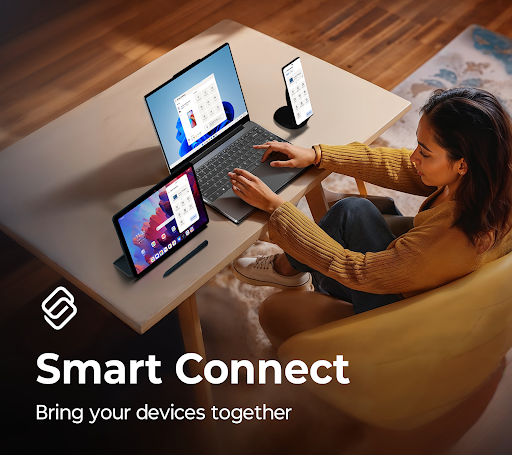
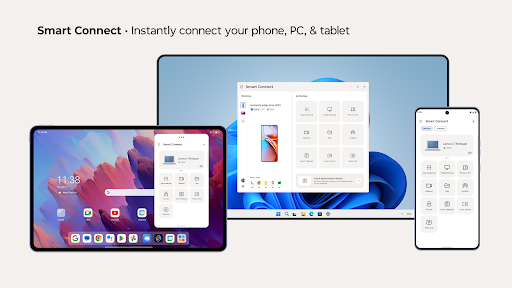
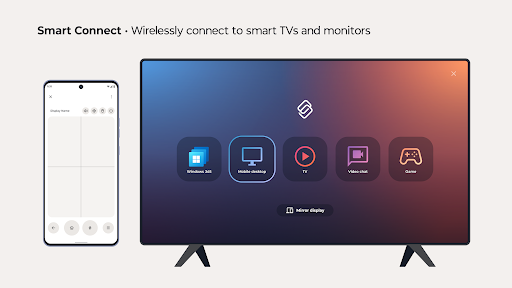
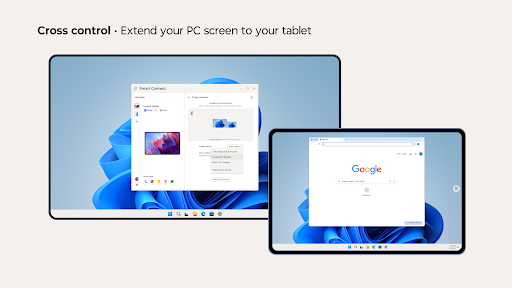
Smart Connect brings your phone, PC, and tablet together like never before. Seamlessly pair your devices and take control of your digital life. Whether you're sharing files, extending your screen, or streaming content, Smart Connect simplifies the way you interact with your devices.
Key features:
•Pair your smartphone, PC, and tablet, or connect to a display
•Stream media, apps, and more from your smartphone or tablet
•Cross control extends your PC screen to your tablet, or easily control your devices with a keyboard and mouse
•Share hub syncs files and media across paired devices via the Share hub tray
•Use your phone or tablet’s high-resolution camera as a webcam for clear video calls
•Mobile desktop transforms your smartphone into a PC-like desktop for on-the-go productivity
A Windows 10 or 11 PC with Bluetooth and a compatible phone or tablet is required.
Smart Connect requires elevated permissions to install and use this app.
Feature compatibility may vary by device. Click the link to see if your phone or tablet is compatible: https://help.motorola.com/hc/apps/smartconnect/index.php?v=&t=help_pc_compatible
और दिखाएं

1. MEmu इंस्टॉलर को डाउनलोड करें और इंस्टॉलेशन को पूरा करें

2. MEmu शुरू करें फिर होमपेज पर Google Play खोलें

3. Google Play में Smart Connect खोजें
Install
4. Smart Connect डाउनलोड कर इंस्टॉल करें
5. इंस्टॉल पूरा होने पर आइकन दबाएं

6. MEmu का उपयोग करके अपने कंप्यूटर पर Smart Connect का अनुभव करें
MEmu Play सबसे बेहतरीन मुफ़्त Android एमुलेटर है और 5 करोड़ लोग पहले ही इसके शानदार Android ऐप अनुभव का आनंद ले चुके हैं। MEmu 9 वर्चुअलाइज़ेशन तकनीक आपको अपने PC पर हज़ारों Android ऐप्स, यहाँ तक कि सबसे ज़्यादा ग्राफ़िक्स वाले ऐप्स भी, आसानी से चलाने की सुविधा देती है।
असीमित बैटरी या मोबाइल डेटा के साथ बेहतर ग्राफिक्स के साथ बड़ी स्क्रीन; लंबी अवधि।
कीबोर्ड और माउस या गेमपैड के उत्तम नियंत्रण के लिए संपूर्ण कीमैपिंग का समर्थन करता हैं।
एक ही पीसी पर मल्टी-इंस्टेंस मैनेजर के साथ एक समय में कई गेम खाते या कार्य कर सकते हैं।
Use Smart Connect on PC by following steps: