Story Duniya
अपडेट किया गया
वर्तमान वर्शन
1734005523
संसाधन

Story Duniya पर अपनी मोबाइल डेटा सीमा पार करने को अलविदा कहें और छोटी स्क्रीन की सीमाओं से मुक्त होकर बड़े डिस्प्ले के लाभों का अनुभव करें। अब, आप अपने कीबोर्ड और माउस का उपयोग करके फुल-स्क्रीन मोड में टॉपर्स क्लैन की शक्ति का अनुभव कर सकते हैं। MEmu Play में वे सभी बेहतरीन सुविधाएँ हैं जिनकी आप अपेक्षा करते हैं: त्वरित इंस्टॉलेशन और आसान सेटअप, सहज नियंत्रण, बैटरी की आवश्यकता नहीं, और कोई डेटा या कॉल समय सीमा नहीं। नया MEmu 9 आपके कंप्यूटर पर Story Duniya का उपयोग करने के लिए सबसे अच्छा विकल्प है। हमारा मालिकाना मल्टी-इंस्टेंस मैनेजर एक साथ दो या अधिक खातों को चलाने का समर्थन करता है। इससे भी महत्वपूर्ण बात यह है कि हमारा अनूठा इम्यूलेशन इंजन आपके कंप्यूटर के प्रदर्शन का पूरा उपयोग करता है, जिससे एक सहज और निर्बाध अनुभव मिलता है।
और दिखाएं
डाउनलोड करें Story Duniya पीसी पर MEmu एंड्रॉयड एमुलेटर के साथ बड़े पर्दे पर खेलने का आनंद लें। Welcome to Story Duniya - where kids discover amazing stories, fun activities, and rhymes all in one place!

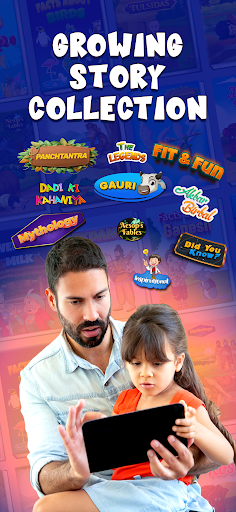
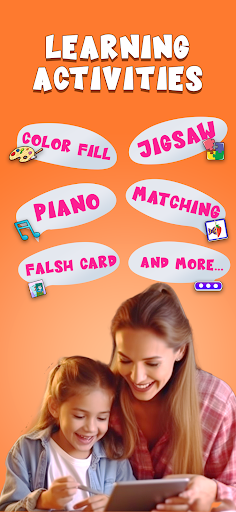
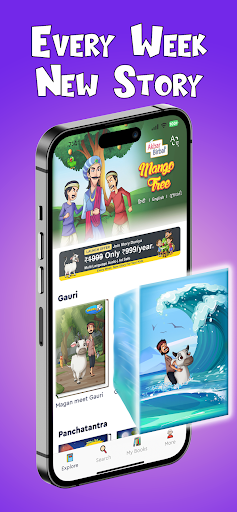
Welcome to Story Duniya - where kids discover amazing stories, fun activities, and rhymes all in one place! Step into a world where stories teach us Indian cultural and moral values with valuable lessons and entertainment. Our goal is to spread Indian cultural values among young kids through a safe platform.
Our library features a variety of tales from different parts of India, including Mythologies, Panchatantra, Akbar-Birbal, Gauri, and more. From picture books to video books, Read-To-Me books, and graphic novels, there’s something for every child on Story Duniya.
Download stories for kids within the app to watch offline at your convenience, and also enjoy audio story playback for an engaging storytelling experience!
And guess what? Our app is super easy to use! You can pick your favourite language - like Gujarati, Hindi, or English - and enjoy the folktale. We want everyone to feel included, so we're always adding more languages too!
Download stories for kids within the app to watch offline at your convenience, and also enjoy audio story playback for an engaging storytelling experience!
Plus, our subscription plan is affordable. For just Rs.899/year. you’ll get unlimited access to all our books with no ads, including new releases frequently.
Why Story Duniya?
- A vast collection of Indian traditional cultural stories, health fitness tales, moral folktales and learning stories, Panchatantra
- Multi-language support: Gujarati, Hindi, English and many more coming up
- Audio story playback for kids
- Engaging in activities to stimulate learning and creativity
- Downloaded stories inside the app and watch them offline
- Regular updates with new content and features
Experience the magic of storytelling with Story Duniya! Download now and let your child enjoy and learn about Indian culture while having fun. With our kid-safe app, bedtime stories are even more exciting!
Invest in your child's education and personal growth with Story Duniya. We're confident that our stories will help them become amazing people with strong values. Join us today!
Story Duniya Paid plan: Just Rs.899/year.
Terms of Use https://storyduniya.com/terms_and_conditions.html
Privacy Policy https://storyduniya.com/privacy_policy.html
और दिखाएं

1. MEmu इंस्टॉलर को डाउनलोड करें और इंस्टॉलेशन को पूरा करें

2. MEmu शुरू करें फिर होमपेज पर Google Play खोलें

3. Google Play में Story Duniya खोजें
Install
4. Story Duniya डाउनलोड कर इंस्टॉल करें
5. इंस्टॉल पूरा होने पर आइकन दबाएं

6. MEmu का उपयोग करके अपने कंप्यूटर पर Story Duniya का अनुभव करें
MEmu Play सबसे बेहतरीन मुफ़्त Android एमुलेटर है और 5 करोड़ लोग पहले ही इसके शानदार Android ऐप अनुभव का आनंद ले चुके हैं। MEmu 9 वर्चुअलाइज़ेशन तकनीक आपको अपने PC पर हज़ारों Android ऐप्स, यहाँ तक कि सबसे ज़्यादा ग्राफ़िक्स वाले ऐप्स भी, आसानी से चलाने की सुविधा देती है।
असीमित बैटरी या मोबाइल डेटा के साथ बेहतर ग्राफिक्स के साथ बड़ी स्क्रीन; लंबी अवधि।
कीबोर्ड और माउस या गेमपैड के उत्तम नियंत्रण के लिए संपूर्ण कीमैपिंग का समर्थन करता हैं।
एक ही पीसी पर मल्टी-इंस्टेंस मैनेजर के साथ एक समय में कई गेम खाते या कार्य कर सकते हैं।
Use Story Duniya on PC by following steps: