
Studocu: Study Notes & Sharing
अपडेट किया गया
वर्तमान वर्शन
5.5.0
संसाधन

Studocu: Study Notes & Sharing पर अपनी मोबाइल डेटा सीमा पार करने को अलविदा कहें और छोटी स्क्रीन की सीमाओं से मुक्त होकर बड़े डिस्प्ले के लाभों का अनुभव करें। अब, आप अपने कीबोर्ड और माउस का उपयोग करके फुल-स्क्रीन मोड में टॉपर्स क्लैन की शक्ति का अनुभव कर सकते हैं। MEmu Play में वे सभी बेहतरीन सुविधाएँ हैं जिनकी आप अपेक्षा करते हैं: त्वरित इंस्टॉलेशन और आसान सेटअप, सहज नियंत्रण, बैटरी की आवश्यकता नहीं, और कोई डेटा या कॉल समय सीमा नहीं। नया MEmu 9 आपके कंप्यूटर पर Studocu: Study Notes & Sharing का उपयोग करने के लिए सबसे अच्छा विकल्प है। हमारा मालिकाना मल्टी-इंस्टेंस मैनेजर एक साथ दो या अधिक खातों को चलाने का समर्थन करता है। इससे भी महत्वपूर्ण बात यह है कि हमारा अनूठा इम्यूलेशन इंजन आपके कंप्यूटर के प्रदर्शन का पूरा उपयोग करता है, जिससे एक सहज और निर्बाध अनुभव मिलता है।
और दिखाएं
डाउनलोड करें Studocu: Study Notes & Sharing पीसी पर MEmu एंड्रॉयड एमुलेटर के साथ बड़े पर्दे पर खेलने का आनंद लें। The go-to app for students in university and high school who want to nail their exams, get the best homework help, and ace their courses.
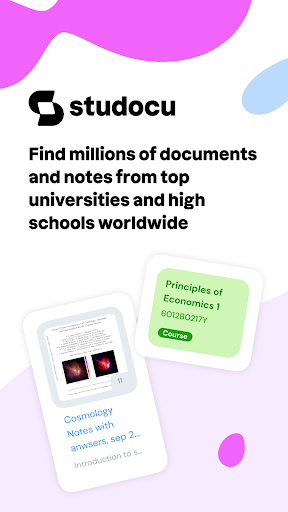
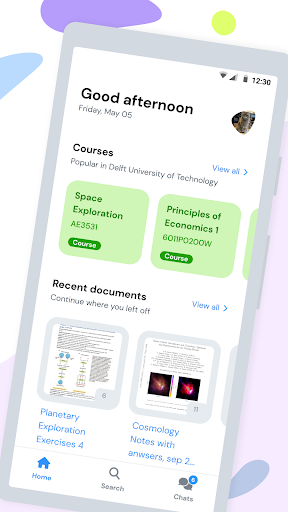
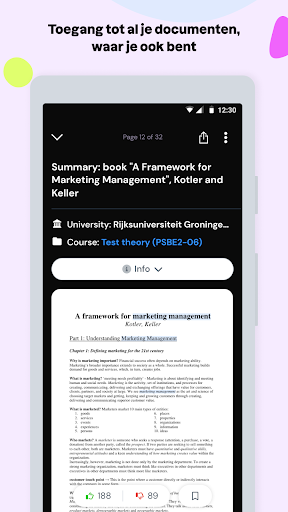
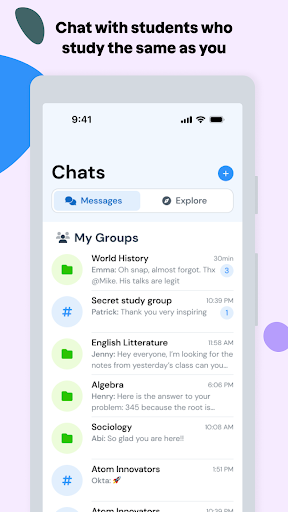
The go-to app for students in university and high school who want to nail their exams, get the best homework help, and ace their courses. Join millions of High School and University students who use Studocu to get access to the best study notes, study materials, and study hacks. Whether you're grinding through High School homework or tackling University exams, Studocu’s got your back with all the study resources you need.
Acing your study & exams is easy:
- Download the Free Studocu App
- Follow the courses you study
- Access Millions of notes, exams prep & practice materials or homework assignments
- Chat with Fellow Students or friends about your course and get homework help or work together on assignments.
- Help out your fellow students with their homework by uploading your notes and practice documents.
- Prep for your study or exams Like a Pro
Why studocu?
- Biggest Library of study notes by students just like you. Get access to millions of class notes, homework materials, and exams prep content shared by students from top High School and Universities around the world.
- Real-Time Updates: Get notified when new documents are uploaded that help you prepare for your exams
- Organise your study notes: Save your best study notes and documents into quick-access study lists.
- Personalised Recommendations: Get spot-on suggestions for documents and materials for your High School or University courses or exams
- Connect with Other Students: Connect with classmates or find new friends to get homework help, study tips, and work on exams prep together.
Download Studocu Now and Level Up Your School Game!
Customer Support: https://www.studocu.com/en/support
Privacy Policy: https://www.studocu.com/en/privacy-policy
Terms of Use: https://www.studocu.com/en/terms
और दिखाएं

1. MEmu इंस्टॉलर को डाउनलोड करें और इंस्टॉलेशन को पूरा करें

2. MEmu शुरू करें फिर होमपेज पर Google Play खोलें

3. Google Play में Studocu: Study Notes & Sharing खोजें
Install
4. Studocu: Study Notes & Sharing डाउनलोड कर इंस्टॉल करें
5. इंस्टॉल पूरा होने पर आइकन दबाएं

6. MEmu का उपयोग करके अपने कंप्यूटर पर Studocu: Study Notes & Sharing का अनुभव करें
MEmu Play सबसे बेहतरीन मुफ़्त Android एमुलेटर है और 5 करोड़ लोग पहले ही इसके शानदार Android ऐप अनुभव का आनंद ले चुके हैं। MEmu 9 वर्चुअलाइज़ेशन तकनीक आपको अपने PC पर हज़ारों Android ऐप्स, यहाँ तक कि सबसे ज़्यादा ग्राफ़िक्स वाले ऐप्स भी, आसानी से चलाने की सुविधा देती है।
असीमित बैटरी या मोबाइल डेटा के साथ बेहतर ग्राफिक्स के साथ बड़ी स्क्रीन; लंबी अवधि।
कीबोर्ड और माउस या गेमपैड के उत्तम नियंत्रण के लिए संपूर्ण कीमैपिंग का समर्थन करता हैं।
एक ही पीसी पर मल्टी-इंस्टेंस मैनेजर के साथ एक समय में कई गेम खाते या कार्य कर सकते हैं।
Use Studocu: Study Notes & Sharing on PC by following steps: