Try Outfits AI: Change Clothes
अपडेट किया गया
वर्तमान वर्शन
1.3.9.1
संसाधन

Try Outfits AI: Change Clothes पर अपनी मोबाइल डेटा सीमा पार करने को अलविदा कहें और छोटी स्क्रीन की सीमाओं से मुक्त होकर बड़े डिस्प्ले के लाभों का अनुभव करें। अब, आप अपने कीबोर्ड और माउस का उपयोग करके फुल-स्क्रीन मोड में टॉपर्स क्लैन की शक्ति का अनुभव कर सकते हैं। MEmu Play में वे सभी बेहतरीन सुविधाएँ हैं जिनकी आप अपेक्षा करते हैं: त्वरित इंस्टॉलेशन और आसान सेटअप, सहज नियंत्रण, बैटरी की आवश्यकता नहीं, और कोई डेटा या कॉल समय सीमा नहीं। नया MEmu 9 आपके कंप्यूटर पर Try Outfits AI: Change Clothes का उपयोग करने के लिए सबसे अच्छा विकल्प है। हमारा मालिकाना मल्टी-इंस्टेंस मैनेजर एक साथ दो या अधिक खातों को चलाने का समर्थन करता है। इससे भी महत्वपूर्ण बात यह है कि हमारा अनूठा इम्यूलेशन इंजन आपके कंप्यूटर के प्रदर्शन का पूरा उपयोग करता है, जिससे एक सहज और निर्बाध अनुभव मिलता है।
और दिखाएं
डाउनलोड करें Try Outfits AI: Change Clothes पीसी पर MEmu एंड्रॉयड एमुलेटर के साथ बड़े पर्दे पर खेलने का आनंद लें। Modeli Try Outfits: Change Clothes.
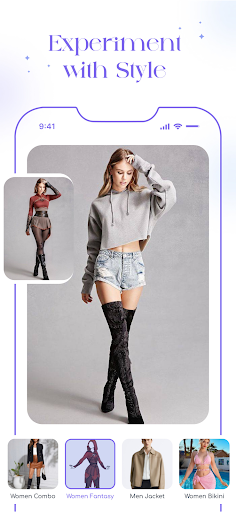
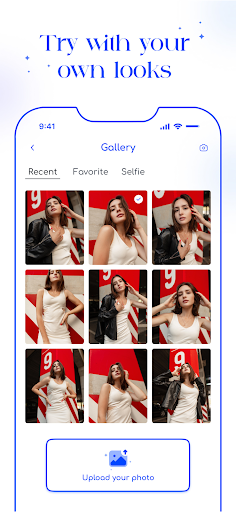
Modeli Try Outfits: Change Clothes
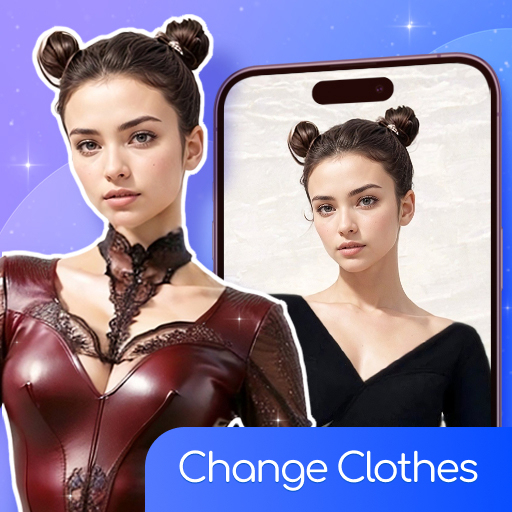
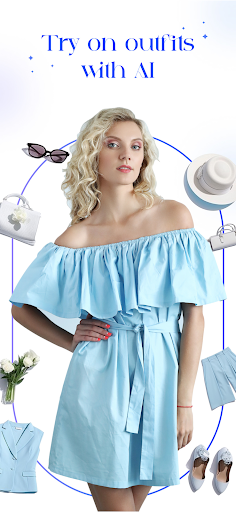
Modeli Try Outfits is an app that helps you try on clothes, explore new styles and make wardrobe decisions easier.
It lets you visualize your perfect look by simply typing a text describing the clothing you want to try on.
First, upload a photo of yourself.
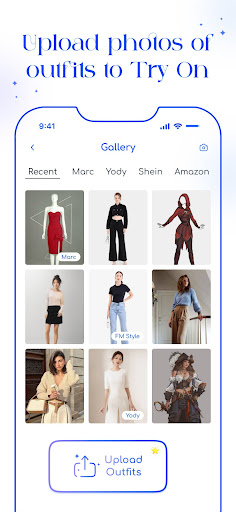
Second, upload Outfit describing the clothing item you wish to try on.
Our AI technology will then generate this item on your body, providing you with a realistic visualization of how it looks and fits directly on you.
This helps you make better decisions about your clothing purchases. Now you won’t have to return items just because they suddenly don’t suit you.
Saw an interesting outfit on social media? Let Modeli Try Outfits visualize how similar clothing would fit you.
And if you just need ideas about what clothes to buy, upload your photo and browse through our suggestions.
WHO ARE WE
Outfit Try On
Outfit Maker
Fashion Shopping Marketplace
Using AI models to quickly generate a visually appealing and cost-effective fashion outfit description.
Modeli: All rights reserved
Modeli is an AI product developed by Heatmob
और दिखाएं

1. MEmu इंस्टॉलर को डाउनलोड करें और इंस्टॉलेशन को पूरा करें

2. MEmu शुरू करें फिर होमपेज पर Google Play खोलें

3. Google Play में Try Outfits AI: Change Clothes खोजें
Install
4. Try Outfits AI: Change Clothes डाउनलोड कर इंस्टॉल करें
5. इंस्टॉल पूरा होने पर आइकन दबाएं

6. MEmu का उपयोग करके अपने कंप्यूटर पर Try Outfits AI: Change Clothes का अनुभव करें
MEmu Play सबसे बेहतरीन मुफ़्त Android एमुलेटर है और 5 करोड़ लोग पहले ही इसके शानदार Android ऐप अनुभव का आनंद ले चुके हैं। MEmu 9 वर्चुअलाइज़ेशन तकनीक आपको अपने PC पर हज़ारों Android ऐप्स, यहाँ तक कि सबसे ज़्यादा ग्राफ़िक्स वाले ऐप्स भी, आसानी से चलाने की सुविधा देती है।
असीमित बैटरी या मोबाइल डेटा के साथ बेहतर ग्राफिक्स के साथ बड़ी स्क्रीन; लंबी अवधि।
कीबोर्ड और माउस या गेमपैड के उत्तम नियंत्रण के लिए संपूर्ण कीमैपिंग का समर्थन करता हैं।
एक ही पीसी पर मल्टी-इंस्टेंस मैनेजर के साथ एक समय में कई गेम खाते या कार्य कर सकते हैं।
Use Try Outfits AI: Change Clothes on PC by following steps: