
TV9 Bharatvarsh
अपडेट किया गया
वर्तमान वर्शन
2.10.9v
संसाधन

TV9 Bharatvarsh पर अपनी मोबाइल डेटा सीमा पार करने को अलविदा कहें और छोटी स्क्रीन की सीमाओं से मुक्त होकर बड़े डिस्प्ले के लाभों का अनुभव करें। अब, आप अपने कीबोर्ड और माउस का उपयोग करके फुल-स्क्रीन मोड में टॉपर्स क्लैन की शक्ति का अनुभव कर सकते हैं। MEmu Play में वे सभी बेहतरीन सुविधाएँ हैं जिनकी आप अपेक्षा करते हैं: त्वरित इंस्टॉलेशन और आसान सेटअप, सहज नियंत्रण, बैटरी की आवश्यकता नहीं, और कोई डेटा या कॉल समय सीमा नहीं। नया MEmu 9 आपके कंप्यूटर पर TV9 Bharatvarsh का उपयोग करने के लिए सबसे अच्छा विकल्प है। हमारा मालिकाना मल्टी-इंस्टेंस मैनेजर एक साथ दो या अधिक खातों को चलाने का समर्थन करता है। इससे भी महत्वपूर्ण बात यह है कि हमारा अनूठा इम्यूलेशन इंजन आपके कंप्यूटर के प्रदर्शन का पूरा उपयोग करता है, जिससे एक सहज और निर्बाध अनुभव मिलता है।
और दिखाएं
डाउनलोड करें TV9 Bharatvarsh पीसी पर MEmu एंड्रॉयड एमुलेटर के साथ बड़े पर्दे पर खेलने का आनंद लें। The Associated Broadcasting Company Pvt Ltd (ABCL) is one of the fastest growing media companies in India today.
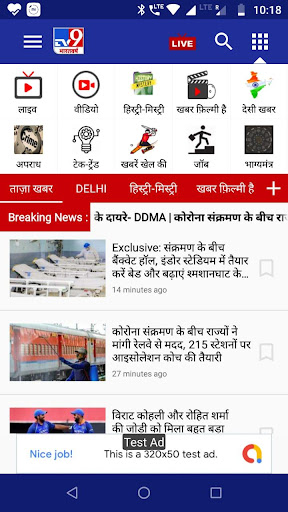
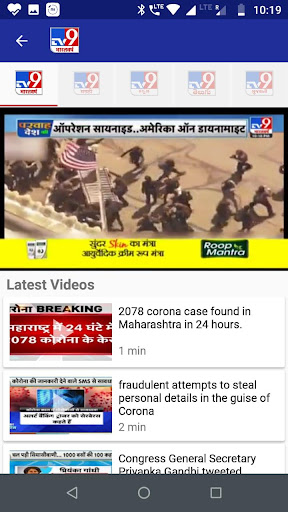
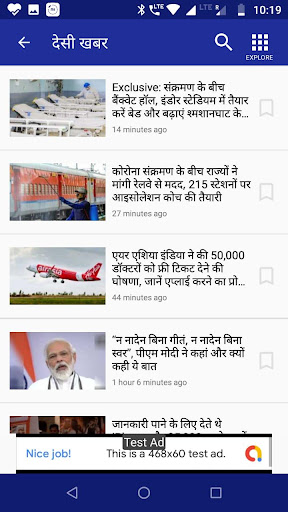
The Associated Broadcasting Company Pvt Ltd (ABCL) is one of the fastest growing media companies in India today. We started with a 24-hour news channel (TV9 AP) in Andhra Pradesh in 2004, and quickly became a ratings leader there with our unique brand of bold and fearless journalism. In just four years we’ve added seven more channels to our bouquet, each a major player in its métier:
TV9 Karnataka– the first news channel in Kannada, and a runaway TRP topper
TV9 Gujarati – the only Gujarati news channel, and a resounding success
TV1: niche channel in telugu devoted to Entertainment and News.
News9 (English) – a happening channel for our most happening city
TV9 Marathi – our stake in the financial capital
TV9 Bharatvarsh – the only Hindi news channel
That will make ABCL a truly pan-Indian broadcaster located in every major metropolis in the country, and articulating the concerns of India’s millions in the language most accessible to them.
Compatibility:
App is compatible with 2G & 3G networks and uses cutting edge technology to enable Adaptive bit rates enabling smooth delivery of live TV on smart phones. Works on Android 4.0 and above.
Advantages:
• Watch your favourite TV9 Bharatvarsh News Live with embedded “Live TV”.
• Smooth on 2G/3G/Wifi networks.
• App is free to use.
• 24x7 Bharatvarsh News at your fingertips
और दिखाएं

1. MEmu इंस्टॉलर को डाउनलोड करें और इंस्टॉलेशन को पूरा करें

2. MEmu शुरू करें फिर होमपेज पर Google Play खोलें

3. Google Play में TV9 Bharatvarsh खोजें
Install
4. TV9 Bharatvarsh डाउनलोड कर इंस्टॉल करें
5. इंस्टॉल पूरा होने पर आइकन दबाएं

6. MEmu का उपयोग करके अपने कंप्यूटर पर TV9 Bharatvarsh का अनुभव करें
MEmu Play सबसे बेहतरीन मुफ़्त Android एमुलेटर है और 5 करोड़ लोग पहले ही इसके शानदार Android ऐप अनुभव का आनंद ले चुके हैं। MEmu 9 वर्चुअलाइज़ेशन तकनीक आपको अपने PC पर हज़ारों Android ऐप्स, यहाँ तक कि सबसे ज़्यादा ग्राफ़िक्स वाले ऐप्स भी, आसानी से चलाने की सुविधा देती है।
असीमित बैटरी या मोबाइल डेटा के साथ बेहतर ग्राफिक्स के साथ बड़ी स्क्रीन; लंबी अवधि।
कीबोर्ड और माउस या गेमपैड के उत्तम नियंत्रण के लिए संपूर्ण कीमैपिंग का समर्थन करता हैं।
एक ही पीसी पर मल्टी-इंस्टेंस मैनेजर के साथ एक समय में कई गेम खाते या कार्य कर सकते हैं।
Use TV9 Bharatvarsh on PC by following steps: