
Umapio - Find my friends
अपडेट किया गया
वर्तमान वर्शन
57
संसाधन

Umapio - Find my friends पर अपनी मोबाइल डेटा सीमा पार करने को अलविदा कहें और छोटी स्क्रीन की सीमाओं से मुक्त होकर बड़े डिस्प्ले के लाभों का अनुभव करें। अब, आप अपने कीबोर्ड और माउस का उपयोग करके फुल-स्क्रीन मोड में टॉपर्स क्लैन की शक्ति का अनुभव कर सकते हैं। MEmu Play में वे सभी बेहतरीन सुविधाएँ हैं जिनकी आप अपेक्षा करते हैं: त्वरित इंस्टॉलेशन और आसान सेटअप, सहज नियंत्रण, बैटरी की आवश्यकता नहीं, और कोई डेटा या कॉल समय सीमा नहीं। नया MEmu 9 आपके कंप्यूटर पर Umapio - Find my friends का उपयोग करने के लिए सबसे अच्छा विकल्प है। हमारा मालिकाना मल्टी-इंस्टेंस मैनेजर एक साथ दो या अधिक खातों को चलाने का समर्थन करता है। इससे भी महत्वपूर्ण बात यह है कि हमारा अनूठा इम्यूलेशन इंजन आपके कंप्यूटर के प्रदर्शन का पूरा उपयोग करता है, जिससे एक सहज और निर्बाध अनुभव मिलता है।
और दिखाएं
MEmu Play के साथ PC पर Umapio - Find my friends इस्तेमाल करने के शानदार अनुभव का आनंद लें। यह एक शक्तिशाली मुफ़्त Android एमुलेटर है जो आपको डेस्कटॉप वर्ज़न के लिए हज़ारों Android ऐप्स उपलब्ध कराता है। दोस्तों से जुड़ने और अपने काम को और भी बेहतर बनाने का आनंद लें! Using the application, you can always find out where your friend is at any time, even if he is walking or driving a car.
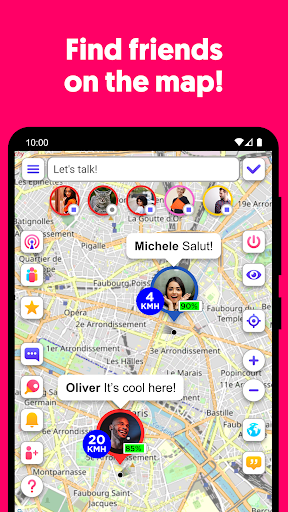
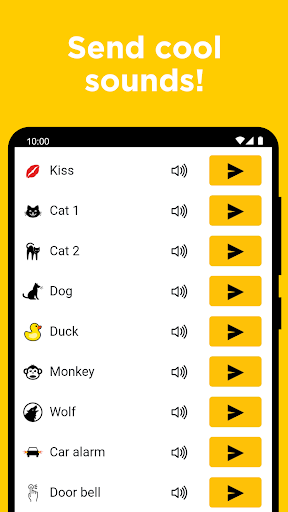
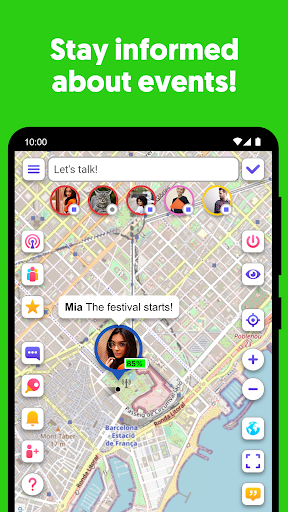
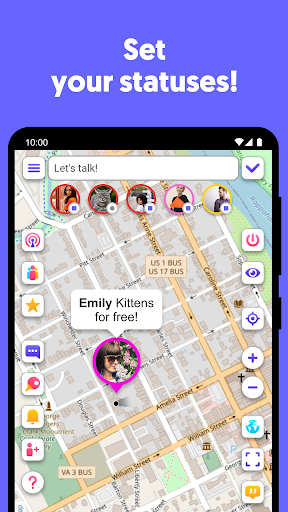
Using the application, you can always find out where your friend is at any time, even if he is walking or driving a car.
With Umapio you can always find your friend and get know what he is doing. Do not need anymore to call and ask if he arrive soon for the meeting. Just look at the map. Share your location for friends or family easy!
Send a Ping
No need to write a message to a friend to remind about yourself. Send a short Ping with a cool sound!
If your friend is nearby, you will immediately know about it! We will inform you about it. Find them nearby!
Meet interesting people from your city and add them as friends. Share news, make appointments, stay informed about activities.
To draw attention to yourself on the map, set a status that will be visible above your avatar. Tell us what's happening around you.
You can place an ad in the status if you want to find, buy, sell or donate something. It will be convenient for users to know where you are.
Meet foreigners and practice your language skills. Get new friends!
If you are travelling, you can find interesting details about your destination from local residents. Just find them on the map and ask questions. Arrange excursions and accommodation, find out what's new!
You can also become a local guide and tell travellers about your hometown.
और दिखाएं

1. MEmu इंस्टॉलर को डाउनलोड करें और इंस्टॉलेशन को पूरा करें

2. MEmu शुरू करें फिर होमपेज पर Google Play खोलें

3. Google Play में Umapio - Find my friends खोजें
Install
4. Umapio - Find my friends डाउनलोड कर इंस्टॉल करें
5. इंस्टॉल पूरा होने पर आइकन दबाएं

6. MEmu का उपयोग करके अपने कंप्यूटर पर Umapio - Find my friends का अनुभव करें
MEmu Play सबसे बेहतरीन मुफ़्त Android एमुलेटर है और 5 करोड़ लोग पहले ही इसके शानदार Android ऐप अनुभव का आनंद ले चुके हैं। MEmu 9 वर्चुअलाइज़ेशन तकनीक आपको अपने PC पर हज़ारों Android ऐप्स, यहाँ तक कि सबसे ज़्यादा ग्राफ़िक्स वाले ऐप्स भी, आसानी से चलाने की सुविधा देती है।
असीमित बैटरी या मोबाइल डेटा के साथ बेहतर ग्राफिक्स के साथ बड़ी स्क्रीन; लंबी अवधि।
कीबोर्ड और माउस या गेमपैड के उत्तम नियंत्रण के लिए संपूर्ण कीमैपिंग का समर्थन करता हैं।
एक ही पीसी पर मल्टी-इंस्टेंस मैनेजर के साथ एक समय में कई गेम खाते या कार्य कर सकते हैं।
Use Umapio - Find my friends on PC by following steps: