Vice TV (Unofficial)
अपडेट किया गया
वर्तमान वर्शन
9.0
संसाधन

Vice TV (Unofficial) पर अपनी मोबाइल डेटा सीमा पार करने को अलविदा कहें और छोटी स्क्रीन की सीमाओं से मुक्त होकर बड़े डिस्प्ले के लाभों का अनुभव करें। अब, आप अपने कीबोर्ड और माउस का उपयोग करके फुल-स्क्रीन मोड में टॉपर्स क्लैन की शक्ति का अनुभव कर सकते हैं। MEmu Play में वे सभी बेहतरीन सुविधाएँ हैं जिनकी आप अपेक्षा करते हैं: त्वरित इंस्टॉलेशन और आसान सेटअप, सहज नियंत्रण, बैटरी की आवश्यकता नहीं, और कोई डेटा या कॉल समय सीमा नहीं। नया MEmu 9 आपके कंप्यूटर पर Vice TV (Unofficial) का उपयोग करने के लिए सबसे अच्छा विकल्प है। हमारा मालिकाना मल्टी-इंस्टेंस मैनेजर एक साथ दो या अधिक खातों को चलाने का समर्थन करता है। इससे भी महत्वपूर्ण बात यह है कि हमारा अनूठा इम्यूलेशन इंजन आपके कंप्यूटर के प्रदर्शन का पूरा उपयोग करता है, जिससे एक सहज और निर्बाध अनुभव मिलता है।
और दिखाएं
MEmu Play के साथ PC पर Vice TV (Unofficial) इस्तेमाल करने के शानदार अनुभव का आनंद लें। यह एक शक्तिशाली मुफ़्त Android एमुलेटर है जो आपको डेस्कटॉप वर्ज़न के लिए हज़ारों Android ऐप्स उपलब्ध कराता है। दोस्तों से जुड़ने और अपने काम को और भी बेहतर बनाने का आनंद लें! In this app we focus on videos that relate to Investigative Journalism, truth seeking, etc.
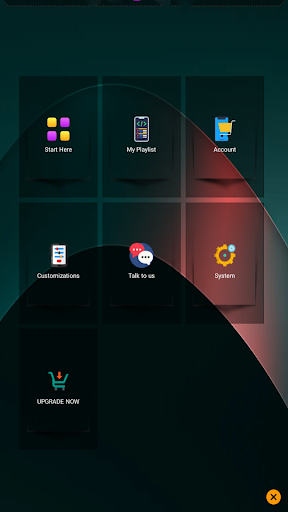
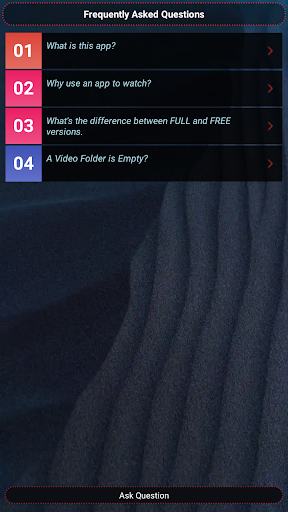
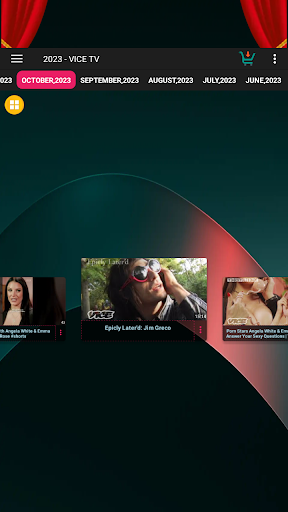
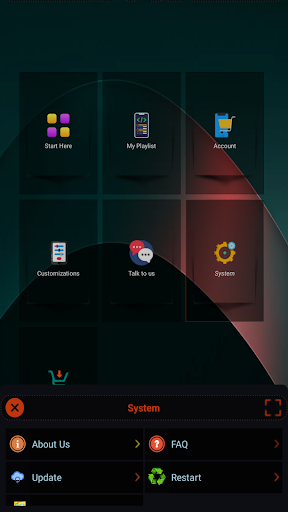
In this app we focus on videos that relate to Investigative Journalism, truth seeking, etc. We index VICE content. Do you enjoy videos from Vice, whether it is documentaries, mini-documentaries or reporting. This app will provide you with Vice TV content in the thousands. Just install and start watching, NO registration required, it is FREE.
DISCLAIMER: This app features videos related to VICE and similar channels. All content is sourced from publicly available channels and is used for informational, educational and entertainment purposes only. This app is not affiliated with, endorsed, or sponsored by VICE Channel, media or any other company.
This app is a multi-language app. It supports the following languages as local language within the app:
1. English
2. German
3. French
4. Spanish
5. Portuguese
6. Italian
7. Japanese
8. Korean
9. Chinese
10. Hindi
11. Arabic
12. Indonesian
13. Turkish
14. Vietnamese
15. Russian
16. Polish
17. Dutch
18. Ukrainian
19. Romanian
20. Malay
20. More to come...
> If you want more languages please request it so that I add it within the new update.
> The app supports both Left to Right and Right to Left orientation.
Features of the app:
1. Free app. No registration required. Just install and start using.
2. Very beautiful and modern app. Card-based, clean design. Dark mode. Smooth Animations. Follows material design principles.
3. Adaptive app. Adapts to your screen size. Supports both landscape and orientation.
4. Offline app. Browse items completely offline.
5. Fast app. App is designed to be highly efficient and fast. It is heavily optimized for performance and responsiveness.
6. Full Screen HD Videos. Both Portrait and Orientation mode supported. Watch videos in HD format. Video resolution will automatically be adapted to your internet speed.
7. Full of features. The app has many features.
8. Fast loading videos. We try to load the videos as fast as your bandwidth can support. TIP: If you want videos to load even faster install the YouTube app.
9. Continuous updates. Always try to update the app since we will be releasing newer features.
10. Enough content. Our app has thousands of content. Install it and you won't need other apps.
11. Small size. The app is tiny. This is because we've written it in native languages and highly optimized it.
12. Privacy friendly. This app does not collect any data from you. It works offline and is 100% safe for you.
Thank you and keep using our app,
Clement Ochieng.
और दिखाएं

1. MEmu इंस्टॉलर को डाउनलोड करें और इंस्टॉलेशन को पूरा करें

2. MEmu शुरू करें फिर होमपेज पर Google Play खोलें

3. Google Play में Vice TV (Unofficial) खोजें
Install
4. Vice TV (Unofficial) डाउनलोड कर इंस्टॉल करें
5. इंस्टॉल पूरा होने पर आइकन दबाएं

6. MEmu का उपयोग करके अपने कंप्यूटर पर Vice TV (Unofficial) का अनुभव करें
MEmu Play सबसे बेहतरीन मुफ़्त Android एमुलेटर है और 5 करोड़ लोग पहले ही इसके शानदार Android ऐप अनुभव का आनंद ले चुके हैं। MEmu 9 वर्चुअलाइज़ेशन तकनीक आपको अपने PC पर हज़ारों Android ऐप्स, यहाँ तक कि सबसे ज़्यादा ग्राफ़िक्स वाले ऐप्स भी, आसानी से चलाने की सुविधा देती है।
असीमित बैटरी या मोबाइल डेटा के साथ बेहतर ग्राफिक्स के साथ बड़ी स्क्रीन; लंबी अवधि।
कीबोर्ड और माउस या गेमपैड के उत्तम नियंत्रण के लिए संपूर्ण कीमैपिंग का समर्थन करता हैं।
एक ही पीसी पर मल्टी-इंस्टेंस मैनेजर के साथ एक समय में कई गेम खाते या कार्य कर सकते हैं।
Use Vice TV (Unofficial) on PC by following steps: