Wallspace
अपडेट किया गया
वर्तमान वर्शन
1.2.1
संसाधन

Wallspace पर अपनी मोबाइल डेटा सीमा पार करने को अलविदा कहें और छोटी स्क्रीन की सीमाओं से मुक्त होकर बड़े डिस्प्ले के लाभों का अनुभव करें। अब, आप अपने कीबोर्ड और माउस का उपयोग करके फुल-स्क्रीन मोड में टॉपर्स क्लैन की शक्ति का अनुभव कर सकते हैं। MEmu Play में वे सभी बेहतरीन सुविधाएँ हैं जिनकी आप अपेक्षा करते हैं: त्वरित इंस्टॉलेशन और आसान सेटअप, सहज नियंत्रण, बैटरी की आवश्यकता नहीं, और कोई डेटा या कॉल समय सीमा नहीं। नया MEmu 9 आपके कंप्यूटर पर Wallspace का उपयोग करने के लिए सबसे अच्छा विकल्प है। हमारा मालिकाना मल्टी-इंस्टेंस मैनेजर एक साथ दो या अधिक खातों को चलाने का समर्थन करता है। इससे भी महत्वपूर्ण बात यह है कि हमारा अनूठा इम्यूलेशन इंजन आपके कंप्यूटर के प्रदर्शन का पूरा उपयोग करता है, जिससे एक सहज और निर्बाध अनुभव मिलता है।
और दिखाएं
MEmu Play के साथ PC पर Wallspace इस्तेमाल करने के शानदार अनुभव का आनंद लें। यह एक शक्तिशाली मुफ़्त Android एमुलेटर है जो आपको डेस्कटॉप वर्ज़न के लिए हज़ारों Android ऐप्स उपलब्ध कराता है। दोस्तों से जुड़ने और अपने काम को और भी बेहतर बनाने का आनंद लें! Wallspace - A space for your Wallpapers.
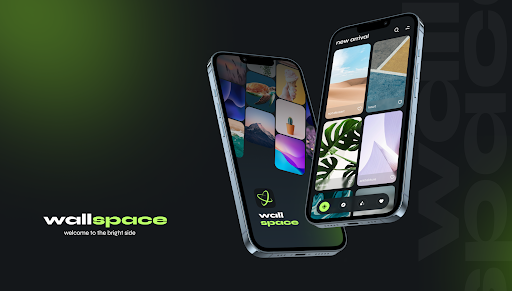
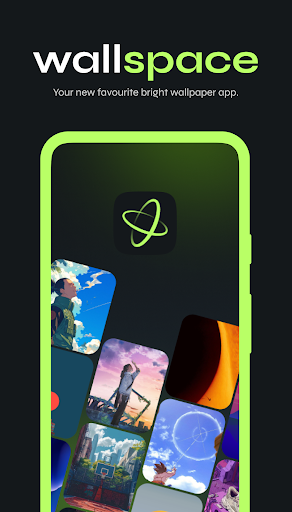
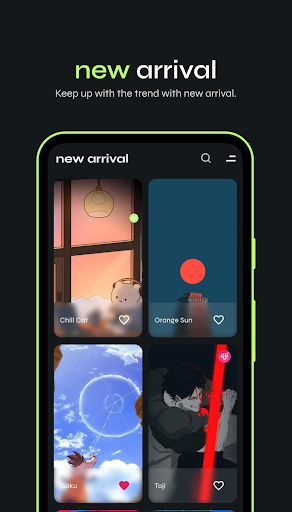
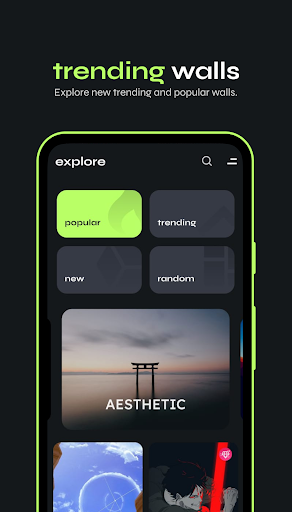
Wallspace - A space for your Wallpapers. Bright HD & 4K Wallpapers with 10+ Categories
Experience the ultimate collection of different HD & 4K wallpapers with Wallspace. No sign-in is required, and our app is designed with a clean, user-friendly interface.
New wallpapers are added every day across a variety of categories such as Anime, Gradient, Minimal, Superhero, Abstract, Artwork, Gaming, Cars, Animals, Series, Movies, Space, Boys, Girls, Nature, Architecture, Quotes, and Premium.
Wallspace offers an impressive collection of high-quality, vivid wallpapers that look stunning on all smartphone displays, especially those with high-resolution screens. Whether you're looking for bright, colorful images or something unique to personalize your device, Wallspace has it all.
10+ Categories: Explore a wide range of categories with fresh wallpapers added daily.
HD & 4K Quality: Enjoy high-definition wallpapers for all screen sizes and resolutions.
No Sign-In Required: We value your privacy—no sign-in is needed to enjoy the app.
Optimized for Speed: Preview wallpapers quickly with lower resolution, and download the full-quality versions with ease.
Disclaimer: All wallpapers in this app are provided under a common creative license, and full credit is given to their respective owners. No copyright infringement is intended. If any owner wants their image, name, or trademark removed, we will comply with any such requests.
Please keep in mind that wallpaper previews may appear in lower resolution to improve loading times, but the downloaded or applied wallpaper will always be of the highest quality available.
और दिखाएं

1. MEmu इंस्टॉलर को डाउनलोड करें और इंस्टॉलेशन को पूरा करें

2. MEmu शुरू करें फिर होमपेज पर Google Play खोलें

3. Google Play में Wallspace खोजें
Install
4. Wallspace डाउनलोड कर इंस्टॉल करें
5. इंस्टॉल पूरा होने पर आइकन दबाएं

6. MEmu का उपयोग करके अपने कंप्यूटर पर Wallspace का अनुभव करें
MEmu Play सबसे बेहतरीन मुफ़्त Android एमुलेटर है और 5 करोड़ लोग पहले ही इसके शानदार Android ऐप अनुभव का आनंद ले चुके हैं। MEmu 9 वर्चुअलाइज़ेशन तकनीक आपको अपने PC पर हज़ारों Android ऐप्स, यहाँ तक कि सबसे ज़्यादा ग्राफ़िक्स वाले ऐप्स भी, आसानी से चलाने की सुविधा देती है।
असीमित बैटरी या मोबाइल डेटा के साथ बेहतर ग्राफिक्स के साथ बड़ी स्क्रीन; लंबी अवधि।
कीबोर्ड और माउस या गेमपैड के उत्तम नियंत्रण के लिए संपूर्ण कीमैपिंग का समर्थन करता हैं।
एक ही पीसी पर मल्टी-इंस्टेंस मैनेजर के साथ एक समय में कई गेम खाते या कार्य कर सकते हैं।
Use Wallspace on PC by following steps: