Xhat - AI without boundaries
अपडेट किया गया
वर्तमान वर्शन
7.0.8
संसाधन

Xhat - AI without boundaries पर अपनी मोबाइल डेटा सीमा पार करने को अलविदा कहें और छोटी स्क्रीन की सीमाओं से मुक्त होकर बड़े डिस्प्ले के लाभों का अनुभव करें। अब, आप अपने कीबोर्ड और माउस का उपयोग करके फुल-स्क्रीन मोड में टॉपर्स क्लैन की शक्ति का अनुभव कर सकते हैं। MEmu Play में वे सभी बेहतरीन सुविधाएँ हैं जिनकी आप अपेक्षा करते हैं: त्वरित इंस्टॉलेशन और आसान सेटअप, सहज नियंत्रण, बैटरी की आवश्यकता नहीं, और कोई डेटा या कॉल समय सीमा नहीं। नया MEmu 9 आपके कंप्यूटर पर Xhat - AI without boundaries का उपयोग करने के लिए सबसे अच्छा विकल्प है। हमारा मालिकाना मल्टी-इंस्टेंस मैनेजर एक साथ दो या अधिक खातों को चलाने का समर्थन करता है। इससे भी महत्वपूर्ण बात यह है कि हमारा अनूठा इम्यूलेशन इंजन आपके कंप्यूटर के प्रदर्शन का पूरा उपयोग करता है, जिससे एक सहज और निर्बाध अनुभव मिलता है।
और दिखाएं
MEmu Play के साथ PC पर Xhat - AI without boundaries इस्तेमाल करने के शानदार अनुभव का आनंद लें। यह एक शक्तिशाली मुफ़्त Android एमुलेटर है जो आपको डेस्कटॉप वर्ज़न के लिए हज़ारों Android ऐप्स उपलब्ध कराता है। दोस्तों से जुड़ने और अपने काम को और भी बेहतर बनाने का आनंद लें! Xhat is the AI assistant built for private conversations, creative tools, and a seamless mobile experience.
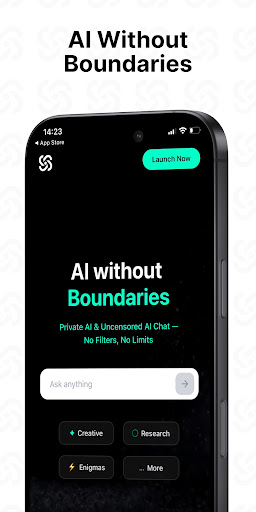
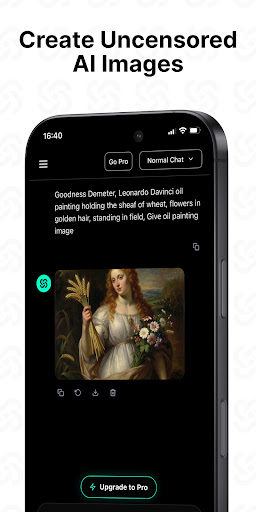
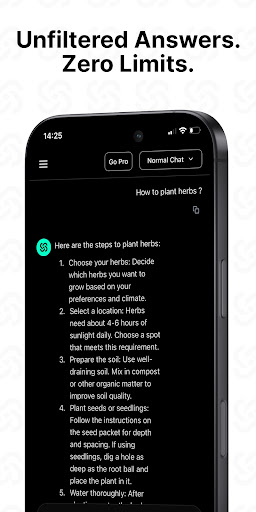
Xhat is the AI assistant built for private conversations, creative tools, and a seamless mobile experience.
Unlike many AI platforms, Xhat is designed to give users a more anonymous and privacy-focused experience. Your conversations are handled with a strong focus on security and minimal data collection, helping you stay in control while exploring ideas.
Xhat is built around the three things users value most:
Privacy & Anonymity – Designed to keep your AI experience secure, personal, and private.
Helpful Conversations – Ask questions, brainstorm ideas, and create content with a versatile AI experience while still following safety standards.
Powerful Creative Tools – Generate AI images, analyze photos, write content, and explore ideas instantly from your phone.
What you can do with Xhat:
Smart AI Chat – Get intelligent answers, writing help, brainstorming support, and everyday assistance.
AI Image Generation – Create artwork, concepts, social content, and designs in seconds.
Photo Analysis – Upload photos and receive AI-powered insights instantly.
Fast & Smooth Performance – Optimized for a responsive and seamless mobile experience.
No Sign-Up Required – Open the app and start using AI immediately.
Start creating in seconds for free. Simple, private, and built for everyday use.
Upgrade to Pro for unlimited usage, faster performance, premium AI models, and advanced creative features.
Go Pro & Unlock Full Power
Free 3-Day Trial Available
Simple subscription management:
• Payment charged to iTunes Account upon purchase confirmation
• Subscription auto-renews unless canceled at least 24 hours before renewal
• Manage subscriptions anytime in Account Settings
• Unused trial periods are forfeited upon subscription purchase
Your Privacy Matters
Privacy Policy: https://www.xhat.com/privacy-policy
Terms of Use (EULA): https://www.xhat.com/terms-of-service
Download Chatbot AI Assistant Today
Solve problems, save time, and unlock the full potential of AI — all in your pocket.
और दिखाएं

1. MEmu इंस्टॉलर को डाउनलोड करें और इंस्टॉलेशन को पूरा करें

2. MEmu शुरू करें फिर होमपेज पर Google Play खोलें

3. Google Play में Xhat - AI without boundaries खोजें
Install
4. Xhat - AI without boundaries डाउनलोड कर इंस्टॉल करें
5. इंस्टॉल पूरा होने पर आइकन दबाएं

6. MEmu का उपयोग करके अपने कंप्यूटर पर Xhat - AI without boundaries का अनुभव करें
MEmu Play सबसे बेहतरीन मुफ़्त Android एमुलेटर है और 5 करोड़ लोग पहले ही इसके शानदार Android ऐप अनुभव का आनंद ले चुके हैं। MEmu 9 वर्चुअलाइज़ेशन तकनीक आपको अपने PC पर हज़ारों Android ऐप्स, यहाँ तक कि सबसे ज़्यादा ग्राफ़िक्स वाले ऐप्स भी, आसानी से चलाने की सुविधा देती है।
असीमित बैटरी या मोबाइल डेटा के साथ बेहतर ग्राफिक्स के साथ बड़ी स्क्रीन; लंबी अवधि।
कीबोर्ड और माउस या गेमपैड के उत्तम नियंत्रण के लिए संपूर्ण कीमैपिंग का समर्थन करता हैं।
एक ही पीसी पर मल्टी-इंस्टेंस मैनेजर के साथ एक समय में कई गेम खाते या कार्य कर सकते हैं।
Use Xhat - AI without boundaries on PC by following steps: