Ashes of Valhalla
Updated
Current Version
1.2.7
Offered By

With your passion for Ashes of Valhalla, you shouldn’t have to limit yourself to the small screen of a phone. Play like a pro and take full control of the game using a keyboard and mouse. MEmu gives you everything you’re looking for. Download and play Ashes of Valhalla on PC. Play as long as you want — no more worries about battery life, mobile data, or unexpected calls. The all-new MEmu 9 is the best way to play Ashes of Valhalla on PC. With our expertly designed keymapping system, Ashes of Valhalla feels just like a real PC game. The MEmu multi-instance manager lets you run two or more accounts on the same device at the same time. Most importantly, our exclusive emulation engine unlocks your PC’s full potential, delivering smooth and seamless performance.
Show more
Download Ashes of Valhalla on PC with MEmu Android Emulator. Enjoy playing on big screen. 【Ashes of Valhalla】OFFICIAL LAUNCH!
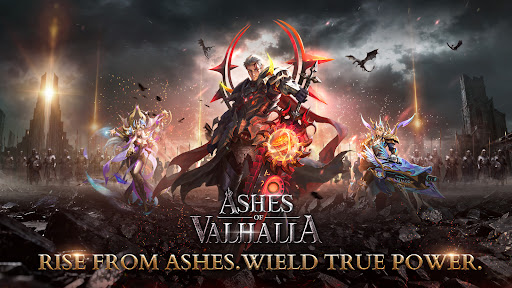
【Ashes of Valhalla】OFFICIAL LAUNCH!
RISE FROM ASHES. WIELD TRUE POWER.
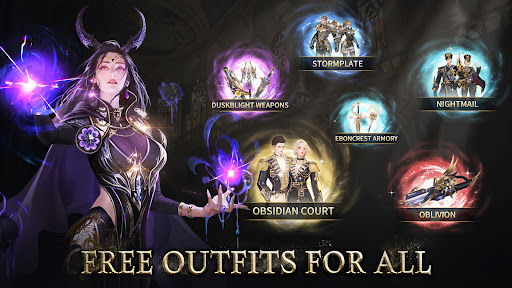
Install now to claim iPhone 17 Pro Max, exclusive outfit, and other luxurious rewards!
Dominate. Conquer. Ascend. Claim Your Unrivaled Power.
After Ragnarök, divinity did not truly die. Their corrupted blood lingers, granting immense power to those who wield it—but at a terrible cost.
The remnants of the fallen gods rise as monstrous fiends, tearing the Nine Realms apart. Only through relentless battle can its wielders shatter the chains of divine blood and awaken powers beyond the gods themselves.
Step into the dark world of Ashes of Valhalla and forge your own path to unparalleled might.
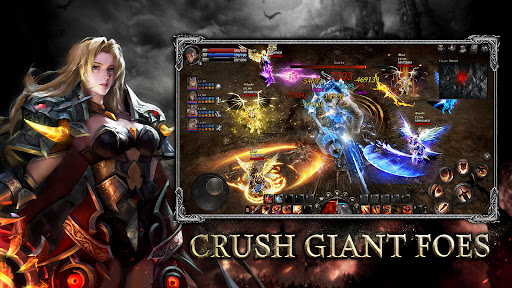
【Crush Giant Foes】
· Face colossal nightmares that threaten the realms.
· Strike with allies or alone to claim victory.
· Harvest legendary rewards from fallen monstrosities.
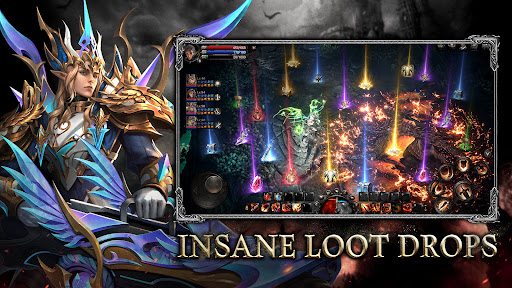
【Insane Loot Drops】
· Plunder treasures from every battle and dungeon.
· Discover rare and epic items at incredible rates.
· Every encounter could yield powerful gear.
【Unleash Dark Wings】
· Equip wings that exude shadow and might.
· Dominate the battlefield with your presence.
· Stunning effects. Command attention.
【Level Up Instantly】
· Progress rapidly with no grind or limits.
· Unlock devastating skills and abilities with ease.
· Rise swiftly to overwhelm all foes.
【Be The Strongest】
· Compete on global leaderboards and prove your dominance.
· Surpass rivals and ascend to the top.
· Your might. Your legacy. Your legend.
Show more

1. Download MEmu installer and finish the setup

2. Start MEmu then open Google Play on the desktop

3. Search Ashes of Valhalla in Google Play
Install
4. Download and Install Ashes of Valhalla
5. On install completion click the icon to start

6. Enjoy playing Ashes of Valhalla on PC with MEmu
MEmu Play is the best Android emulator and 100 million people already enjoy its superb Android gaming experience. The MEmu virtualization technology empowers you to play thousands of Android games smoothly on your PC, even the most graphic-intensive ones.
Bigger screen with better graphics; Long duration, without limitation of battery or mobile data.
Full Keymapping support for precise control of keyboard and mouse or gamepad.
Multiple game accounts or tasks on single PC at one time with Multi-Instance manager.
Play Ashes of Valhalla on PC by following steps: