Tank Busters: Cannon Battle
Updated
Current Version
1.0.5
Offered By

With your passion for Tank Busters: Cannon Battle, you shouldn’t have to limit yourself to the small screen of a phone. Play like a pro and take full control of the game using a keyboard and mouse. MEmu gives you everything you’re looking for. Download and play Tank Busters: Cannon Battle on PC. Play as long as you want — no more worries about battery life, mobile data, or unexpected calls. The all-new MEmu 9 is the best way to play Tank Busters: Cannon Battle on PC. With our expertly designed keymapping system, Tank Busters: Cannon Battle feels just like a real PC game. The MEmu multi-instance manager lets you run two or more accounts on the same device at the same time. Most importantly, our exclusive emulation engine unlocks your PC’s full potential, delivering smooth and seamless performance.
Show more
Download Tank Busters: Cannon Battle on PC with MEmu Android Emulator. Enjoy playing on big screen. TANK BATTLES WHERE EVERYTHING BREAKS.
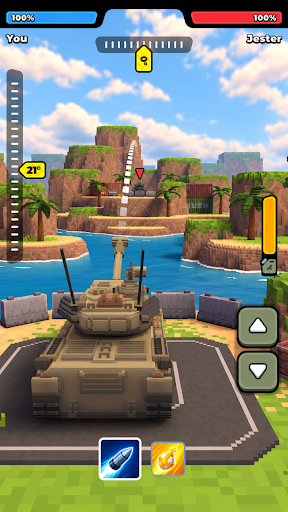
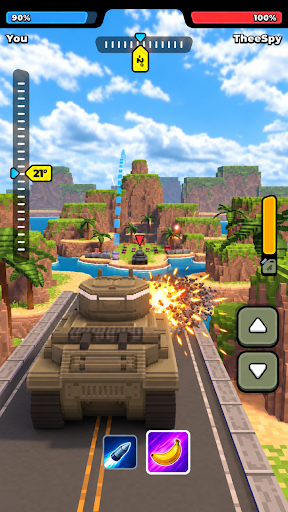
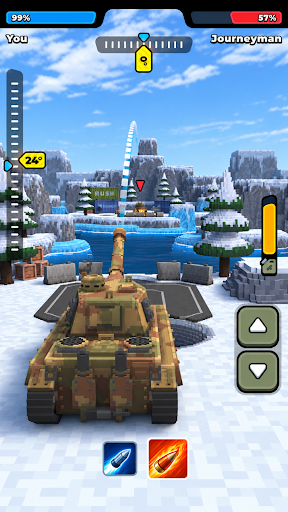
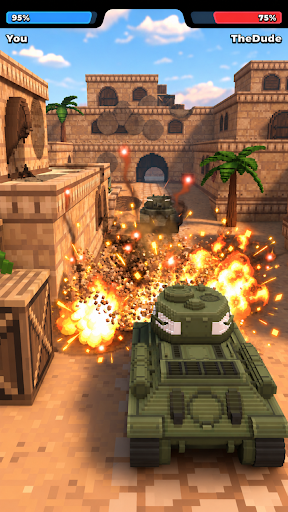
TANK BATTLES WHERE EVERYTHING BREAKS
Aim your cannon, choose the perfect angle, and fire! In Tank Busters, every shot can change the battlefield. Blast through walls, bring down towers, destroy bridges, and turn the environment against your opponent.
Jump into fast tank duels across colorful voxel arenas where there’s more than one way to win. Hit the enemy tank directly or use physics to create your own path to victory. Break their cover, open a new firing line, or collapse the structures around them.
AIM, FIRE & OUTSMART YOUR RIVAL
Winning takes more than firepower. Adjust your trajectory, watch the battlefield, and find the smartest shot. The arena changes with every blast, so a safe hiding place can disappear in seconds.
Use destructible environments to your advantage, protect your tank from incoming shells, and look for unexpected ways to reach your opponent. Every duel becomes a mix of precision, physics, and satisfying destruction.
TURN DESTRUCTION INTO STRATEGY
Walls and buildings aren’t just scenery — they’re part of the battle. Punch through obstacles to open up a clear shot, destroy your rival’s cover, or bring entire structures crashing down at just the right moment.
Sometimes the best shot isn’t aimed directly at the enemy. Find the right angle, predict where your shell will land, and use the arena itself as a weapon. As structures fall and paths open up, you’ll need to adapt your strategy with every turn.
MASTER EVERY SHOT
Learn how your cannon behaves and put your aiming skills to the test. Adjust the angle, follow the trajectory, and land clean shots from across the arena.
Each battle gives you a new tactical puzzle to solve. Go for a direct hit when you have a clear line of fire, or get creative when your opponent hides behind cover. One well-placed shell can completely change the fight.
FAST TANK DUELS, BIG DESTRUCTION
Drop into vibrant voxel arenas built for quick, action-packed battles. Maneuver your tank into position, dodge incoming shells, cross bridges, and tear through the environment as you hunt down your rival.
Simple controls make it easy to start firing, while destructible battlefields and physics-based shots give you plenty of ways to refine your strategy. No two fights unfold exactly the same way when every blast can reshape the arena.
Aim carefully, use the environment, and find your own way to destroy the competition.
Download Tank Busters and let the destruction begin!
Privacy Policy: https://say.games/privacy-policy
Terms of Use: https://say.games/terms-of-use
Show more

1. Download MEmu installer and finish the setup

2. Start MEmu then open Google Play on the desktop

3. Search Tank Busters: Cannon Battle in Google Play
Install
4. Download and Install Tank Busters: Cannon Battle
5. On install completion click the icon to start

6. Enjoy playing Tank Busters: Cannon Battle on PC with MEmu
MEmu Play is the best Android emulator and 100 million people already enjoy its superb Android gaming experience. The MEmu virtualization technology empowers you to play thousands of Android games smoothly on your PC, even the most graphic-intensive ones.
Bigger screen with better graphics; Long duration, without limitation of battery or mobile data.
Full Keymapping support for precise control of keyboard and mouse or gamepad.
Multiple game accounts or tasks on single PC at one time with Multi-Instance manager.
Play Tank Busters: Cannon Battle on PC by following steps: