The Magus Circle
Updated
Current Version
Offered By

With your passion for The Magus Circle, you shouldn’t have to limit yourself to the small screen of a phone. Play like a pro and take full control of the game using a keyboard and mouse. MEmu gives you everything you’re looking for. Download and play The Magus Circle on PC. Play as long as you want — no more worries about battery life, mobile data, or unexpected calls. The all-new MEmu 9 is the best way to play The Magus Circle on PC. With our expertly designed keymapping system, The Magus Circle feels just like a real PC game. The MEmu multi-instance manager lets you run two or more accounts on the same device at the same time. Most importantly, our exclusive emulation engine unlocks your PC’s full potential, delivering smooth and seamless performance.
Show more
Download The Magus Circle on PC with MEmu Android Emulator. Enjoy playing on big screen. The Magus Circle is a vampire-survivors, rogue-lite game where you draw to cast spells!

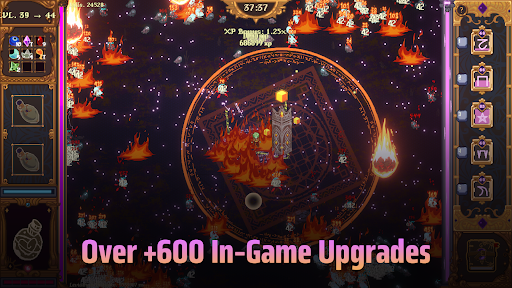
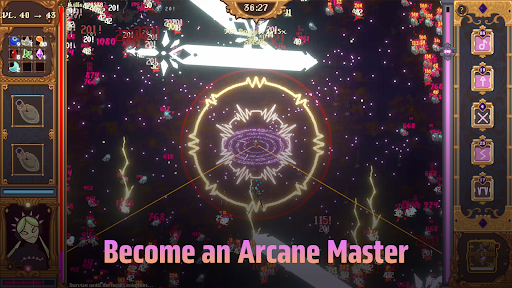
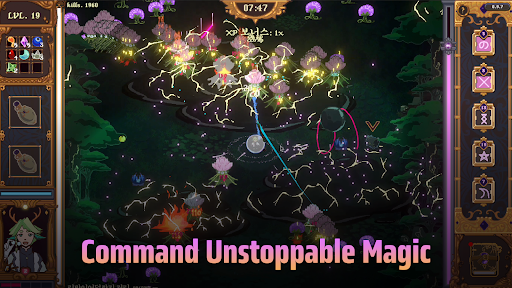
The Magus Circle is a vampire-survivors, rogue-lite game where you draw to cast spells!
When fate comes knocking, will you open the door?
Once you’ve already ruined just about everything, is there really much harm in trying again? Magic itself is under siege and you have found yourself caught in the midst of a cosmic war you did not sign up for. With nothing but your wits and your best scribing hand, you have been charged with protecting humanity's greatest ally: The Magus Circle.
Key Features
- Hand Drawn Spellcasting: Actively draw your arcane sigils to cast your spells. You don't need to be an artist. Even the most crudely drawn sigils still hold magic within.
- Diverse Build Paths: Draw magic sigils, casting 20 unique spells augmented by 600 possible upgrades.
- Maps & Content: Battle hordes of foes across 4 unique planets to face off against colossal bosses. Play as the 6 mages of the circle, each with their own skill trees, abilities and emotional baggage.
- Progression: Unlock familiars, wager your winnings, concoct potions, grow a garden and more!
- Story: Explore the manor, get to know your fellow mages and uncover the secrets of The Circle.
- Controls: The Magus Circle supports drawing tablets, touch screens, and controllers. If your drawing tablet uses Microsoft Ink, disable the setting for your drawings to work. We recommend using a mouse, drawing tablet or touch screen for the best play experience. The Magus Circle features accessibility settings to slow or freeze time when drawing or a button press mode. We recommend using one of these features for controller play.
Show more

1. Download MEmu installer and finish the setup

2. Start MEmu then open Google Play on the desktop

3. Search The Magus Circle in Google Play
Install
4. Download and Install The Magus Circle
5. On install completion click the icon to start

6. Enjoy playing The Magus Circle on PC with MEmu
MEmu Play is the best Android emulator and 100 million people already enjoy its superb Android gaming experience. The MEmu virtualization technology empowers you to play thousands of Android games smoothly on your PC, even the most graphic-intensive ones.
Bigger screen with better graphics; Long duration, without limitation of battery or mobile data.
Full Keymapping support for precise control of keyboard and mouse or gamepad.
Multiple game accounts or tasks on single PC at one time with Multi-Instance manager.
Play The Magus Circle on PC by following steps: