
Azur Promilia
Updated
Current Version
Offered By

With your passion for Azur Promilia, you shouldn’t have to limit yourself to the small screen of a phone. Play like a pro and take full control of the game using a keyboard and mouse. MEmu gives you everything you’re looking for. Download and play Azur Promilia on PC. Play as long as you want — no more worries about battery life, mobile data, or unexpected calls. The all-new MEmu 9 is the best way to play Azur Promilia on PC. With our expertly designed keymapping system, Azur Promilia feels just like a real PC game. The MEmu multi-instance manager lets you run two or more accounts on the same device at the same time. Most importantly, our exclusive emulation engine unlocks your PC’s full potential, delivering smooth and seamless performance.
Show more
Download Azur Promilia on PC with MEmu Android Emulator. Enjoy playing on big screen. Azur Promilia is an upcoming fantasy world RPG developed by Manjuu Games, known for their previous success with Azur Lane.
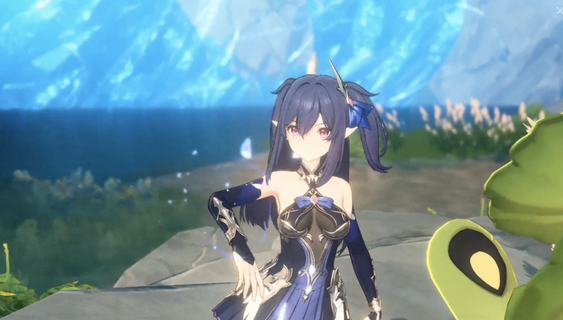
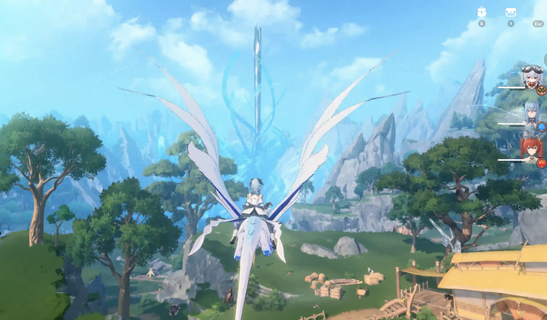
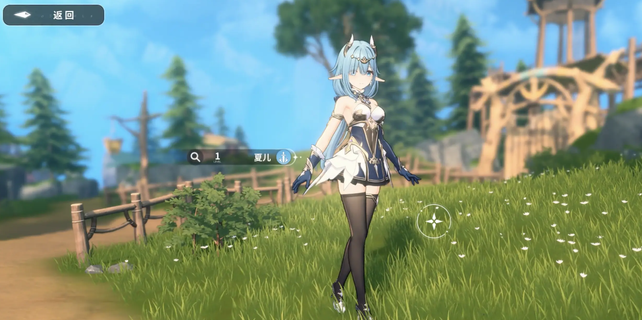
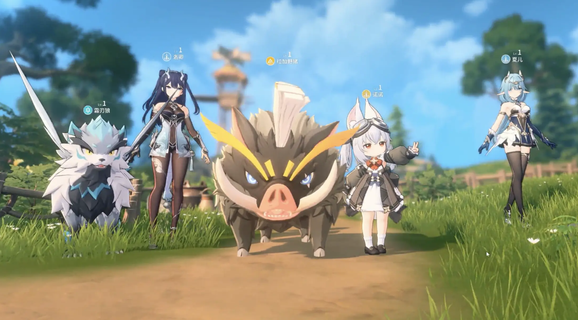
Azur Promilia is an upcoming fantasy world RPG developed by Manjuu Games, known for their previous success with Azur Lane. This game invites players into a vibrant and enchanting universe filled with diverse civilizations, magical elements, and fantastical creatures. The narrative unfolds against a backdrop of starry skies and epic tales, offering a unique setting that promises to captivate players. Game OverviewIn Azur Promilia, players will experience a rich open-world environment that encourages exploration and adventure. The gameplay emphasizes creature companionship, allowing players to bond with various fantasy creatures throughout their journey. This mechanic not only enhances the gameplay experience but also adds depth to character interactions and combat strategies. Players can expect to engage in real-time battles similar to those found in Genshin Impact, utilizing a combination of basic attacks, skills, and powerful bursts to defeat foes. Exploration and AdventureThe world of Azur Promilia is designed to be immersive and expansive. Players can leap from the sky into the ocean, discovering new life forms and environments as they traverse this magical realm. The game features various biomes, each teeming with unique creatures and challenges. The exploration aspect is further enriched by the ability to interact with the environment, including farming and crafting activities facilitated by the creatures players collect. Character Design and CompanionsCharacter design plays a significant role in Azur Promilia, with visually appealing characters that resonate with anime fans. The game introduces several key characters, each with distinct personalities and abilities:Terara (Furrian): A spirited wolf girl who is an adept hunter, known for her curiosity and bravery.Han Youyou (Human): A lively treasure hunter skilled in martial arts and engineering.Shalle Ensys (High Elf): A gentle elven knight who possesses a calming presence.These characters not only enhance the story but also serve as companions in battles, providing unique skills that can be leveraged during gameplay. Combat SystemThe combat system in Azur Promilia is designed to be dynamic and engaging. Players can switch between characters during battles, setting up elemental reactions that add strategic depth to encounters. This system encourages players to experiment with different combinations of characters and their abilities to find the most effective strategies against various enemies. Visuals and AestheticThe visual presentation of Azur Promilia is noteworthy, featuring stunning graphics that bring its fantasy world to life. The environments are richly detailed, showcasing vibrant landscapes that range from lush forests to mystical oceans. The character animations are fluid, contributing to an overall polished aesthetic that appeals to fans of anime-style games. Anticipation for ReleaseAs of now, Azur Promilia is set to be released on multiple platforms including PlayStation 5, PC, iOS, and Android. While a specific release date has not yet been announced, pre-registration is currently available, indicating that the launch may be imminent. The excitement surrounding this title suggests it could become a significant player in the RPG genre upon its release. In summary, Azur Promilia promises an engaging blend of exploration, creature companionship, and dynamic combat within a beautifully crafted fantasy world. With its captivating narrative and visually stunning design, it stands poised to attract a dedicated player base eager for adventure in this enchanting universe.
Show more

1. Download MEmu installer and finish the setup

2. Start MEmu then open Google Play on the desktop

3. Search Azur Promilia in Google Play
Install
4. Download and Install Azur Promilia
5. On install completion click the icon to start

6. Enjoy playing Azur Promilia on PC with MEmu
MEmu Play is the best Android emulator and 100 million people already enjoy its superb Android gaming experience. The MEmu virtualization technology empowers you to play thousands of Android games smoothly on your PC, even the most graphic-intensive ones.
Bigger screen with better graphics; Long duration, without limitation of battery or mobile data.
Full Keymapping support for precise control of keyboard and mouse or gamepad.
Multiple game accounts or tasks on single PC at one time with Multi-Instance manager.
Play Azur Promilia on PC by following steps:

















































