Boat Game
Updated
Current Version
Offered By

With your passion for Boat Game, you shouldn’t have to limit yourself to the small screen of a phone. Play like a pro and take full control of the game using a keyboard and mouse. MEmu gives you everything you’re looking for. Download and play Boat Game on PC. Play as long as you want — no more worries about battery life, mobile data, or unexpected calls. The all-new MEmu 9 is the best way to play Boat Game on PC. With our expertly designed keymapping system, Boat Game feels just like a real PC game. The MEmu multi-instance manager lets you run two or more accounts on the same device at the same time. Most importantly, our exclusive emulation engine unlocks your PC’s full potential, delivering smooth and seamless performance.
Show more
Download Boat Game on PC with MEmu Android Emulator. Enjoy playing on big screen. Supercell, the renowned developer behind hits like Clash of Clans and Brawl Stars, has recently unveiled its latest project, Boat Game, a title that promises to blend elements of third-person shooting, boat combat, and island exploration.
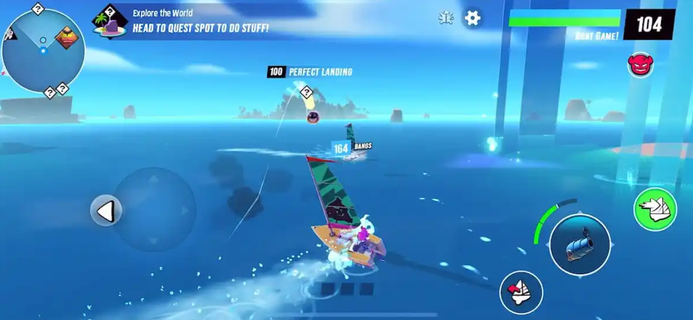
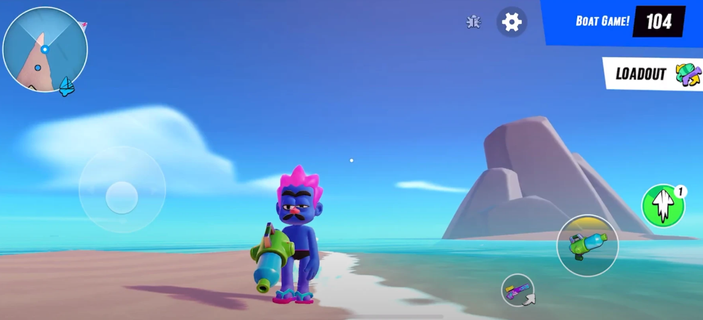
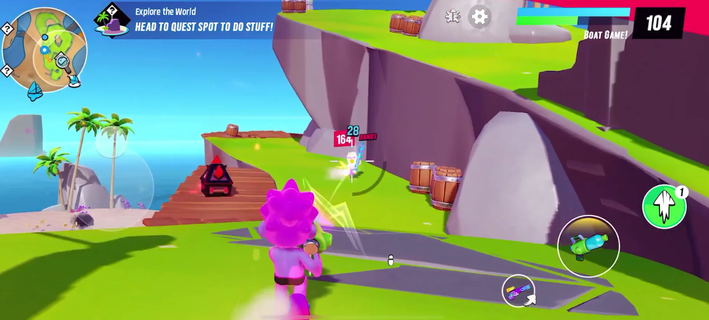
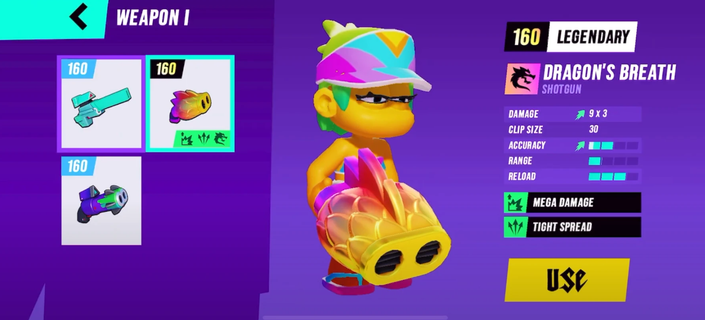
Supercell, the renowned developer behind hits like Clash of Clans and Brawl Stars, has recently unveiled its latest project, Boat Game, a title that promises to blend elements of third-person shooting, boat combat, and island exploration. The game's reveal trailer showcases a mix of action-packed sea battles and land-based shootouts, hinting at a dynamic gameplay experience that could potentially include battle royale elements. Gameplay OverviewBoat Game appears to offer a unique blend of gameplay mechanics, combining the thrill of sailing and naval combat with the intensity of third-person shooter action on land. Players can explore various islands, engage in frenetic shootouts, and customize their characters with diverse skins and equipment. The game's visuals are vibrant and engaging, drawing inspiration from previous Supercell titles while introducing a fresh twist. Alpha Test Sign-upsSupercell has opened applications for the first alpha test of Boat Game, inviting a limited number of players to experience the game early. The sign-up process involves answering a few questions to help the developers understand potential testers better, ensuring a diverse group of players for the alpha phase. This selective approach suggests that Supercell is keen on gathering high-quality feedback to refine the game before its official launch. To be part of this journey, interested players can sign up for the alpha test via the dedicated recruitment page: Boat Alpha Recruitment . This is a unique opportunity to experience Boat Game before its official release and contribute to its development by providing valuable feedback. Features and MechanicsCharacter Customization: Players can personalize their characters with various skins and cosmetic items, adding a layer of personalization to the gameplay experience.Island Exploration: The game features a map with multiple islands to explore, each potentially offering unique challenges and rewards.Multiplayer Shooter Gameplay: Boat Game includes multiplayer elements, allowing players to engage in competitive matches against others. This could involve team-based gameplay or solo challenges.Boat Combat: The naval aspect of the game promises fast-paced boat-to-boat combat, requiring strategic maneuvering and quick reflexes. Development and ReleaseWhile details about the game's release date are scarce, Supercell's history suggests that they are meticulous about launching games only when they meet their high standards. The alpha test is a crucial step in this process, helping to identify and fix issues before the game reaches a wider audience. Community EngagementSupercell is known for its strong community engagement, and Boat Game seems no exception. By involving players early in the development process, the company aims to build a loyal fan base and ensure that the final product meets player expectations. Boat Game represents an exciting new direction for Supercell, combining familiar elements with innovative gameplay mechanics. As the alpha test progresses, fans can expect more updates and insights into the game's development. With its blend of exploration, combat, and customization, Boat Game has the potential to captivate a wide audience and leave a lasting impact in the gaming world.
Show more

1. Download MEmu installer and finish the setup

2. Start MEmu then open Google Play on the desktop

3. Search Boat Game in Google Play
Install
4. Download and Install Boat Game
5. On install completion click the icon to start

6. Enjoy playing Boat Game on PC with MEmu
MEmu Play is the best Android emulator and 100 million people already enjoy its superb Android gaming experience. The MEmu virtualization technology empowers you to play thousands of Android games smoothly on your PC, even the most graphic-intensive ones.
Bigger screen with better graphics; Long duration, without limitation of battery or mobile data.
Full Keymapping support for precise control of keyboard and mouse or gamepad.
Multiple game accounts or tasks on single PC at one time with Multi-Instance manager.
Play Boat Game on PC by following steps: