Chess ChessOK Playing Zone PGN
Updated
Current Version
1.6.5
Offered By

With your passion for Chess ChessOK Playing Zone PGN, you shouldn’t have to limit yourself to the small screen of a phone. Play like a pro and take full control of the game using a keyboard and mouse. MEmu gives you everything you’re looking for. Download and play Chess ChessOK Playing Zone PGN on PC. Play as long as you want — no more worries about battery life, mobile data, or unexpected calls. The all-new MEmu 9 is the best way to play Chess ChessOK Playing Zone PGN on PC. With our expertly designed keymapping system, Chess ChessOK Playing Zone PGN feels just like a real PC game. The MEmu multi-instance manager lets you run two or more accounts on the same device at the same time. Most importantly, our exclusive emulation engine unlocks your PC’s full potential, delivering smooth and seamless performance.
Show more
Download Chess ChessOK Playing Zone PGN on PC with MEmu Android Emulator. Enjoy playing on big screen. Application features:.
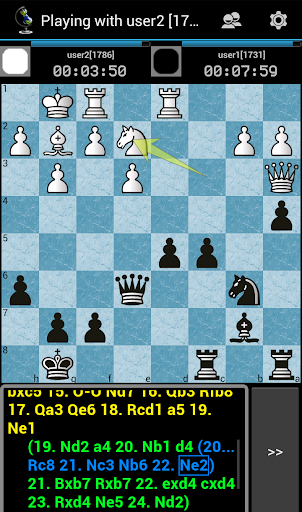
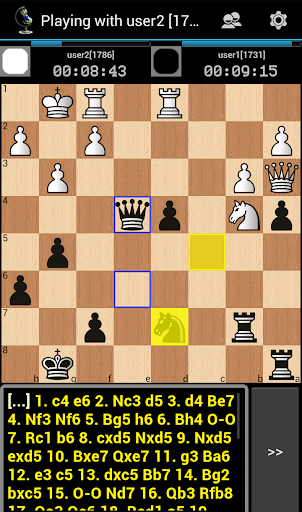
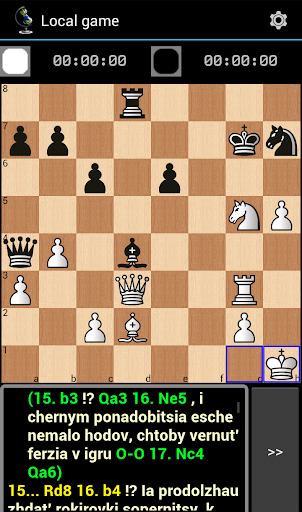
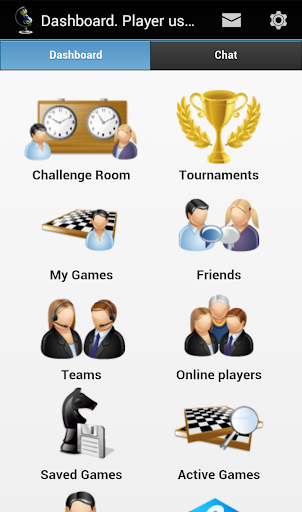
Application features:
* Play chess online
* Play chess locally (for two players)
* Play chess against AI
* User friendly game interface
* 12 board themes and 2 piece themes
* Global chat
* Chess tournaments start every 5-10 minutes
* 4 independent chess ratings – for bullet, blitz, standard and chess-960
* Game importing and exporting in PGN standard, local game database in PGN format
* Searching for opponents
* Friends list
* Chess teams
* Import PGN function
The program is designed to play chess online on ChessOK Playing Zone server (also known as ChessPlanet) - one of the most popular chess servers in the world.
Chess is the one of the oldest games on the Earth. Chess train your logical thinking and memory, so they became popular with children in school.
It is fascinating and useful to play chess online at Chess OK Playing Zone. There are more than 100 000 registered users on server, thousands of games are simultaneously online at any time of day. You can find a large number of partners of equal skill or close interests. Game supports both short and long time controls (bullet, blitz, standard). You can add favorite players to your friends list to make them easier to find later.
You can play chess online from mobile phone, tablet or PC. Games are saved in local database in PGN standard. Saved games can be shared via email, skype or jabber. You can play chess locally, online or watch live chess games. Online game is possible without registration, but if register, you will get your personal chess rating for three time controls – bullet, blitz and standard.
Application include very powerful engine for PGN import - it can handle majority of PGN features - standard notation, flash notation, SetUp tag and other. Also, it is integrated into system dialogs, so you can import PGN from clipboard, browser, messengers, another chess applications such as chess.com, chess for all, chess for android, chess-presso, chess from AI Factory and others
ChessOK company is also known by such products as Chess Assistant, Houdini Aquarium, Peshka, CT-ART, Chess King and 7-man endgame lomonosov tablebases.
Good game!
Show more

1. Download MEmu installer and finish the setup

2. Start MEmu then open Google Play on the desktop

3. Search Chess ChessOK Playing Zone PGN in Google Play
Install
4. Download and Install Chess ChessOK Playing Zone PGN
5. On install completion click the icon to start

6. Enjoy playing Chess ChessOK Playing Zone PGN on PC with MEmu
MEmu Play is the best Android emulator and 100 million people already enjoy its superb Android gaming experience. The MEmu virtualization technology empowers you to play thousands of Android games smoothly on your PC, even the most graphic-intensive ones.
Bigger screen with better graphics; Long duration, without limitation of battery or mobile data.
Full Keymapping support for precise control of keyboard and mouse or gamepad.
Multiple game accounts or tasks on single PC at one time with Multi-Instance manager.
Play Chess ChessOK Playing Zone PGN on PC by following steps: