Color Aura: Paint by number
Updated
Current Version
2.4.0
Offered By

With your passion for Color Aura: Paint by number, you shouldn’t have to limit yourself to the small screen of a phone. Play like a pro and take full control of the game using a keyboard and mouse. MEmu gives you everything you’re looking for. Download and play Color Aura: Paint by number on PC. Play as long as you want — no more worries about battery life, mobile data, or unexpected calls. The all-new MEmu 9 is the best way to play Color Aura: Paint by number on PC. With our expertly designed keymapping system, Color Aura: Paint by number feels just like a real PC game. The MEmu multi-instance manager lets you run two or more accounts on the same device at the same time. Most importantly, our exclusive emulation engine unlocks your PC’s full potential, delivering smooth and seamless performance.
Show more
Download Color Aura: Paint by number on PC with MEmu Android Emulator. Enjoy playing on big screen. Looking for a classic paint‑by‑number coloring book?


Looking for a classic paint‑by‑number coloring book?
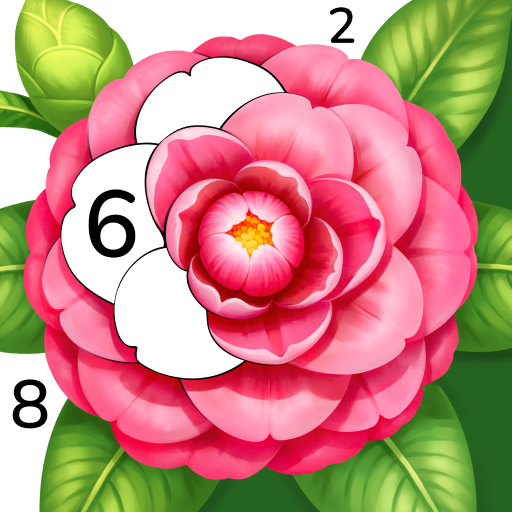
Color Aura – Paint by Number is a classic paint‑by‑number game for all ages, offering a free coloring experience with a large number of pictures, high quality, and a wide variety of styles. No matter when, you can fully enjoy the fun and creativity of an adult coloring book.
Step into a space where colors and lines quiet your mind, awaken your creativity, and light up your aura with every picture you complete.
Spend just one hour coloring each day to relax in a world of colors and enjoy sweet dreams before sleep.
Discover more than 10,000 pictures in Color Aura, from nature and cute animals to soothing mandalas, Zen‑inspired designs, and exclusive original art. Inspiration and variety are always at your fingertips.
Wherever you are, Color Aura leads you into your own world of colors:
In the soft light of morning, sunshine streams into every corner of your room, letting the day begin with gentle calm.
When afternoon drifts in, enjoy peaceful moments by the window, a cat curled up on the sill, steam rising gently from your cup.
As night falls, gather around the campfire and watch the aurora swirl across the sky, its glow and the fire’s warmth slowly melting away the chill.
...
Feel the power of colors. Let Color Aura bring creativity and peace into your life. Step into a colorful world and enjoy relaxing and focusing moments.
Why Color Aura?
Huge selection of art pieces
10000+ pictures: All free, with a large collection to help you find the perfect artwork for your style.
Rich themes: Enjoy the Zen calm of mandalas, peaceful nature views, the warmth of pets, blooming flowers, and fun art challenges — create your own adult coloring book.
Diverse styles: From traditional coloring and oil painting recreations to cartoon fantasy and quick sketches, blending varied art and culture to make every paint‑by‑number a relaxing journey.
Made with care by artists
Over 100 top artists worldwide: Working with more than 100 talented artists around the globe to bring you high‑quality original artworks with unique styles.
Masterpiece quality: Each picture is carefully crafted to make sure everyone can create a special, master‑level work.
Always updating: New holiday, seasonal, and cultural collections keep inspiration flowing.
⏳Start your art journey anytime
Easy to use: Classic paint by number gameplay that is easy to begin.
Anywhere, anytime: Enjoy coloring in the morning, during a break, or before bed.
Relax and unwind: Let colors flow at your fingertips, calm your mind, and awaken your unique aura.
In busy days, Color Aura brings you peace and calm through colors. Whether you want to relax, focus on creating, or find beautiful moments in life, it is your artistic escape. Color Aura invites you to begin your own journey into colors, and enjoy the paint-by-number fun made for everyone in a world of creativity and relaxation.
Download Color Aura now — the adult coloring book you’ve been looking for.
Terms of Service: https://oakevergames.com/tos.html
Privacy Policy: https://oakevergames.com/pp.html
Show more

1. Download MEmu installer and finish the setup

2. Start MEmu then open Google Play on the desktop

3. Search Color Aura: Paint by number in Google Play
Install
4. Download and Install Color Aura: Paint by number
5. On install completion click the icon to start

6. Enjoy playing Color Aura: Paint by number on PC with MEmu
MEmu Play is the best Android emulator and 100 million people already enjoy its superb Android gaming experience. The MEmu virtualization technology empowers you to play thousands of Android games smoothly on your PC, even the most graphic-intensive ones.
Bigger screen with better graphics; Long duration, without limitation of battery or mobile data.
Full Keymapping support for precise control of keyboard and mouse or gamepad.
Multiple game accounts or tasks on single PC at one time with Multi-Instance manager.
Play Color Aura: Paint by number on PC by following steps: