Floki Playtime: Poppy's Squad
Updated
Current Version
0.0.3
Offered By

With your passion for Floki Playtime: Poppy's Squad, you shouldn’t have to limit yourself to the small screen of a phone. Play like a pro and take full control of the game using a keyboard and mouse. MEmu gives you everything you’re looking for. Download and play Floki Playtime: Poppy's Squad on PC. Play as long as you want — no more worries about battery life, mobile data, or unexpected calls. The all-new MEmu 9 is the best way to play Floki Playtime: Poppy's Squad on PC. With our expertly designed keymapping system, Floki Playtime: Poppy's Squad feels just like a real PC game. The MEmu multi-instance manager lets you run two or more accounts on the same device at the same time. Most importantly, our exclusive emulation engine unlocks your PC’s full potential, delivering smooth and seamless performance.
Show more
Download Floki Playtime: Poppy's Squad on PC with MEmu Android Emulator. Enjoy playing on big screen. Floki Playtime: Poppy's Squad.


Floki Playtime: Poppy's Squad
The king Lion in green forest organize a series games for all the animals. One morning, Floki (a dog) wake up and register for the game. Then he comes to king Lion's stadium.
All the animals gather in a crowd on stadium, wait for the king Lion Poppy and his assistant Huggy. When the rules were spoken, all of them are so afraid and nervous. And these are the challenges they have to overcome:
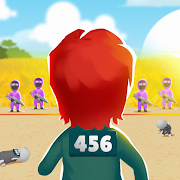
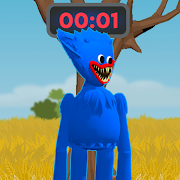
- Red Light Green Light: Don't let the Huggy recognize your motion, you could only move when the light is green.
- Tug war: Animals are separated in 2 teams, pull the rope as fast as you can
- Falling Rocks: Animals move freely on an unstable ground. Some rocks fall from above and you need to avoid them.
- Lotus leaves bridge: Remember the firm leaves, jump on them to be safe
- Other mini games that you need to download, play and enjoy!
Play the game Floki Playtime: Poppy's Squad and have fun relaxing!
Thank you,
Show more

1. Download MEmu installer and finish the setup

2. Start MEmu then open Google Play on the desktop

3. Search Floki Playtime: Poppy's Squad in Google Play
Install
4. Download and Install Floki Playtime: Poppy's Squad
5. On install completion click the icon to start

6. Enjoy playing Floki Playtime: Poppy's Squad on PC with MEmu
MEmu Play is the best Android emulator and 100 million people already enjoy its superb Android gaming experience. The MEmu virtualization technology empowers you to play thousands of Android games smoothly on your PC, even the most graphic-intensive ones.
Bigger screen with better graphics; Long duration, without limitation of battery or mobile data.
Full Keymapping support for precise control of keyboard and mouse or gamepad.
Multiple game accounts or tasks on single PC at one time with Multi-Instance manager.
Play Floki Playtime: Poppy's Squad on PC by following steps: